live_tv
Livestream Starting Soon
00
Hours
:
00
Minutes
:
00
Seconds
Up next in 10 CANCEL
PLAY NOW
How to modify UCS in AutoCAD for 3d drawing (and restore to WCS) Apr 17, 2022
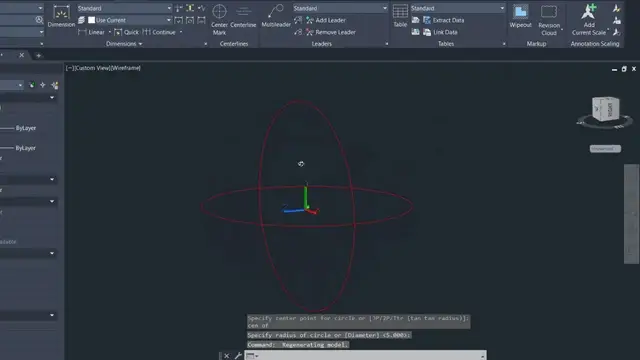
How do you draw lines and circles and other things in AutoCAD that are not on the default XY plane?
By modifying the UCS (user coordinate system), it can make drawing 3d shapes much easier.
0:00 Intro
1:00 Draw objects - example 1
1:20 Change the UCS of the drawing
2:38 Draw objects - example 2
3:30 Change the UCS of the drawing
Show More Show Less #CAD & CAM
#Operating Systems
Latest Videos
play_arrow
6:35
play_arrow
3:33
play_arrow
2:28
play_arrow
6:34
play_arrow
0:06
play_arrow
0:33
play_arrow
0:11
play_arrow
1:00
play_arrow
0:11
play_arrow
1:05
play_arrow
0:38
play_arrow
0:37
play_arrow
3:21
play_arrow
1:35
play_arrow
1:18
play_arrow
4:15
How to modify UCS in AutoCAD for 3d drawing (and restore to WCS)
Apr 17, 2022
2
3:33
Create points in AutoCAD [and modify appearance of points]
Apr 17, 2022
3
0:38
Autocad how to make arcs and circles appear smooth
Apr 17, 2022
4
1:35
How to extrude in AutoCAD [3d modelling]
Apr 17, 2022
5
3:21
How to insert symbols into AutoCAD (degree, plus/minus, diameter, and more)
Apr 17, 2022
6
1:18
OVERKILL in AUTOCAD (how to delete duplicate objects in AutoCAD)
Apr 17, 2022
7
1:59
How to draw an arrow in AutoCAD (2 ways)
Apr 17, 2022
8
1:31
How to restore a missing command bar in AutoCAD
Apr 17, 2022
