
The SECRET to Making Your Images POP in Canva
Apr 9, 2025
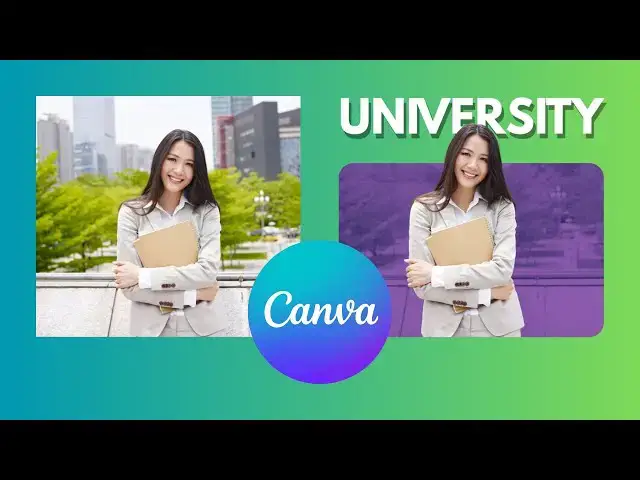
Want to create a stunning pop-out effect with rounded image corners in Canva? This easy and creative tutorial will show you step-by-step how to achieve this modern and eye-catching design. Perfect for thumbnails, presentations, and social media posts, this effect will make your images stand out effortlessly!
🎨 In this tutorial, you’ll learn:
✔️ How to separate a subject from the background using Canva's Magic Grab Tool
✔️ How to round image corners for a sleek, professional look
✔️ How to apply the Duotone effect to enhance the background
✔️ How to add text behind the subject for a creative touch
✔️ How to use shadows to make your design pop
📌 Why you should try this Canva effect?
✅ Beginner-friendly – No design skills needed!
✅ Fast & easy – Done in just a few clicks!
✅ Perfect for social media – Make your visuals more engaging!
#canva #canvadesign #graphicdesign #canvatutorial #canvatips #popouttext #imageediting #canvahacks #logodesign #canva2024 #thumbnaildesign #texteffects #designtools #digitaldesign #socialmediadesign #canvatricks #marketingdesign #easyediting #photomanipulation #diygraphics
🎨 Level up your Canva skills! 🚀 Watch more tutorials here: https://youtube.com/playlist?list=PLPEQNZkdtbvtNmuoizgPrt6WSYdJh3tXs&si=FdCTdGMo10nc5E4j
🔔 Subscribe for more quick & practical Canva tips on Skills Forge Pro !
Show More Show Less #Design
#Photographic & Digital Arts
#Multimedia Software
#Skins, Themes & Wallpapers
#Visual Arts & Design Education