Up next in 10



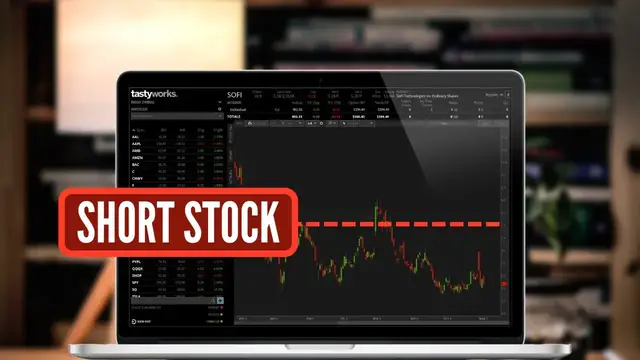
Today we'll learn how to short stock on the Tastyworks Desktop platform.
Shorting stock is a risky, but potentially profitable way to make money from a stock going down in value. It's essentially borrowing stock from your broker, then selling those shares in the market. At a later date, you’re then hoping to buy those shares back at a lower price and profit the difference.
Today we'll learn how to short stock within Tastyworks and how to close the position at a later date. We'll also learn how to short using the active trade tool as well.
Show More Show Less View Video Transcript
0:00
Shorting stock is a risky but potentially profitable way to make money from a stock going down in value
0:05
It's essentially just borrowing stock from your broker, then selling those shares to the market
0:10
and then at a later date you're hoping to buy back those shares at a much lower price
0:15
You'll then be able to keep the difference between what you sold it for, and then what you bought it for, and then profit the difference
0:21
So in today's video, we're going to be diving into the Tastyworks platform and going through the entire process of opening and closing a short position
0:28
and we'll be going through it every step of the way. Now, within this platform
0:32
there are actually a couple different ways to do that, but the very first example
0:36
is doing it right here from this screen. However, what I want to do first
0:40
is come up here to the top and flip this over from Apple to, let's say, SoFi, S-O-F-I
0:46
Looking to the right, we can now see that this stock is currently trading for $5.29
0:51
And remember, if we want to short a stock, we think that stock is going to go down in value
0:56
We think it's overvalued at this price. One way for us to short this stock from this screen is simply finding the current bid price of the stock
1:04
So in this case, if we came over here to the right and found the current bid price of $5.28
1:09
if we were to click on that, you'll actually see it takes us immediately to the trade page
1:14
And then more importantly, down here below, we can actually see an open order ticket to short SoFi right now
1:20
Starting on the left-hand side and working our way to the right, we can see the very first button here specifies that we do in fact want to short the stock
1:28
To the right of that, we can then specify exactly how many shares we wanted to sell
1:33
So in this case, I'm currently saying I want to short one share of SoFi, which is exactly what I want to do
1:39
And then moving to the right, we can specify exactly what we wanted to short the stock at
1:44
And to the right of that, the order type that we wanted to use. Now, at the moment, I am currently using a limit order, which essentially means I do not want to short this stock unless it reaches this price or higher
1:55
So if we didn't want to necessarily short SoFi immediately at whatever its current price was
2:00
we could come right here and adjust this to whatever price we wanted to
2:04
So in my case, let's say I only wanted to short the stock if it went up to $5.40
2:10
If I were to actually place this, this order would not fill until SoFi moves up to $5.40
2:16
If we instead did want to fill immediately and we said we will take whatever the current price is
2:20
we just want to fill right away, that would be an example of a market order
2:24
and in order for us to flip it to a market order, we are simply gonna come over here to the order types
2:29
where it currently says limit. Then within this list, we can see the market order is the very first option here
2:34
and if we click on that we actually lose the ability to specify a price That because we are now saying we want this order to fill immediately and we take whatever the next best price is
2:44
which in this case, with the current bid being 528, that is exactly what we would fill at
2:50
Now, besides a market order and a limit order, if we were to come back over here to the right
2:55
you will also see a stop market and a stop limit order. For the vast majority of you watching this, you are only going to be using a stop order to exit this position
3:03
So once we already get into the short, you could say, hey, if I was wrong, if the stock goes up
3:08
which means if the stock goes up, we are losing money. I want to buy it back before I lose too
3:13
much money. That would be an example of when you would use a stop market or stop limit order to get
3:18
you out before you take on too great a loss. However, we could alternatively use a stop order
3:24
to enter a position if we think if it goes below a certain level, it's going to break out
3:28
So just as an example with SoFi currently trading at $5.28, let's say we saw the level of support at $5
3:35
And we said if SoFi ever drops below $5, we want to enter a short because we think it's going to head right down to $4
3:42
So what we could do is come up here and select a stop market order, then come over here to the left to the price and say do not enter this market order to short the stock unless SoFi drops below $5 a share
3:54
So now I'm saying if SoFi ever does drop below five, put out a market order to sell one share
3:59
of stock because I think it's going to go down even further. But for right now, let's just go
4:04
ahead and use a limit order. So come back over here to the right and flip it over to a limit
4:08
And this is probably the order type that you're going to use most often. And let's also say I
4:13
don't want to short it unless it goes up to 550. So I'm going to go ahead and type in 550 here
4:19
And now the only other thing I have to do is come over here to the right and specify how
4:23
long I want this order good for. So at the moment, I'm saying I only want this order good for the day
4:29
So if it doesn't fill by the end of the regular market session today, which is 4 p.m. Eastern
4:33
time, just go ahead and cancel the order. What we could do, however, is go ahead and click on this
4:38
and we could see a few different options down below. The first one here being a GTC order
4:44
That means good until canceled. So essentially, I want this order to go out every single day until
4:48
it fills. I want to try and get this short filled, whether it happens today, tomorrow, or a week from
4:53
out whenever it might happen. Very similar to the GTC order is the good till date or GTD. It's
5:00
essentially the same as GTC, except you're going to specify an exact day in which you want this
5:05
order canceled. So maybe you don't want this order good forever. You only want it good for a month
5:10
So I could go out and say hey if this order hasn filled by December 10th just go ahead and cancel it Now finally the very last one in the list here is an EXT order And this is going to be used if you want your short to work during the pre and post as well So let
5:25
pretend it's 4.30 p.m. Eastern time, the market closed about 30 minutes ago, and now you want to
5:30
enter a short on SoFi, you would have to come over here and flip it over to an EXT order in order for
5:36
it to get filled, or in order for it to even work during the extended session. But in our case today
5:41
just to keep things simple, let's come up here to the top and go ahead and check mark a day order
5:46
Now that we've got everything filled out and I'm happy with it, we will simply come down here below
5:50
and hit review and send. This will now take me to a little order confirmation box where I can just
5:55
confirm everything looks right. So in this case, I'm about to short the stock at $5.50. The order
6:01
is only good for the day. And now in order to actually place it, I would simply come down here
6:05
and hit send order. Now that the order has been placed, we could check on it by coming over here
6:11
to the positions tab. And right here, we can see our working order to short SoFi if it ever goes up
6:17
to $5.50. In this case, with SoFi currently trading at $5.30, it's going to have to move up about $0.20
6:22
before we get a fill. But let's say later down the line, you change your mind and you either
6:27
wanted to cancel this order or maybe even edit it in some way. And in order for us to do that
6:32
we would simply right-click anywhere on this order ticket. Then within that little pop-up
6:36
we can either specify we want to outright cancel the order, or we could come down here below and
6:41
replace the order, which is just synonymous for edit. So in our case, let's say we wanted to edit
6:47
it. So we're going to click on replace order here. I'm then going to come down here below and let's
6:52
say we just wanted to adjust the price. In this case, I'm going to flip it to the current price
6:57
of SoFi. So I'm going to put in a limit order at the current price, $5.31. And now that I'm happy
7:02
with that I'm just going to come over here to the right and hit review and send then just confirm
7:07
everything looks right and if it does hit send order one more time. Now that the order has been
7:12
placed if we come over here to the positions tab we can also see that the position has filled as
7:18
well. So right here if we were to click on SoFi we can see my current position down here below
7:23
It says I currently have negative one share so I am short the stock. To the right I can see the
7:28
price at which I shorted it for, $5.31. And to the right of that, we can see how much I am up or down
7:34
today, as well as how much I am up or down since I opened this short position. Now remember, with a
7:40
short position, we want the stock to go down in value. Going down in value is how we are going to
7:44
make money. If it instead goes up in value, that is how we are going to lose money. And remember
7:50
with a short position the reason it is so risky is because there is no limit to how much money we could lose on this trade Theoretically SoFi could go to a share tomorrow or a share or a share There is theoretically no limit to how high the stock price could go
8:07
so definitely be careful when you're in a short position because technically there's an undefined
8:12
loss. But once the time comes, and let's say you wanted to buy back this SoFi position, and remember
8:17
to close out a short, we do have to buy it back. So in this case, if I did want to buy back this
8:23
short, I could simply come over here to the position and right click on it. I'm then going
8:27
to click on the little close position button just the right in this little pop-up window
8:31
It'll again take us back to the trade page and then down here below we can see the order ticket
8:36
to buy back the position. And in this case it's identified as cover because we're covering the
8:41
short. To the right we can see it defaults to the quantity of shares I currently hold. So in this
8:46
case I'm saying I want to buy back my one share. I want to buy it back at the current price 532
8:52
too. And if I did, if I'm happy with that, I'll just come over here to the right and hit review
8:56
and send and hit send order to buy back that short. To confirm it's filled and I'm out of that
9:02
position, we will just come back up here to the positions page. And now you can see here, I no
9:08
longer have that short position on SoFi. I have zero shares, but that'll be the simplest and easiest
9:13
way to get in and out of a short position within Tastyworks. The other popular method and the way
9:18
that I'll show you real quick is by coming over here to the trade page, then coming up to the top
9:24
and opening up the active trader tab. This page might seem a little bit confusing if you're coming
9:29
here for the first time, so I have made a completely separate video which you can watch if you want to
9:33
go more in depth on this thing. But for right now, since I just wanted to keep this short and simple
9:39
if we were to come down here below and find SoFi once again, looking to the right, you can see I
9:44
currently do not have a position. It's blank right here in this box, but just the right, it tells me
9:49
the current bid and asking price for the stock right now. From this screen, if we wanted to short
9:55
the stock, just like before, we would come over to the current bid price, in this case $5.31
10:01
And if I were to click on that number, it's going to ask me exactly how many shares I wanted to short
10:06
the price, and I would have to hit send to actually submit it. But again, those are just
10:11
a couple different examples of how to short stock within Tastyworks and hopefully that clarifies a
10:16
few things and you now feel at least a little bit more comfortable with how to short stock within
10:20
here. Just be sure to be incredibly careful if you're just getting started and stay small so you
10:25
don't get yourself in too much trouble. Now if you are in the mood to learn more I have made a much
10:30
more in-depth video on this specific tool the Active Trader tool and I think you might find
10:34
that helpful as well. Otherwise have a great rest your week and I hope to catch y'all on the next one
#Finance
#Finance
#Investing
#Stocks & Bonds
#Brokerages & Day Trading