Up next in 10



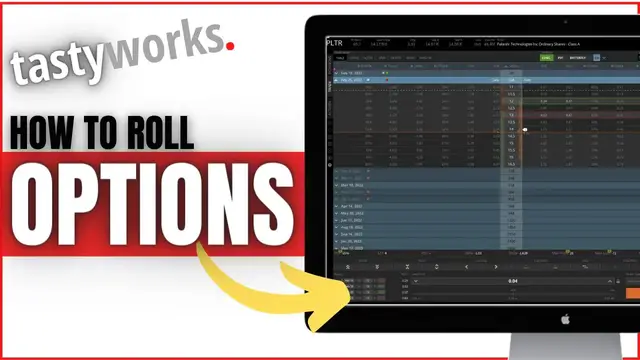
In today’s video we’ll learn how to roll options on the tastyworks platform.
We'll be going through several examples for both single leg options as well as spreads. This should give you enough practice with rolling options so you feel comfortable doing it yourself. However, the rolling process is pretty much the same for both single leg options and spreads.
Show More Show Less View Video Transcript
0:00
Hey everyone, welcome back to the Tastyworks tutorial series. In today's video, we're going
0:04
to learn how to roll options on the Tastyworks platform, and to make sure you guys get experience
0:08
with various different strategies in here, we're going to go through several different examples for
0:12
both single leg options as well as spreads. That should hopefully give you guys enough experience
0:16
to feel comfortable doing this yourself on your end, although I will say it's pretty much the same
0:20
process either way. Now, to start off with, we obviously need to be on the positions page where
0:24
we can actually see all of the positions in the account and all the options positions. You can see I already am on the positions page on my end
0:30
and you can see I've got positions on both Palantir and Rocket. And if I go ahead and click on those, we can actually see the positions I hold
0:37
Looking at Palantir for a second, you can see I have one single share of stock
0:40
as well as a short vertical put spread. I sold one of the $13 puts, bought one of the $12 puts, and those are both for February 18th
0:48
Right below that, you can see I also have a long put on Rocket. I bought the $12 put that expires in just a couple days from now on February 18th
0:55
Now, don't worry, we're going to go through both of these. how to roll a vertical spread as well as roll single leg option. But let's start with the one
1:01
on rocket first, just the single leg $12 put. To roll it out, it's actually incredibly easy. We
1:06
simply need to right click on that put option. As soon as we do a little drop down many comes up
1:11
giving us options like close position, close at a certain profit potential, quick roll
1:16
roll expiration and roll strikes. Now for the most part, you guys are probably most often just
1:20
going to simply click on close position and put in the price that you want to sell this option for
1:24
But in this case, we actually want to roll it out in time or even roll it to a different strike price because we want to maintain the position, but just move it out in time. Give
1:31
ourselves more time for this trade. Now, for the most part, you're probably going to click on quick
1:34
roll most often, and that simply rolls out to the same strike, but just one expiration further out
1:39
in time. If you instead wanted to roll it to the same strike, but just further out than the next
1:44
available expiration, you could come down here to roll expirations. From there, you can see a list
1:48
of a few of the other further out expirations and kind of what credit we would receive for rolling
1:53
this out, or in this case, debit, because we're going to be paying more money to roll it out further in time. But the next one down, if you look at roll strikes, this is pretty much the same
2:00
except instead of rolling it out in time, we're going to keep it on the same expiration, but just
2:04
roll it up to a higher strike or down to a lower strike. For this example, we're going to simply
2:09
click on quick roll, because like I said, this is going to simply roll it out one expiration in time
2:13
but keep it on the same strike price. So let's go ahead and click on that. As soon as we click on
2:18
that you can see it takes us directly to the rocket option chain And of course we can see all of the different expirations up here at the top But more importantly we can actually see the order ticket down here below And it actually telling us what it about to do In this case it says we about to sell one of the
2:31
February 18th, $12 puts, and we're doing that to close the position. So we're closing out our
2:36
current option position. Then right below that, it says we're buying to open one of the February 25th
2:41
$12 puts. And again, that's BTO or buy to open. And then just to the right of that in the middle
2:46
of the screen, it tells us the total cost of this roll. So right now it's going to cost us $0.34
2:50
to roll this trade out one week in time. Of course, you could always change that price if you weren't
2:54
willing to pay $0.34 to roll it out, because remember, that increases our max loss potential
2:58
on this trade. We're increasing our risk by $0.34. So if you only wanted to roll it, if you could do
3:03
it for $0.30 or $0.25, of course, you could pop it in this box right here, let's say $0.30, but
3:09
you're not going to fill unless somebody's willing to take you up on that price. Now, I think that's
3:13
pretty straightforward. I'm sure you guys understand how to change the price right here. But in terms of rolling it further out in time, so let's say you didn't actually want to roll it
3:20
to February 25th, you instead wanted to move it out to, let's say, March 18th. That would give us
3:25
almost an additional month to be right on Rocket for Rocket to go down in value like we think is
3:29
going to happen. So if we wanted to actually do that, all we need to do is come down here to this
3:33
expirations box, and you're going to see a little minus sign and a little plus sign. In our case
3:38
since we want to roll it further out in time, further than February 25th, we're just going to
3:41
hit that little plus sign a couple times until you see March 18th in that little window. And there
3:46
we go. We can now see we are still selling to close our current $12 put, but now we're buying
3:50
to open the $12 put for March 18th. So we're giving ourselves another month to be right
3:55
Now, just to the right of that, you can see the debit has gotten bigger. It's now a 59 cent debit
4:00
to roll it out about a month in time. So of course it will be a little bit more expensive because we
4:04
are giving ourselves more time to be right on this trade. Another thing we have the ability to do is
4:09
change the strike price. So let's say we didn't just want to roll it out in time. We also wanted
4:13
to adjust the strike. Let's say we didn't want to pay 59 cents. We wanted to maintain our position
4:17
but we didn't want to pay 59 cents. So what we could do is actually move this from $12 to let's
4:22
say 11 bucks. So we're going to come up here to the strikes box right here, and we're going to
4:26
click these little double up arrows right there. You can see it adjusted from 12 to now 11, and now
4:31
I'm only paying a 27 cent debit. If I were to move it up even further, you can see the debit goes
4:35
lower and lower because now I'm giving myself less likelihood of actually being right. I'm getting a
4:39
lower delta I getting lower probabilities so of course I not going to pay as much for this roll Now another really cool thing I mention is this little box up here at the top where it currently shows us our probability of profit our extrinsic value our current delta theta max profit and max loss Now I already explained this probably a hundred times in
4:56
different videos, so we're not going to go super in depth on it. I just want to make it very clear
5:00
that this is incredibly useful and probably better than any other platform I'm aware of
5:04
because it factors in our previous trade. If you look up here, it says our max loss on this
5:08
transaction would be 21 bucks. But looking down here below, it says our debit is only going to be
5:13
10 cents. So you can see it's actually factoring in our previous trade, our previous position on
5:18
this $12 put. I'm not actually aware of any other platform other than Tastyworks that factors in
5:23
previous trades like Tastyworks does. So right here, we can see our new max loss would be 21 bucks
5:28
factoring in our previous trade. We can also see our new max profit would be 979 bucks. Again
5:34
factoring in our previous transaction. But that's pretty much it in terms of rolling a single leg
5:39
option. You simply need to come up here to the positions page, right click on the thing you want
5:43
to close, go to quick roll. From there, you can see the rolling position down here and you simply
5:48
need to change it to the expiration you want to roll it to, change it to the strike you want to
5:52
roll it to. And then when you're happy with the price, you're happy with the new probabilities and
5:56
the max profit and whatnot, you would simply hit review and send down here below. Now moving off of
6:00
a single leg option, let's go ahead and go over a spread next. So let's clear this out and go back
6:05
to the positions page. Coming up here to the top, we can see Palantir again. Let's go ahead and
6:09
click on that and now we can see my position right there down below. Really the only difference with
6:13
this one is the fact that we're rolling two legs at the exact same time so we actually need to click
6:17
on each of these and get them highlighted. Once they're highlighted we're simply going to right
6:21
click on it just like before and we're going to click on quick roll just like before. As soon as
6:26
we do that it opens up an option chain just like it did for Rocket and now we can see the entire
6:31
spread is getting rolled out. The very top line says we're going to be selling to close one of the
6:35
$12 puts for February 18th, then we're going to be buying to close one of the $13 puts, so closing
6:39
out our current vertical put spread, and then basically selling a brand new one for one week
6:44
further in time. Now you should have also noticed that it does automatically keep it on the exact
6:48
same strikes, and again it moves it out just one week in time, but of course we can change it just
6:52
like we did for the single leg option. If we wanted to roll it out to 18 March just like we did before
6:57
we could always come up here to the time box and click on that a few times until we get to 18 March
7:01
And if we wanted to roll the strikes just like we did before, maybe we wanted to roll
7:05
them out further out of the money to put the probabilities more in our favor we could of course come over here to the little plus arrows or up arrows and go ahead and click on that As soon as we did that you can see that it changes both of those strike prices It moved it from 12 and 13 down to 11 and 10 If we were to click on it again you going to see
7:21
it change from 10 and 11 to now 8 and 9. However, you'll also notice that if we roll it out like
7:26
this, we're actually paying to do this. So right now this is actually a 21 cent debit. So we are
7:31
going to be paying to move these down to the 9 and $8 strikes. If we were to go back to the current
7:36
strike price. Let's go back to 12 and 13. So keep them on the same strikes. You can now see instead
7:41
we're receiving an 8 cent credit. So to do this trade, to roll this vertical put spread about
7:45
three weeks further out in time, we would receive an additional credit of 8 cents. And if you look
7:50
up here under max profit, that's going to factor in our previous transaction. So it's factoring in
7:55
the fact that we received about 24 cents previously to do this trade originally. Then if we were to
8:00
roll it, we're going to receive another credit of 8 cents. So it's going to increase our max profit
8:03
from 24 cents to 32 cents, factoring in our original vertical spread. So like I said before
8:09
I'm a huge fan of this Tastyworks little informational screen up here at the top. I'm
8:13
not aware of anybody else that does this. It's awesome. But just to go over that one more time
8:17
so you guys get the hang of it, we'll clear this out of here. We'll go back to positions. And again
8:21
you simply need to click on the two legs themselves. So in this case, it's a vertical. So two legs, we'll go ahead and click on each of them. Now that they're highlighted, we're going to
8:27
go ahead and right click on that. From there, we're going to go down to quick roll and it's
8:31
going to build out a rolling vertical spread. And down here below, if you're ever confused
8:35
it's going to list out exactly what we're doing. We're closing out the $13 by $12 put spread for
8:40
this week, rolling it out one additional week in time. If I look to the right, we can see we're
8:44
doing that for a total credit of $0.05. So I'm getting paid an additional $5 to do this. Factoring
8:49
in the fact that I already received $0.24 for doing this trade originally, my now new max profit
8:54
would be $0.28 because $0.24 plus the new credit. If I actually wanted to submit this trade, we did
9:00
want to roll it one additional week out in time, we would simply hit review and send, confirm
9:04
everything looks right, we're happy with everything, then we just hit send order. But like I mentioned
9:09
at the beginning of this video, rolling options in Tastyworks is actually pretty easy to do
9:13
and this video covered just about everything you guys need to know to roll both single leg options
9:17
and spreads in the Tastyworks platform. I really hope it helped, but if you guys have any additional
9:21
questions for me, please leave them down below, and also I will mention that if you guys are
9:25
already planning on opening a Tastyworks account and want to help me out a little bit, use my link
9:30
down below. But we'll go ahead and wrap things up here. I hope you guys all have an amazing rest
9:33
of your week and I'll catch you guys on the next video
#Finance
#Investing
#Stocks & Bonds