0:00
Your iPhone has a built-in warning
0:02
system for severe weather and
0:03
earthquakes, but if a sudden quake hits
0:06
right now, will your device actually
0:08
sound the alarm? To make sure you get
0:10
those critical seconds of warning, open
0:12
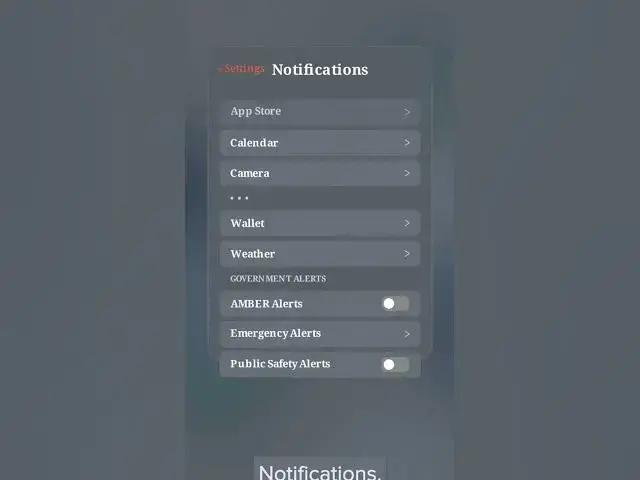
your settings app. Once you're inside,
0:15
scroll down just a bit and tap on
0:17
notifications. Here is where most people
0:20
get lost. You have to scroll all the way
0:22
down past every single app on your phone
0:25
to the absolute bottom of the menu. Look
0:27
for the government alert section and tap
0:30
into emergency alerts. Toggle the main
0:32
switch on and make sure all the internal
0:35
features below it are active, too. Next,
0:37
head back one screen and toggle on
0:39
public safety alerts so you never miss a
0:42
critical local advisory. With those two
0:44
hidden toggles permanently locked in and
0:46
fully active in the background, the next
0:49
time a sudden earthquake strikes your
0:50
area, your phone will instantly bypass
0:53
the silence and sound the alarm.