0:00
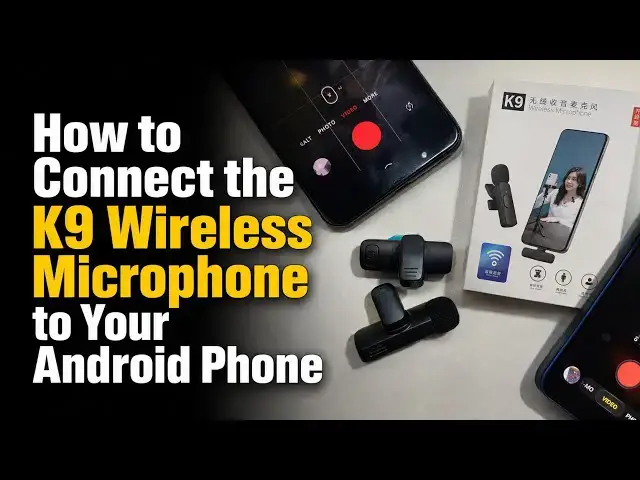
The K9 wireless microphone is quite
0:02
popular and it's easy to see why. It's
0:06
affordable. You can often find it for
0:09
less than $20. It has a number of
0:11
variants in the market, but this
0:13
particular K9 brand seems to have gotten
0:17
the attention of a lot of people. Now,
0:19
there are things to take note of before
0:21
buying one. If you check on this side of
0:24
the box, there are three options there.
0:26
The first says for type-C. That type C
0:28
is for your Android smartphone. The next
0:31
one says for iPhone and that one works
0:34
only for iPhone. And then the third one
0:37
says type C plus iPhone. So that's
0:39
type-C for the newer iPhones that have a
0:44
type-C port. You must take note of this
0:48
This particular one identifies that it
0:52
works for both type-C Android
0:54
smartphones and lightning port iPhones.
0:57
And I'll show you in a moment when I
0:59
open the box. It means that it has an
1:03
adapter on the inside that lets you plug
1:06
into an old school iPhone like your
1:09
iPhone 14 series, iPhone 13 series,
1:12
iPhone 12 series. If you do not buy the
1:15
right type for your device,
1:21
So, if you buy [clears throat]
1:22
this type-C, this one that is labeled
1:25
type-C at the top and hope to use it
1:27
with your iPhone, it will not work. You
1:30
need to get the type-C plus iPhone
1:33
variant. You'd see the, you know, that
1:36
check mark will be darkened there. I
1:39
just needed you to see that before we
1:41
move on because a number of people tell
1:44
me that they have connected it. They are
1:46
seeing the green light but it's not
1:49
working. The reason it's not working is
1:51
likely because you're using the wrong
1:53
one for the wrong device. That done,
1:57
let's get to it. Now, in the box, we
2:00
have two microphones,
2:03
and this allows you to use this for a
2:05
podcast or an interview. One person can
2:09
have this on their shirt, the second
2:12
person can have this on their shirt, and
2:13
you can speak together and record audio
2:17
from both of you. There is the receiver.
2:21
We call this the receiver because when
2:25
you speak into the microphone, this
2:28
transmit wirelessly to this. And of
2:31
course, this is plugged into your phone.
2:34
And it's a type-C port. So, it goes into
2:41
Now, what if you want to use it with an
2:44
old school iPhone that has a lightning
2:48
port? You remember that this box is
2:51
labeled for type-C and for iPhone. And I
2:54
mentioned that it has an adapter. Here
2:57
is the adapter. It's a lightning port
3:06
so that you can plug it into your old
3:11
That's how it works for the iPhone.
3:14
Without this adapter, it's not going to
3:17
work. And even if you have one that does
3:21
not support iPhone and use this adapter,
3:23
it will not work. I have tried it. I
3:25
have a variant that is only for type-C
3:28
and I took the adapter from here and I
3:29
tried it. It didn't work. You must get
3:32
this labeling right. It is important
3:34
that you get this labeling right. So
3:37
this is how it works for your iPhone.
3:41
before you use this. These microphones
3:45
need charging. The receiver does not
3:47
need charging. The adapter does not need
3:50
charging. So we can put this aside.
3:54
[snorts] But these microphones need to
3:57
be charged. I'm going to show you how it
4:01
is charged. At the side of each of the
4:05
wireless microphones is a USBC port. You
4:09
can see it here. That's the USBC port.
4:12
And all you have to do is plug in to any
4:16
power source, wall socket, power bank,
4:21
When you plug it in, it lights red
4:25
to show that it's charging. And then you
4:28
have to wait for it to complete charging
4:34
the light will go off and then you
4:37
charge this two. You can see the red
4:39
light when it starts charging. When
4:42
you're done charging, you need to power
4:44
it on. To use it, the power button is
4:49
right here. You should be able to see
4:51
this. So, you're going to press and hold
4:54
it. There you go. It's blinking red and
4:57
green and it does that to indicate that
5:01
it hasn't made a connection. It doesn't
5:04
make a connection with the receiver
5:05
until the receiver is plugged into a
5:08
phone like this. Watch that. [snorts]
5:17
And now it's all green. The blinking has
5:20
stopped. When the blinking stops and it
5:22
turns green, it means it has made a
5:24
connection with the receiver and you're
5:27
ready to record. What do you do now?
5:30
Launch your camera app, switch over to
5:33
video, and hit the record button. And
5:37
then you can start your recording.
5:40
Of course, this does not stay on the
5:43
table. It's a close mic. The idea is
5:46
that it picks the audio from your mouth
5:48
and isolates audio from the background
5:51
as much as possible. So you have to pin
5:56
this close to your mouth. Once you have
6:00
pinned that on your shirt, you're ready
6:02
to record. You press the record button
6:06
and you begin to speak. When you're
6:09
done, you stop recording. You'll find
6:11
the recording in your phone gallery.
6:15
pick it from there, edit it, play around
6:17
with it, whatever you want to do with
6:18
it. Upload it and you're good to go.
6:20
Notice that it's blinking again now that
6:25
If you're using one of the older iPhones
6:27
like this one, you plug in the adapter,
6:30
the lightning port adapter,
6:33
and then I want to make sure you can see
6:38
Yeah, you can see it blinking. And then
6:41
we plug this to the iPhone.
6:47
And you can see it has stopped blinking,
6:51
which means it has paired with the
6:53
receiver and the iPhone. Again, what you
6:56
do, launch your camera on the iPhone,
7:00
put this close to your mouse and switch
7:06
and then you can start recording.
7:09
And when you're done, stop recording.
7:14
So that's it, guys. That's how to
7:17
connect and use the K9
7:21
wireless microphone. It's pretty easy.
7:24
You should be able to find this on
7:26
Amazon, Best Buy. If you can't find this
7:29
particular name, pick any other wireless
7:34
microphone that looks like this. Most
7:36
likely, they are all from the same
7:37
manufacturer. Once you see the design,
7:39
it's very distinctive.
7:42
There are lots of them bearing different
7:45
names, but exactly the same design. It's
7:48
from the same source. It's a white label
7:50
manufacturing thing with different
7:53
people slapping their brand name on it.
7:55
So, they'll likely just all work and
7:58
they work well. So, give it a try. Let
8:01
me know. Thank you for watching this. Do
8:03
like it. Tap on the subscribe button
8:06
below so you can follow my channel. I
8:08
look forward to seeing you again. Take