live_tv
Livestream Starting Soon
00
Hours
:
00
Minutes
:
00
Seconds
Up next in 10


How to Wake Up with SPOTIFY PLAYLIST on iPhone 2024 (IN 2 MINUTES)
Show More Show Less View Video Transcript
0:00
Welcome everybody into this new tutorial. Let's see how you can wake up with our Spotify playlist on our iPhone
0:05
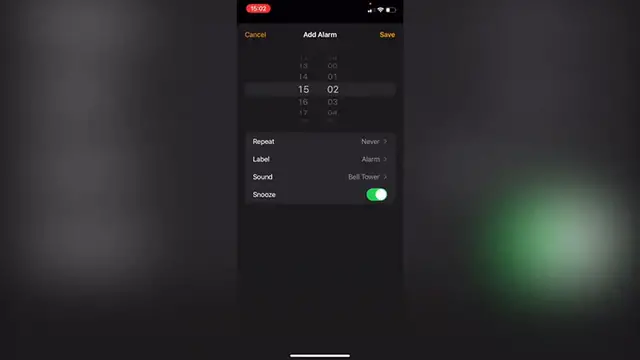
Now as you might know if you want to add an alarm into your iPhone
0:09
The only way that you can add a specific custom alarm is by having a song already downloaded or purchased
0:15
Into the iTunes Store or directly from your Apple music But if you want to add your Spotify account, it won't be available. Lucky for us. There is a great application called morning
0:25
So I'm gonna leave you a link down below in the description so you can download the application totally for free
0:30
There is a free subscription mode and also you will get the three-day free trial of a premium subscription
0:36
But once again, if you're using the link that I give you down below in the description Those three days convert into 15 days totally for free for a premium subscription
0:45
So once you download the application you want to have your Spotify already downloaded as an application
0:51
Here into your Spotify you must have a playlist in order to continue
0:55
So now let's get into morning. Once you enter into morning It will be asking you for connecting your Spotify account in order to continue. Let's say I want to wake up at 9 a.m
1:03
I'm gonna go into start and now what I want to do is to add a new custom alarm in my case
1:09
I want to connect my Spotify account and go into ok Once I logged in into my Spotify, I want to select the search bar and tap into the playlist section
1:17
So it's gonna be showing me all the playlists that I have available into my Spotify account
1:22
Once I choose that I want to go into the settings option so I can customize my specific alarm
1:27
For example activate the shuffle mode and activate some snooze time Let's say for about three minutes after that you want to go back and go into done
1:36
You can choose the option to go and fall asleep if you're ready to taking a nap
1:40
So the last thing you want to do is to lock your phone and take some sweet dreams now
1:44
Our alarm has been set successfully. Hopefully this was a very useful video for you
1:48
Once again, I'm gonna leave you a link down below in the description So you can redeem 50 days of a premium subscription of this great application called morning. Thank you for watching this video
1:58
Don't forget to Like and subscribe and I will see you guys next time
#Music Streams & Downloads