Up next in 10

How To Transfer An NFT From One Wallet To Another (Polygon or Ethereum) Send and Receive Opensea
Mar 24, 2024

How To Transfer An NFT From One Wallet To Another (Polygon or Ethereum) Send and Receive Opensea
Show More Show Less View Video Transcript
0:00
how to transfer an NFT with Polygon
0:05
hey guys welcome to crypto express in this episode i'm going to show you how guys
0:09
we can send an NFT using the Polygon network on OpenSea so the first thing you need to do guys
0:17
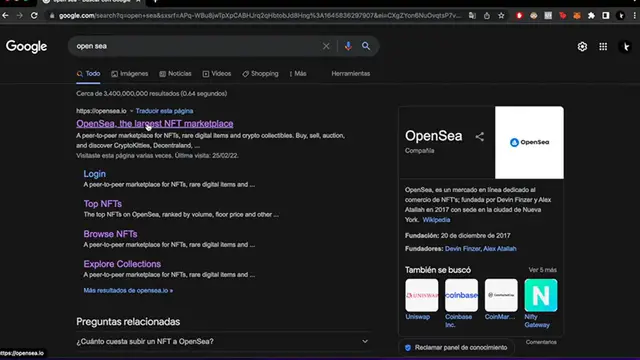
is to open um here opensea.io as you can see here i got it already open it now i'm going to go into
0:24
my profile and i'm going to enter with my wallet so i'm going to click into connect your wallet and
0:29
i'm going to choose metamask over here and as you can see i have a notification here on my
0:34
metamask wallet i'm going to go ahead and put on my password so i can get in here i come here we go
0:42
okay so as you can see guys i have this NFT right so uh what we want to do is to send this NFT to
0:49
another wallet using the polygon address right so the first thing we want to do is after we locate
0:55
the NFT we're going to click in this industry um three dots and we're going to click on transfer
1:01
right we select the NFT again and we click on transfer and transfer now the address you got
1:09
now you have to make sure guys that here in metamask you are using the network of polygon
1:15
here i am with the polygon and i'm going to go back and i'm going to paste the address of the
1:21
friend that um they're going to send the NFT right it says here that the item sent to the
1:26
wrong address cannot be recovered so be uh really aware of that guys and once you have done that you
1:32
just click on transfer okay and there you go to complete your transfer you follow these steps
1:37
transfer items and let's make the transfer you have to sign this on your wallet there's a signature
1:43
request so i'm gonna go ahead and sign this it just takes a couple of seconds here okay guys so
1:50
i was just trying to make this transfer on the NFT and it says that there was an error if you can
1:55
see if you saw so there's three ways that we can solve this issue and one of those is to if you
2:02
try this um like a couple times you paste the address and you make the transfer make the transfer
2:06
again there's notification and the signature request i'm going to go ahead and sign if you see
2:13
uh here the if you see here that there was like an error here and could be done the first thing
2:20
you can do is to try to change your wi-fi so i've changed mine already and i'm doing this
2:27
again and see if it can be done we're just going to wait a couple seconds here
2:33
so as you can see the transfer was successfully done seven minutes ago i just needed to change
2:41
my chrome from firefox or vice versa or just in case you're still doubting about this transfer
2:49
you might want to call you might want to get in touch with the person holding this account just
2:54
to verify that the transfer was successfully done guys so there you go don't forget to like
2:59
this video and subscribe to this channel if you like to see more about nfts and cryptos
3:04
and wallets and more so that's it for today's guys i'll see you on the next video
#Crafts
#Web Services