Up next in 10

How To CREATE & VERIFY CRYPTO.COM Account (+$25 FREE REGISTER) Step by Step on Crypto com
Feb 4, 2024

How To CREATE & VERIFY CRYPTO.COM Account (+$25 FREE REGISTER) Step by Step on Crypto com
Show More Show Less View Video Transcript
0:00
how to create and verify crypto.com account
0:02
Hello guys, welcome to this new video. In today's tutorial, I'm going to show you how you can create your own account on crypto.com
0:11
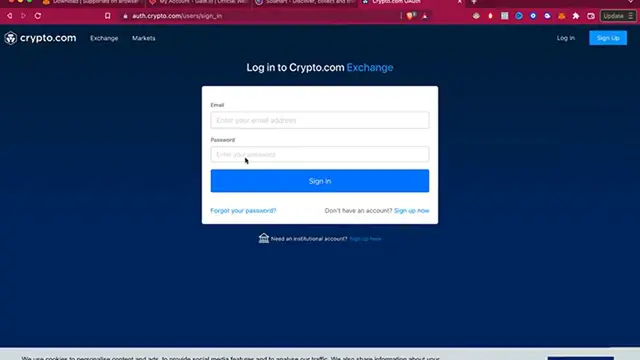
and how can we verify this automatically. So first of all, as you can see, I'm using a specific website called auth.crypto.com
0:21
users sign in. So just in case you are into crypto.com, you want to go into the site that says exchange
0:29
So you can create your first account. So what you guys want to do is to focus in here where it says sign up
0:36
So I'm going to select the option of sign up. And now just in case you have a crypto.com application, maybe you download it in your
0:44
phone, you can do that. But in this case, as we don't have any information, I'm going to put all this information
0:50
my first and last name and nationality, my date of birth, my email and a new passcode
0:55
And if you have a referral quote, you can just put it in here. Don't forget to activate this options of the terms and conditions and the data above
1:04
that will be crypto.com using for the to check and notifications and all that
1:10
So after that, let's go ahead and to create an account. So once we finish creating our account, we are not able to log in properly using our
1:18
email and our own passcode. So as you can see, now I am able to enter the crypto.com exchange
1:26
This is the dashboard that we were looking for. And then what you want to do is to enable the USTC bank transfer, or you can go into
1:36
your profile into the security section. And then what you want to do to focus in here, it says account verification, advance
1:44
So as you can see, I have my account already verified. But if you click in the section where it says account verification, you're going to
1:51
be needed to send in a picture of your identification ID. That must be a national ID where the photo might be provided with a full name and a full
2:00
address that you have on your own. And after that, it won't have to take more than 30 minutes to make the verification into
2:08
your account. And you're going to see that your account says level number one
2:12
That's the reason why our account is now verified and we are now able to start working
2:18
into the crypto.com application. So once our account verification has been successfully done, our account might be successfully
2:27
eligible to do these three kind of assets. So there you have it, guys
2:32
It wasn't that hard. Thank you for watching the video. Don't forget to like and subscribe to the channel if you want to see more about crypto.com
2:38
And I'll be seeing you guys on the next one