Up next in 10


How To Create a WordPress Website Using GoDaddy Full Guide
Show More Show Less View Video Transcript
0:00
How to create a WordPress website using GoDaddy, 2023
0:04
Hello, everyone. Welcome back to another video. I hope you all are doing great and are having an amazing and absolutely incredible day
0:11
I bring you back with yet another video. And in this video, we're going to be talking about GoDaddy
0:15
and how you are going to be using this amazing provider to create a WordPress website
0:23
Now, basically, we know that WordPress is one of the most top leading website
0:30
creators and you know there's a lot of work and process that goes into creating websites like these now
0:37
to enable ourselves to actually you know go through the details and data of creating websites like this
0:43
what we're going to be wanting to do is either come to you know the whole WordPress page and
0:48
you know go through the whole smothering lists of processes and steps to create what we want
0:55
you know, through WooCommerce and pay subscriptions for other things as well, for domains and a
1:01
whole lot of those things. Or we could use a very simple provider, GoDaddy
1:06
So let's get straight into it. Now, if you are considering building a website with WordPress using GoDaddy as your hosting provider
1:15
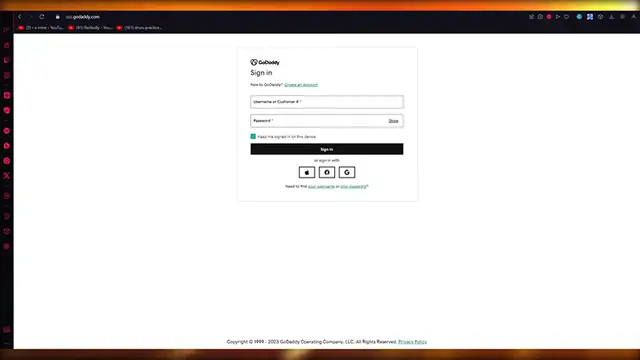
you know, you have come through the right place. So to start things off, you're going to make a GoDaddy account
1:21
Now, a GoDaddy account is really simple. You're just going to come to the GoDaddy website
1:25
you know, add in your email. Once you add in your email, you're going to go ahead and add in your password as well
1:33
Now, once you do that, basically you're going to make sure that you're on the account creation process
1:39
And from there on out, GoDaddy basically walks you through all the things like a piece of butter
1:45
Okay? It's going to be absolutely amazing. So just make sure to have a strong password because obviously we're going to be using GoDaddy to create our domain
1:53
and we don't want our domain to be hacked in or something like that because our domain is an absolutely
2:00
sacred region and you know it would be a pity to lose something like that you know something as precious
2:07
as a domain so once you basically go ahead and create your account and everything you're going to
2:14
ask go daddy to send your verification email to verify everything and once go daddy has sent a verification email to you I just going to go ahead and add your code as I have gotten right now
2:26
And once you do that, you're going to verify your code. And once everything is good to go, it brings you over here
2:31
Now, basically, let me talk you through a bit about GoDaddy. GoDaddy is one of the most cheapest websites that will provide you
2:38
with the best quality domain names and hostings. So let's try, for example, to compare, you know, different things like WebFleaddy
2:45
and GoDaddy's workflow when you search for a domain. So what it will do is it will charge you around, you know, $50 per year
2:55
Now let's see what GoDaddy does for the first time. So we're going to go and find your perfect domain
3:01
And over here we're going to search for any random domain. So let's say I'm going to go with, you know, Johns Store
3:09
You know, something random like that. You're going to go ahead and click on search domain
3:14
And once you click on search domain, what it's going to do is it's going to start giving you all these things
3:18
So look at this. For the first year, what Webflow will do is it will ask for $50
3:23
GoDaddy, on the other hand, look at this. So Johnstor.Store. Which is basically the domain we want to go with, is this much
3:32
This is $1. Just imagine, $1 per year. And this is Johnstor.com, a very better URL
3:43
you could say a very better domain. This is only, you could say this is around, I guess, $3
3:50
So yeah, $3 per year, which is crazy. You know, absolutely crazy
3:56
Now, obviously, you're going to get $1 for the first year. The rest of the years, obviously, price is going to go a bit up
4:04
It's going to hype it up a bit. So from the further years of your use, you know, you're going to have to pay up to maybe
4:12
$100 or maybe $110, but that's obviously going to be a yearly plan
4:17
But you can also go with domains down here. So johnstor.n, you know, as we know, length.n is a very professional and a very popular domain
4:29
And that domain, you know, a domain that looks like that could be yours for just, you know
4:34
this could be around I guess So pretty great pretty amazing stuff Now once we seen the difference in prices we clearly have dignified and justified
4:48
what the better, you know, domain provider is in terms of, you know, actual pricing and all
4:55
Now, once we've, you know, actually gone with that, let's actually go ahead and create a domain
5:02
So to create a domain, what you're going to do is you're going to come down here
5:06
and click on make it yours. So let's say I want to go with John's store. Dot store domain. Once you do that and you've made it yours, you're going to click on continue
5:13
And what it's going to do is it's going to ask you a few things to protect your domain. Now, so there's different things
5:18
There's free domain privacy, which is going to be a free domain privacy on you forever
5:23
Then there's different things like you can protect your domain with full domain protection
5:27
You have ultimate domain protection or you could get no domain protection
5:31
That totally depends on you. And once you do all of this, you can just continue to cart
5:35
and opt for this, you know, domain, pay for it, and everything's going to be good to go
5:41
And just imagine for one year you're going to be able to basically use a domain for almost free
5:46
to be honest, because $1 is nothing for a whole website domain
5:52
And the fun part about this is that WordPress charges you a lot
5:56
So imagine that you can just get a domain for WordPress for free, you know, just essentially get it for free
6:03
Now, let me also show you how you're, you're going to connect your domains
6:06
So once you're on WordPress, you're going to go ahead to your settings
6:10
And once you go ahead to your settings, basically what you're going to do from here is obviously
6:15
you're going to opt for a domain. You know, there's different types of domains, but we're going to go ahead and click on add custom address
6:22
And once you click on add custom address, it's going to, you know, allow you to do things
6:28
So let's say I'm going to add the same thing over here. So John's Store, I'm just going to add that
6:33
And once you add that, look at the prices that, you know, WordPress asks for you
6:38
So $5 for the first year, $8 for the first year, et cetera, et cetera
6:43
Now, this is on sale. Imagine if it wasn't on sale. And obviously the price would be pretty high
6:50
So you can use these domain addresses if you want to. But we going to go ahead down here where it says you can use it as your site address Okay that the main part that we actually want to go with And once you do that here it says use a domain I own enter the domain that you would like to use
7:07
So what we're going to do is we're going to buy the domain that we have from GoDaddy
7:11
And what we're going to be doing is we're going to be taking that domain and entering over here
7:16
So let's say I went for john store.n. Or john store. Dot store
7:20
And once you do that, we're going to click on continue. And it's going to ask us for the royalties of our domain
7:26
and a whole lot of other things. And once you do all of that, trust me, this is going to be a piece of cake for you
7:31
and everything is going to go ahead really smoothly. But to take things even more smoothly
7:37
what you can do is you're going to come over to GoDaddy's website. Okay, make sure you're logged in and everything
7:44
And once you do that, you're going to go on a website and hostings up here
7:48
And what it's going to do is it's going to open up these things. So there's web hosting, there's WordPress hosting
7:52
and there's WordPress e-commerce hosting. Now, let me tell you the difference. between the two
7:57
WordPress hosting is the type of hosting where you want to host a basic website
8:01
you know, no store or anything like that, no transactions taking place
8:06
just a, you know, normal webpage with a blog or something informational
8:11
A WordPress e-commerce hosting would be a bit expensive, but when you do it from GoDaddy, you get a discount, which is pretty incredible, to be honest
8:20
And as you can see, you can build more store for less, build your ideal store
8:24
and you can, you know, do proper e-commerce transactions online. And I guess this is like $5 per year or maybe $5 the first year than a bit more
8:34
the other years around. So how incredible and crazy is that when you think of these pricing, you know
8:42
So, yeah, that's how you can use GoDaddy to basically become your domain provider
8:46
And then once you've gotten that domain, just connect it to WordPress, as I have stated over here
8:53
And that is basically how you're going to. going to create a WordPress website using GoDaddy in the cheapest ways possible
9:00
So yeah, that's pretty much about it when it comes to talking about creating a WordPress
9:04
website using GoDaddy. Now, if you enjoyed that video, please do make sure to drop down a like and subscribe to
9:10
the channel. And if you want to see more videos like this in the future, let me know down in the comments
9:14
below and I'll be making more for you. But that's pretty much about it. Thank you for watching this video until the end
9:19
And I'll see all of you next time. Goodbye
#Computers & Electronics