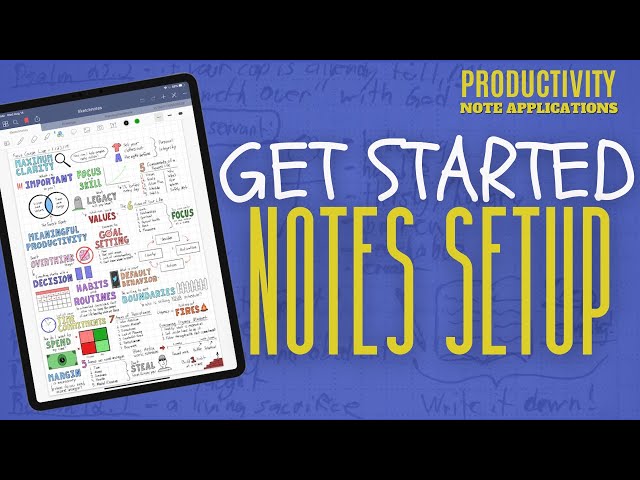

Automate Your Notes: Boost Productivity
Sep 21, 2024

Discover how to use digital note-taking apps to reduce friction in your workflow and accomplish your important goals with ease. Whether you use the featured app or another digital tool, the key is to adapt these ideas to your system to enhance efficiency.
THANK YOU FOR YOUR SUPPORT
/// HERE IS WHERE TO CONNECT WITH ME ///
Https://www.florencedonald.live
☕ Join the Equip Institute Community:
You may try these out for free. When you make a purchase, I earn a small commission.
⛮⛮ My Equipment List ⛮⛮
As an Amazon Associate, I earn from qualifying purchases.
✅ My Control Dashboard: is Elgato Streamdeck: https://amzn.to/3SAkukM
✅ My Camera is Elgato Facecam: https://amzn.to/3QWsWd7
✅ My Microphone is Samsung QU 2 Microphone: https://amzn.to/3FUNP1T
✅ My Boom is Elgato Microphone Boom Arm: https://amzn.to/3sztwnu
✅My In-Ear Monitors / Headphones:https://amzn.to/3stdtaP
✅ My Mouse is Logitech MX Master 3 Mouse: https://amzn.to/3ulxNeL
✅ My Sit Stand Desk: https://amzn.to/47bhIH4
✅ My Lights Neweer Softbox Lights https://amzn.to/478nz00
✅ More Lights Neewer Lighting Kit: https://amzn.to/40FqwTs
/// APPS I USE ///
Ecamm Live - https://florencedonald.live/ecamm
TextExpander - https://www.florencedonald.live/textexpander
Alphana.AI - Https://www.florencedonald.live/alphanaWordHero - https://www.florencedonald.live/wordhero
Voila - https://www.florencedonald.live/voila
Podia - https://www.florencedonald.live/podia
Tubebuddy - https://www.florencedonald.com/tubebuddy
#productivity #purpose
#purposeandproductivity
#purposeandproductivity #florencedonald #productivity #purpose #focus CHAPTERS:
00:00 - Intro
01:55 - Connecting with the Tribe
03:58 - Understanding Drafts App
05:46 - Practical Uses for Drafts
13:01 - Drafts App Features Overview
14:50 - Custom Actions in Drafts
19:57 - Emailing from Drafts App
26:00 - Using Drafts for YouTube
28:37 - Setting Up Drafts Actions
33:38 - Action Configuration in Drafts
42:20 - Drafts Compatibility with Discord
48:45 - Exploring Drafts Workspaces
54:28 - Q & A Session
56:40 - Stream Deck Integration
56:51 - Conclusion and Final Thoughts
Show More Show Less