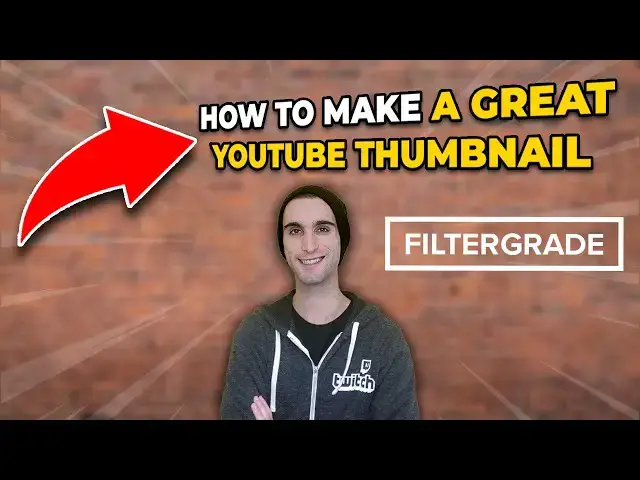
0:03
over 300 hours of video are uploaded to
0:06
YouTube every minute they're all
0:08
competing for views with only mere
0:09
moments to catch someone's eye on
0:11
YouTube there are only a couple things
0:13
that can catch someone's eye compelling
0:15
title and attractive thumbnail hey
0:18
everyone this is Mason from filter grade
0:20
in this video I'm going to tell you what
0:22
makes a good YouTube thumbnail there are
0:24
a lot of factors that go into video
0:26
views and a thumbnail is one of them
0:27
it's not the only part of the equation
0:29
but it is the most visual one and one
0:31
that you have the most control over
0:33
first let's answer the question of why
0:35
you need a thumbnail YouTube Auto
0:37
generates three potential thumbnails
0:39
from frames in your video it allows you
0:41
to choose one of them but choosing one
0:42
of these is pretty boring a custom
0:44
thumbnail allows you to handpick what
0:46
information you're presenting to
0:47
potential viewers whereas a screenshot
0:49
on its own might not show much here are
0:52
some of the key components of making a
0:54
great thumbnail use the proper aspect
0:57
ratio the first thing you need to do is
0:59
make sure your canvas is the proper size
1:01
YouTube uses a 16 by 9 aspect ratio so
1:04
using 1280 by 720 or 1920 by 1080 is
1:08
ideal a different aspect ratio could
1:10
result in unexpected cropping that hides
1:12
important elements of your thumbnail
1:14
using a higher resolution is preferable
1:16
to a low resolution because of your
1:18
video is embedded anywhere it may appear
1:20
much larger than it does on YouTube be
1:22
accurate and honest like your title your
1:25
thumbnail exists to give more
1:26
information and not to mislead clickbait
1:29
is the deceptive art of putting
1:30
something in your thumbnail or title
1:31
that does not reflect the content within
1:33
you can hype up something that happens
1:35
in the video to see more outrageous but
1:37
still keep it honest if you break your
1:39
arm in a vlog you may want to send to
1:42
the thumbnail around that interesting
1:44
moment even if it's only in a short
1:46
portion of the actual video and the rest
1:48
of the video is about other stuff
1:49
entirely it's not lying but it is
1:51
leveraging the most interesting or
1:52
clickable moment use text why even look
1:56
at a video title when someone can put
1:58
text in the thumbnail many creators will
2:00
put a shortened version of their title
2:01
in their thumbnail just using a few of
2:03
the keywords in order to quickly catch
2:05
the eyes of scrolling users if your
2:07
thumbnail image is compelling enough you
2:09
don't need text but it can be kind of
2:11
like having a second title to give more
2:13
information if you do use text and are
2:15
wondering what fonts to use go for a
2:17
thick sand serif font this will be easy
2:20
to read on a small image some creators
2:22
can get away with more stylized fonts
2:24
but it's not always easy to do highlight
2:27
important details there are a lot of
2:30
ways to highlight the key subject in
2:31
your thumbnail Photoshop actually has an
2:33
easy way to do this going to select and
2:36
subject will select the subject of the
2:38
photo with a pretty high degree of
2:39
accuracy once you have the subject
2:42
selected whether you cut it out manually
2:44
or whether you use photoshop's tool you
2:46
can do a lot of things the easiest way
2:49
to make whatever you're doing stand out
2:50
is to copy your subject which is
2:52
probably you onto a new layer blur the
2:55
background on the original layer with a
2:56
Gaussian blur then put a stroke drop
2:58
shadow or outer glow onto the subject to
3:01
make it stand out even more this is the
3:03
bare minimum that you should be doing to
3:04
make your thumbnail stand out but you
3:06
can also replace the background and put
3:08
yourself anywhere you want create a
3:10
consistent style to make your videos
3:13
more recognizable consider creating the
3:14
template or consistent look for your
3:16
thumbnails when someone is scrolling
3:18
through their subscriptions feed or
3:19
suggested videos your videos should be
3:21
instantly recognizable this can be
3:23
accomplished through a variety of means
3:25
putting your logo in the same spot on
3:27
your thumbnails is the easiest way if
3:29
you are the subject of your videos that
3:30
your face is kind of like your logo
3:32
don't hesitate to put your face on each
3:33
of your thumbnails to increase
3:35
recognition other methods include using
3:37
the same fonts and colors using the same
3:39
style of drawings or having a consistent
3:42
general feel and layout know your
3:44
audience the look of your thumbnails
3:46
will be highly dependent on who your
3:48
audience is let's take the gaming genre
3:50
for example it's pretty easy to see the
3:52
difference between thumbnails aimed at
3:54
kids and thumbnails aimed at adults or
3:56
young adults the thumbnails aimed at a
3:58
younger audience feature lots of bright
3:59
colors large text and stylized cartoons
4:02
the thumbnails not directly aimed at
4:04
kids don't rely on text as much and
4:06
definitely feature a lot less bright
4:07
colors consider sizing YouTube
4:10
thumbnails are small you may be tempted
4:12
to pack a ton of detail into a thumbnail
4:14
but simple is often better make sure
4:16
your subject is highly contrasted
4:18
against the background
4:19
this goes back to the earlier point
4:21
about highlighting your subject and
4:22
blurring the background and making sure
4:24
text is large enough to be read when
4:26
you're working on your thumbnail zoom
4:27
out to see how it looks when it's tiny
4:29
consider where YouTube elements go
4:32
YouTube has a couple of elements that
4:34
can obscure parts of your thumbnail the
4:36
first one which is present on every
4:37
video is the video duration marker this
4:40
goes in the bottom right corner and if
4:42
someone has watched a video a watched
4:43
marker goes in the bottom left corner
4:45
keep these markers in mind and keep any
4:48
important information out of the bottom
4:50
quarter of the image hopefully now you
4:52
understand how to make a better
4:54
thumbnail you shouldn't be afraid to
4:55
experiment with thumbnails and even
4:57
update a thumbnail after a while if the
4:58
video isn't performing well there's a
5:00
lot of competition and most ideas aren't
5:02
totally original it takes a lot to
5:04
convince someone to watch your video so
5:06
why not get all the advantages you can
5:09
if you enjoyed this video be sure to
5:11
LIKE and subscribe and leave a comment
5:13
down below and if you're looking for
5:16
lightroom desktop and mobile presets
5:18
Premiere Pro templates and more photo
5:19
and video education visit filter grade