0:00
what's up everybody it's matt here again
0:01
from filtergrade and today we're going
0:04
six camera movements for your next music
0:07
um similar to photography how uh shutter
0:10
speed can play a huge role
0:12
in the motion of your image it's the
0:14
same thing with videography movement
0:16
will really really make or break your
0:19
it obviously can depend sometimes you
0:22
a handheld shaky look other times you're
0:24
going to want a really stable steady
0:27
and making sure that you can nail down
0:30
these camera movements will really help
0:32
high level of video so let's just go
0:35
ahead and start out with these six
0:36
basic camera movements for your next
0:38
video the first movement that we're
0:40
going to be talking about
0:41
is panning so panning is when you're
0:45
left to right and you're really just
0:46
showing the whole the whole
0:48
wide scene that you're getting with this
0:50
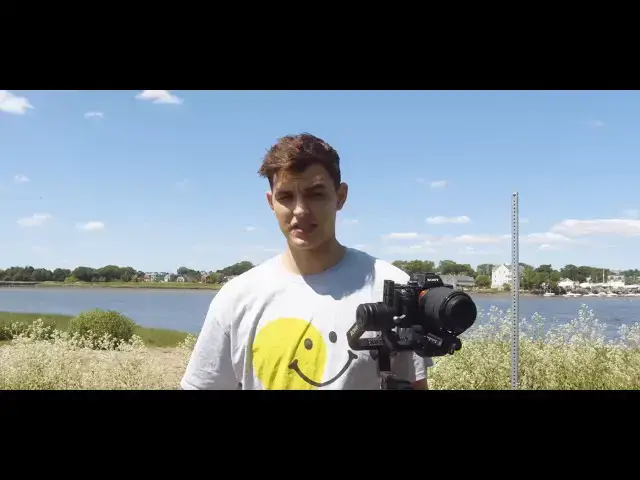
gimbal today i'm using the dji ronin you
0:53
the the joystick to actually just pan
0:57
left and right and that'll give you a
0:59
shot if you're using a tripod you can
1:02
use just the handlebar to
1:04
go left and right and that's a really
1:07
establish what you're looking at show
1:09
the viewer everything that you're seeing
1:11
and yeah just let people know where
1:13
you're at so that's going to be really
1:16
number two on our list it's similar to
1:20
tilt and instead of going from side to
1:22
side it's going to be going up
1:24
and down so with the joystick it looks a
1:29
just up or down smooth simple motion and
1:33
this is a really good shot for showing
1:35
scale if you're looking at mountains or
1:37
or if you're even looking at a person
1:39
from you know a nice low angle it's
1:41
going to show that scale
1:42
and that's another great movement to
1:44
have in your in your little camera
1:47
all right so next up on our list is an
1:49
essential tool for all music video
1:51
filmmakers um this is called the roll
1:54
although it does get overused in a lot
1:57
i think it's essential to actually have
1:59
it in your arsenal and
2:00
and just to know about it uh i'm using
2:03
the dji ronin today like i mentioned and
2:05
that's gonna really help out with the
2:07
roll motion you can do it handheld or
2:09
you know any other device but i think
2:12
it's always gonna look better on a
2:14
so i have mine set to mode three which
2:17
is for the 360 roll mode
2:18
and you're gonna like just look at your
2:20
subject and just roll it back and forth
2:22
you can change the speed on your on your
2:25
gimbal or stabilizer to make it go
2:27
or slower but really this is going to
2:29
help especially if you're going in and
2:31
out to just give it that
2:33
cool kind of creative like artistic
2:37
but don't forget do not overdo this
2:39
because it really can be cliche and just
2:42
kind of just drag your video out and
2:44
look like everybody else's so only use
2:46
this really when you know you need to
2:48
alright so next up on our list is two
2:50
more similar movements that kind of go
2:52
hand in hand and that's truck and
2:55
so for truck just picture it like you're
2:59
looking out the window of your truck
3:00
you're not going to be moving your
3:02
panning left and right like you would be
3:04
with the pan movement
3:05
but instead you're just gonna set your
3:07
camera looking out your truck window
3:09
and as your truck is moving you just let
3:11
it capture the scene right
3:12
but obviously that only happens if
3:15
you're sitting in your truck
3:16
you can still make truck shots happen
3:18
when you're not when you're just
3:20
standing or using a gimbal or whatever
3:22
and what that means is
3:24
a pan with a pen you're going to be
3:27
kind of a rounded motion or you're going
3:30
your joystick to get that full scenery
3:34
with the truck motion you're you're only
3:38
as you're you're you're focused on one
3:41
whether you're going left or right right
3:42
left it doesn't matter but you kind of
3:46
perpendicular perpendicular to the point
3:48
that you're focusing on
3:49
and just get that nice wide shot without
3:54
far left what what my peripheral to the
3:57
left or the peripheral to the right is
3:59
it's more so what's directly in front of
4:01
me as i'm moving right or left
4:04
and so that's that's one thing to note
4:06
and pedestal is the same thing
4:07
except you're going to be going up or
4:09
down this is another great
4:11
great thing to show for scale except i
4:14
kind of like it better because it sticks
4:16
with the detail of what
4:18
you're actually looking at if i want to
4:20
get i use this shot a lot for fashion if
4:23
from the from the head to the toes or
4:27
you can get a nice shot of their shoes
4:29
their shorts their pants their shirt
4:31
and then just get a nice portrait of
4:32
their face i think that's a really good
4:35
and movement for portrait videos fashion
4:38
films anything like that
4:39
and it does work well with music videos
4:41
too alright so another
4:42
really common shot actually that you
4:45
might do a lot but not even realize it
4:47
is just called tracking
4:48
you can do this with any type of
4:50
equipment and really all it's going to
4:52
finding a subject whether it's your your
4:55
artist that you're shooting with or
4:56
if you're out in nature it could be a
4:58
train it could be a car it could be
5:00
and you're just gonna follow it that's
5:01
pretty it's pretty self-explanatory
5:03
you just follow it you track it
5:05
obviously when you're tracking a subject
5:09
pans or tilts or whatever any other
5:12
but this is called tracking because it's
5:15
an easier way to describe to somebody
5:17
just follow the subject and that's
5:19
that's pretty much as simply
5:21
simply put as i can make it the next one
5:24
up on our list is another great
5:26
um camera movement that's actually not
5:29
for the camera itself
5:31
it's it's for the lens and what it's
5:34
a zoom in or out and personally i don't
5:36
like doing the zoom in or out movement
5:38
when i'm using it with a gimbal or
5:41
i'd prefer to use that with a vhs or a
5:43
super 8 camera because it looks more
5:46
to that medium but it's a really great
5:50
just to zoom in and out it's i can't
5:52
really describe it to you anymore it's
5:54
it's good to start by showing a detail
5:56
if you're zoomed all the way in
5:58
and then pulling all the way out so that
6:00
everybody can see like
6:01
what that little detail actually was or
6:03
if you want to start way far out wide
6:06
give people the broader picture and then
6:08
zoom in and focus on something so that
6:11
okay this is symbolic in the video and i
6:13
think those are two really great shots
6:15
or movements lens movements if you will
6:18
make something like just kind of have
6:21
that old-school nostalgic feel
6:23
okay so the last one on our list is
6:25
another one that's kind of just a lens
6:27
movement and not really a camera
6:28
movement and this is called
6:30
rack focus or focus pulling or racking
6:33
focus whatever you want to call it
6:35
and basically what that is is when
6:38
going in and out of focus on your
6:42
sometimes you don't even have to be
6:44
playing with the focus you just
6:46
either move in or move out for example
6:48
looking on the camera right now
6:50
if i'm close it's not in focus if i'm
6:53
you can see just when it goes in and out
6:56
of focus that'll really kind of
6:58
just play with the the visual
7:01
like thought that a consumer of your
7:04
that's another great tool to have and i
7:06
think it really plays well especially
7:09
um this sony when you have cameras with
7:13
you know like just digital photo camera
7:18
it's more sticky and you can kind of
7:20
tell when something's in focus and then
7:22
it switches to out of focus
7:23
but if you're using a cinema lens it's
7:25
really helpful because you'll be able to
7:29
gradual and like crisp focus in and out
7:32
and i think that really really will make
7:33
your videos stand out
7:35
all right so that's about it for today
7:36
that's six of our favorite camera
7:38
movements for music videos i hope you
7:41
be sure to leave a like and comment if
7:42
you have any questions also be sure to
7:44
subscribe it really helps our channel
7:47
we're always looking to grow and and
7:48
find new people that we can help out so
7:50
hope you enjoyed and peace out