Up next in 10



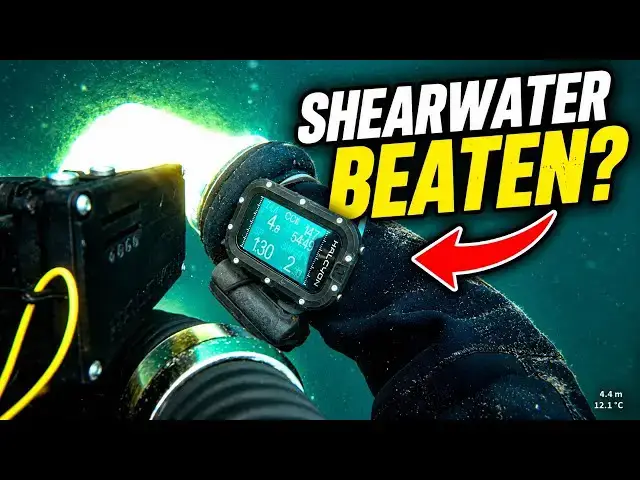
After testing five of the best CCR dive computers on the market, we have a verdict — and it wasn't the one we expected.Dom Robinson and Will Schwarz are long-time Shearwater users.
Dom and Will give their personal, unscripted opinions on five CCR computers after real dives — not bench tests. They cover:🖥️ *Shearwater Perdix2 — the baseline. Ten years of familiarity. Does experience create bias?
* Garmin X50i — four-button intuition, vibration alerts, and an ecosystem play
*OSTC 5 — open-source, multiple set points, and a screen that divides opinion
*DiveSoft Freedom — compact and eye-catching, but is the information layout good enough at depth?
*Halcyon Symbiosis — the surprise. Neither diver expected to be impressed. Both were.
━━━━━━━━━━━━━━━━━━━━━━
*Chapters*
00:00 Intro and test caveats
02:43 Shearwater as the baseline
06:00 Buttons, menus and usability
08:17 Garmin X50i impressions
11:10 OSTC 5 impressions
15:34 Divesoft Freedom impressions
19:19 Halcyon Symbios impressions
25:01 Overall favourites and what comes next
━━━━━━━━━━━━━━━━━━━━━━
*ABOUT THIS CHANNEL*
Deep Wreck Diver explores shipwrecks, submarines, and sunken aircraft from around the world - combining technical diving with detailed wreck identification and historical storytelling. Every dive uncovers a piece of history lost to the depths.
━━━━━━━━━━━━━━━━━━━━━━
*Kit I Use*
Note, some of these are affiliate links so help support making my videos:
- Gloves are Ansell Alphatec 87-063 - https://amzn.to/4jDHhX4
- Main torch is an Orcatorch D630 - https://amzn.to/4jlT4tA
- Backup torch is an Orcatorch D710 - https://amzn.to/4jhddRk
- Drysuit is an O-Three Ri200 - https://www.othree.co.uk/drysuit-range/ri-2-100-drysuit/
- CCR is an AP Diving Inspiration (XPD) - https://www.apdiving.com/
- Backup computer is a Shearwater Perdix v2 - https://amzn.to/42FXZOW
- Reels are by Kent Tooling - https://www.divingproducts.co.uk/
- Cameras are Paralenz Vaquita
- Video light is NiteScuba NSV60 - NiteScuba NSV60 - https://s.click.aliexpress.com/e/_onHEKQZ
- Phone housing is Divevolk Seatouch 4 Max - https://s.click.aliexpress.com/e/_omJlNKL
- Stickers for gear by Dive Signs - https://www.divesigns.com/
━━━━━━━━━━━━━━━━━━━━━━
*Strobes*
I use two different strobes (also affiliate links)
-- Prozhaozhu 3000 Lumen Diving Strobe - https://s.click.aliexpress.com/e/_c3Qb99tF
-- Prozhaozhu 4000 Lumen Diving Strobe - https://s.click.aliexpress.com/e/_c3KmWqCN
- Jon clip - https://s.click.aliexpress.com/e/_oDqq0RW
━━━━━━━━━━━━━━━━━━━━━━
📱Follow My Socials!
Instagram 👉 https://www.instagram.com/deepwreckdiver/
Facebook 👉 https://www.fb.com/DeepWreckDiver
Buy Me A Coffee 👉 https://buymeacoffee.com/d33puk
Email 👉 [email protected]
Show More Show Less View Video Transcript
0:00
Everybody loves a dive computer. And
0:02
this week, my friend Will and myself,
0:05
we've had an opportunity to dive with
0:07
pretty much every one of the best
0:10
computers that are currently out there
0:12
on the market. And today in this video,
0:14
we're going to give you our thoughts on
0:16
them.
0:17
What you probably make it clear is this
0:18
isn't a massively scientific experiment.
0:21
We haven't compared really the
0:22
decompression algorithms on them. We uh
0:25
I've just dived with them and we're
0:27
going to give you those as our feelings.
0:30
You uh those of you who've seen some of
0:31
my other videos may recall this thing. I
0:33
said I was going to take them all down
0:35
on this, put them in a big long line,
0:37
and then see uh how they went, see how
0:39
they performed. Gave that a go. Didn't
0:42
actually work particularly well in Dover
0:45
conditions. Main reason is because you
0:47
have to get back to the shot line. You
0:49
have to hold on to the shot line cuz
0:51
you're decompressing in currents. And
0:53
that frame there requires two
0:56
hands to to hold it. So, you need three
0:58
hands. And clearly, that's uh that's not
1:00
something that's going to work.
1:03
Right. So, on with our test. Now, let's
1:07
have a look at what we have got. So,
1:10
what's What computers have we got, Will?
1:12
>> Uh the OSTC 5.
1:16
>> Uh Shearwater Halcyon's new computer.
1:19
>> The Dive Soft Freedom.
1:22
>> Uh
1:23
Shearwater Perdix 2 Bronze Edition.
1:26
>> Uh Shearwater Petrel uh extension.
1:30
>> Ancient edition.
1:32
Uh Garmin X50i.
1:35
And the granddaddy of them all, the VR3.
1:39
Actually, this is a color one, so it's a
1:40
the kind of more modern one.
1:42
We didn't really use this one, so we're
1:44
we're going to get rid of that one. All
1:45
we've both dived with these computers,
1:47
we've taken them in the water, we've had
1:48
our primary handset, which is both a
1:50
Vision, and then we've got a secondary
1:53
uh backup, which is both of us we've
1:55
used this this Shearwater.
1:57
And then we've added one of these other
1:58
computers and taken it in with us and
2:00
seeing how that went. And we'll give you
2:03
our feedback. Tell you what we think.
2:05
I'm going to do a bit more detail about
2:06
each one. So, this is just a kind of
2:08
preliminary uh report. So, which one are
2:11
we going to talk about first, then,
2:12
Will?
2:14
>> Um so, for 10 years, I've been diving
2:18
the Shearwater, and it's been my
2:20
stalwart
2:21
for those as a backup computer for my
2:23
rebreather and for open-circuit tech and
2:26
recreational. And I think it's a rather
2:28
good standing point or baseline level
2:30
for the two of us to discuss, cuz you've
2:32
been using that for a good 7-8 years as
2:34
well. So, that is our Let's call it a
2:37
baseline. That is what we are using as
2:39
our data. And the Shearwater,
2:41
admittedly, mine's, as Dom pointed out,
2:44
the old one,
2:45
but it does have a
2:47
external monitoring, and Dom's got the
2:49
very nice bronze edition.
2:52
But, very simple, 10 items of data in
2:57
a size that my 40-plus-year-old eyes can
3:01
actually read
3:03
with a back with a kind of constant
3:04
light on, which means I can actually
3:06
look at it at any point in time and read
3:08
what I need to read.
3:09
>> Yeah, so I so I guess it's worth making
3:11
the point that we are both probably a
3:13
little bit prejudiced because we are so
3:15
used to diving with a Shearwater. We've
3:17
dived with it so long, and therefore
3:19
getting to grips with a new computer is
3:21
always going to take a bit of effort,
3:24
isn't it? It's going to take a bit of a
3:25
while.
3:26
>> Definitely. I I fully accept that and
3:28
appreciate that point. We've both been
3:30
using these. They are intuitive to us
3:32
because we've used them so regularly for
3:34
so many years. However, I would say that
3:37
I don't think I ever read the Shearwater
3:39
manual at the time, and I managed to
3:41
teach myself how to use it.
3:43
On that note, I've not read the manuals
3:45
for any of these, either, and some of
3:47
them are definitely more intuitive than
3:49
others.
3:50
>> Yeah, so so that's one of the things
3:51
we're going to cover when we talk about
3:52
them. So there we go. We're using the
3:53
Shearwater, I guess, kind of as a
3:55
baseline.
3:56
Um the two different models. I mean, I
3:58
guess the thing that point I would make
3:59
about these is the Shearwater is is kind
4:01
of for me is is um they're evolving
4:05
rather than a revolution. So the the
4:07
menu system on this is basically the
4:09
same as the one on Wales. This has got a
4:12
better screen. It's got vibration
4:14
alerts.
4:16
But but, you know, other than that, it
4:18
is really really similar. And uh the
4:21
Perdix 3 that's that's coming out at
4:23
some point uh soon, I think, is once
4:25
again, it's another evolution of it. I
4:27
think it adds more functionality, but
4:29
it's not a transformational thing. So if
4:31
you've used this uh or this, you're
4:34
going to be able to use a new one. It's
4:35
just got a few more bells and whistles.
4:38
Some of the other computers we've got
4:39
here, I I think are are a bit different
4:41
from that. So So let's let's give our
4:44
Shearwaters give it a mark out of 10,
4:46
Will. What are you going to give it?
4:47
>> I'm sorry. I I love it, so it always be
4:50
high. But it is a baseline. Let's go and
4:52
use that as a baseline. So let's give
4:53
that a five. That is our baseline level.
4:55
>> Okay. You're giving your you're giving
4:57
your Shearwater a baseline of five.
4:59
Okay, fantastic. Now, what is the next
5:01
one that we're going to talk about? In
5:03
fact, in fact, before we do that, any
5:04
frustrations with the Shearwater?
5:05
Anything you particularly
5:07
>> Oh, yes. Yes, one. There is no back
5:09
button.
5:11
The buttons are fine. The menu system is
5:12
brilliant. But every now and then you
5:14
get a bit too ambitious or excited and
5:17
you tippy tappy tappy and you've gone
5:19
past what you need and you've got to
5:21
start from scratch half the time. And
5:23
that would be lovely to have a back
5:25
button. They've only got two buttons.
5:28
And actually, these two or the
5:30
Shearwaters are the only ones we tested
5:32
which have only two buttons. That has
5:35
two buttons. However, it has a double
5:37
press function to make it a two plus
5:40
one.
5:41
>> Yeah. So it's one of the things we
5:43
noticed during these computers. It's
5:44
basically we have we have some that have
5:46
got four buttons. We've got some that
5:48
have got three buttons and a small
5:49
number that have got two buttons.
5:52
What they sometimes do is offer the
5:54
ability to have another
5:57
another button or another two buttons.
5:59
So, good example would be the Symbios,
6:01
only got two buttons, but you can
6:04
long press on both of them. So,
6:06
therefore, it's effectively got four
6:08
buttons and the Freedom, once again,
6:11
only two buttons, but if you long press,
6:13
it's effectively got three buttons. Now,
6:17
that's not quite as good as having the
6:19
the number of buttons,
6:21
but it it it does work. And then, I
6:23
think
6:24
uh the
6:24
>> is three buttons.
6:26
>> and the the Garmin has got four buttons.
6:29
And those uh four buttons,
6:31
if you got four buttons, you're going to
6:32
have a plus and a minus, you're going to
6:34
have a kind of enter or move forward,
6:37
and you're going to have a back button.
6:38
And that's essentially the the
6:40
four-button one, the Garmin, or the
6:43
nearly four-button one, which is a
6:44
Symbios. That is the way that they work.
6:47
Other ones, the kind of three-button
6:49
versions, tend to have a back button, a
6:53
forward button, and an enter button. And
6:55
the OSTC is like that, and the uh
6:59
Freedom is like that.
7:01
And
7:02
I think
7:04
one of the points that we mentioned at
7:05
the beginning is that you have to get
7:07
used to your computer. And that's
7:09
definitely something we found, isn't it?
7:11
>> Yes. Especially with me being the person
7:14
I am and probably like many a diver, not
7:18
very good at looking at instruction
7:19
manuals at the best of times. So, for
7:22
me, that's where I think the Garmin
7:24
absolutely rocks.
7:27
That is a computer I put on my wrist and
7:30
within half a heartbeat managed to get
7:32
through to all the appropriate menu
7:33
systems to change GFs, to change set
7:37
points, and to change gases.
7:39
So, for me, if you want to talk about
7:41
the next one, I'd go straight to the
7:43
Garmin. I like its usability. There are
7:45
some incredible functions to it.
7:48
Uh such as
7:51
I know it sounds really weird, but it
7:52
does this beautiful little vibrate when
7:54
you're about to approach things such as
7:56
a decompression stop or running out of
7:58
uh no DL time and DL time. It's just
8:01
some really nice little functions.
8:03
The setup, the screen is readable. And
8:05
again, for someone who has got 40 plus
8:08
year old eyes, it's actually readable at
8:10
all times. It's got a really nice little
8:12
function. It's got a little torch as
8:13
well, not that you need it, but as a
8:15
backup to the backup to the backup, it's
8:17
quite nice.
8:18
>> Yeah, I mean, for me,
8:19
I think that's a total gimmick.
8:21
>> I I totally agree, but I like it. It's
8:24
an extra thing for me to not go wrong or
8:26
to me to have a backup. Um I I like
8:28
this. I think there's a lot of
8:29
facilities and abilities with it. And
8:32
this is designed to be utilized with the
8:35
rest of the Garmin range so that you can
8:38
will be able to communicate with other
8:39
divers
8:41
by a very simple messaging service and
8:43
also communicate to the boat with again
8:45
a simple messaging service.
8:47
>> Also worth mentioning, I think quite a
8:48
few of the computers have got air
8:50
integration. So, if you buy transmitters
8:52
and things and Garmin will will do that.
8:54
So,
8:55
we are obviously
8:56
considering these computers as as closed
8:58
circuit. We're considering them as
9:00
standalone dive computers. And we're not
9:02
considering them as open circuit. And
9:04
and frankly, e- closed circuit gas
9:06
transmitters, you know,
9:08
not really that useful. But
9:11
um yeah, so so interestingly enough, I I
9:12
also like the Garmin.
9:14
Um I like the four buttons. I love the
9:16
vibration thing. It's something that I
9:18
think a lot of dive computer
9:19
manufacturers should should take on
9:21
board. You Once you've done your deco
9:23
stop, it will vibrate to tell you to
9:24
move up to the next one. So, that's
9:26
something that I I found uh really
9:28
useful. I didn't find the menu system
9:30
quite as intuitive as you.
9:32
>> Okay.
9:32
>> But but I think you've used it more than
9:34
me cuz you've used it before coming here
9:36
as well, hadn't you?
9:37
>> Yeah, I had the privilege of using it
9:38
out in Croatia and I got given it about
9:41
30 seconds before jumping on a dive and
9:43
said, "Can you use that, please, for a
9:44
photo shoot?" And I went, "Go on, give
9:46
me 30 seconds." And taught myself how to
9:48
use it and then used it for a good
9:51
number of dives. I
9:52
I'm a big fan, I'm afraid to say. So, I
9:54
might be slightly biased in that
9:56
respect.
9:57
>> So, if you had to give this, the Garmin
9:59
X50i, a mark out of 10,
10:02
based on, you know, how many dives
10:03
you've done with it, 10 maybe?
10:05
>> Probably about 10 dives, yeah.
10:07
>> What what mark are you going to give
10:08
this, Will?
10:08
>> Again, I gave the Shearwater a five as
10:10
my baseline.
10:12
This does
10:13
beat it, I believe. But, again, I'm I'm
10:16
a harsh marker. It's a six or seven.
10:19
>> Yeah, interestingly enough, I although I
10:21
like it, quite as smitten with it as
10:23
you. So, I'm going to give it
10:25
>> with me?
10:26
>> I'm not smitten with you, Will. I'm
10:27
going to give this a five.
10:30
Okay? Which might be a bit
10:31
controversial, but but there you go.
10:34
So, what should we talk about next?
10:36
>> The heaviest
10:38
computer in NATO.
10:40
>> Okay, so this is the OSTC 5. This is
10:44
German
10:46
and and therefore you can feel the
10:48
engineering in this. Neither of us has
10:50
dived with one of these before. Don't
10:52
think we've seen many people using these
10:53
before, so it was interesting to see it.
10:57
I'm going to talk a bit about this. One
10:58
of the things on this I particularly
10:59
like is
11:02
you can have multiple set points
11:04
in there. Now, quite a few of them you
11:05
can have multiple but normally only two.
11:08
This one allows you to have three. So,
11:10
you have a low set point, a high set
11:12
point and then a deco set point and it
11:16
will automatically change to it. So,
11:19
um
11:20
if like me, you drive your set point up
11:21
when you hit your deco stops, that's
11:23
kind of one less piece of admin to do.
11:26
If I'm honest, I would like it to
11:30
it would say to me, "Do you want to
11:32
change to it?" It doesn't do that. It
11:34
automatically changes it. So, I guess
11:37
maybe that's a bit of a nuance thing
11:39
with with it, but that is that is really
11:41
nice. It's also got a a big screen mode
11:44
as well, where it puts on a very small
11:47
amount of information, but makes it
11:48
really big. And this this has got by far
11:51
and away the biggest screen of any of
11:52
the computers that we've looked at.
11:54
>> Definitely has got the biggest screen.
11:55
However, I think one of the problems
11:57
with lots of things, if you've got a big
11:59
screen, you feel you have to fill it.
12:01
And unless you go into the big screen
12:03
mode, there is an awful lot of
12:05
information on that screen, which again,
12:08
40-plus-year-old eyesight,
12:10
it's too much for. It's either too much
12:12
information or the information is
12:15
presented in too small a font.
12:17
>> Yeah. So, I struggled with that my first
12:19
couple of times. I haven't tried it in
12:20
the big screen mode, but I am I I like
12:23
it. It's just a large bit of real estate
12:26
on your wrist.
12:28
>> I think for people with smaller arms, um
12:30
smaller figures will struggle with the
12:32
sheer size of that.
12:34
>> Interestingly enough, I I disagree. I
12:36
like it. I think it's a I
12:38
I like having the size. I like having
12:40
the the big fonts. The kind of thing
12:42
that I found kind of challenging is is
12:45
the buttons. They um
12:48
they're uh
12:49
ones where effectively you put pressure
12:51
on them rather than say some of the
12:52
others that you press in um and and
12:55
they've got springs and stuff. Now, I
12:56
guess that the good thing about that is
12:58
it means they're probably going to work
12:59
down to almost any depth, whereas ones
13:01
that have springs do run up against
13:03
depth limitations pretty quick. But I
13:06
it's taken me a while to get my head
13:08
round kind of using those. So, some
13:10
people may not like that. And I think
13:12
one of the things that we found all the
13:13
way through this is we each value
13:15
different things in dive computers,
13:17
don't we? And and the and and the OSTC C
13:20
is probably a a good good example of
13:23
that. Another thing that I like about
13:25
it, cuz I'm a I'm a bit geeky, perhaps,
13:27
is this is um
13:30
open source. So, it you can connect it
13:33
to um
13:35
open source
13:36
dive uh
13:38
log systems, whereas all the others are
13:40
kind of proprietary. So, I quite like
13:42
that as well. It means if you wanted to,
13:44
you could you could hack around in it
13:45
and you could start playing around with
13:47
it and everything. Not something I'm
13:48
going to do.
13:48
>> Which is a really good idea for a
13:50
life-saving device. Hack around with it
13:53
and get something off the web.
13:54
>> Well, we This is a massive rabbit hole,
13:56
but of course almost all the major
13:58
servers in the world are based on open
14:00
source computers.
14:01
>> [sighs and gasps]
14:01
>> And based on open source systems.
14:03
Anyway, there we go. We we we digress.
14:05
So, uh you will What What are you going
14:07
to give the
14:07
>> I'm afraid it's I like it.
14:09
It's it's it's not beating my
14:11
Shearwater, so it's a four.
14:13
>> Oh. So, Will's giving it Will's giving
14:16
it a four. I
14:18
um I don't think it beats a Shearwater
14:20
either.
14:21
But, I do like it. It's got some kind of
14:23
things that maybe a Shearwater doesn't,
14:25
so you um
14:26
unless
14:28
the Perdix, you can't connect to an
14:29
external computer an external PO2
14:31
monitoring system, the Petrel that Will
14:34
has got you can. Uh this allows you to
14:36
connect to external for external PO2
14:38
monitoring. So, so that has got to be uh
14:40
a massive plus, I would say.
14:43
So,
14:44
I am going to say
14:48
measured against the Perdix,
14:50
I am going to give that a six.
14:53
There we go.
14:55
Which one we going to talk about next,
14:56
Will?
14:57
>> Well, we've got the Freedom and or the
15:01
housing. And I think let's talk about
15:04
the Freedom, okay?
15:06
The bright orange. So,
15:08
lovely little computer. This is on loan
15:10
from one of our friends, Andy
15:11
Rigelsworth, so we've got to give him a
15:12
shout of thanks.
15:13
Um created by Dive Soft working their
15:15
software.
15:17
And it is a lovely neat little computer
15:20
with two buttons. And if I'm right in
15:24
thinking the third button is a hold
15:26
together.
15:26
>> Yeah.
15:27
>> And it works really nicely. I like it.
15:29
It was bright. It's a nice compact size.
15:31
My only only criticism would be there
15:34
was a row on the bottom which only with
15:37
my glasses have I been actually able to
15:39
read it. So for me underwater it is a
15:42
pointless row of information. And again,
15:45
that sort of thing I find is just
15:48
unnecessary.
15:50
And or just not very helpful.
15:53
I also struggled. I think we both did.
15:56
To switch
15:58
PO2 settings.
16:00
>> Yeah.
16:01
>> Um at um at deco stops.
16:03
>> So it will do automatic PO2 uh
16:05
switching. Um what we haven't been able
16:08
to figure out how to do is to change the
16:11
actual high set point. So if you want to
16:13
deco at 1.5,
16:16
whether you can do that underwater, I'm
16:18
not sure you can. If you're watching
16:20
this and you know how to do it and we've
16:23
both been idiots, you should definitely
16:25
tell us in the comments. And and that
16:26
goes for anything else. If you think
16:28
that we talked about something in the
16:29
that's utter rubbish or you wildly
16:31
disagree, then you should uh stick
16:34
something in the comments. Now one thing
16:36
I do know people are going to pick up on
16:37
is there are two computers that really
16:40
should be in this test. They are a
16:43
Suunto computer and the uh Ratio a Ratio
16:48
one as well.
16:49
Um the reason we haven't got those is
16:51
Suunto
16:53
uh were going to send me the Nautic, but
16:55
the firmware doesn't allow it to be used
16:56
in CCR mode yet. Could have used an Eon
17:00
Steel perhaps, but that's kind of like I
17:02
guess a bit out of date. All of these
17:03
are the kind of current models and
17:05
stuff.
17:06
And the other the the Ratio um I am
17:08
getting one uh at some point. So
17:11
hopefully uh I will be able to update
17:13
this and tell you what I think about the
17:14
the Ratio. So going back to the Liberty,
17:16
though, um I guess
17:19
in terms of screen size, this is kind of
17:21
up there with the the Perdix and and and
17:23
probably the Halcyon. I just don't think
17:25
it's as well laid out, um the
17:27
information on there as either of those
17:29
two. Displaying information well is
17:32
something that dive computers should do,
17:34
and where possible, they should have
17:36
bigger numbers just generally cuz and
17:39
particularly the important numbers, they
17:41
should be right where you need them,
17:42
they should be really visible and really
17:44
big. I don't think the Freedom hits
17:47
that.
17:48
>> No. And I think your number point is
17:50
very valid. If you've got a row of
17:52
numbers which you can't read clearly
17:54
with old eyesight, and again, we might
17:57
have just not learned how to increase
17:58
the size of that font of the bottom
18:00
line, it's unnecessary and uh
18:03
information. If I can't read it, it's
18:04
useless to me. Again, going back to the
18:06
Shearwater, three lines, approximately
18:09
three items on each line, each of which
18:11
is big enough and bright enough for
18:13
someone of my age to see. I like that,
18:16
similar with the Garmin, similar with
18:18
the OSTC. There was a lot of
18:19
information, it was bright, it was big.
18:21
For me, just too much information. And
18:23
then, you come on to the Halcyon,
18:26
which
18:27
was superb.
18:29
>> So, you're a big fan of the Halcyon?
18:30
>> I am, actually. I I I've got to be
18:32
honest, I had trepidations because it
18:35
was straight away had an H on the back
18:36
of it. However,
18:38
it was a very very easy-to-use,
18:41
intuitive computer. I really actually
18:45
liked it. Um
18:47
it's it was it was big, it was bright. I
18:50
did work out eventually how to swap set
18:53
points, swap bailout from CCR back into
18:56
bailout by accident, back into CCR mode.
18:59
It was a very good very
19:02
good computer. I liked the size of the
19:04
fonts, I liked the brightness of the
19:05
computer, and I'd definitely use that
19:07
again.
19:08
>> Yeah. And and I think actually the
19:11
two-button
19:12
to uh to do four button press, you know,
19:15
to be four buttons, I actually think it
19:17
works really well.
19:20
They've got it for me. They've got that
19:22
aspect of it really well nailed.
19:26
The other some other stuff with this is
19:28
it is it connects to all sorts of things
19:29
and how Shearwater are building an
19:30
ecosystem around this device and I think
19:34
that's going to be really interesting.
19:36
In the same way that Garmin are building
19:38
a kind of ecosystem with their
19:41
the GPS type stuff,
19:44
that these are building a an ecosystem
19:47
with
19:48
basically rebreathers. So, it's it's
19:51
going to be really interesting. And my
19:52
understanding is perhaps Dive Soft may
19:53
be doing the same as well. So,
19:55
I think there's all sorts of interesting
19:57
developments out there with all this
19:58
kind of stuff and we'll go back to that
20:00
point about evolution rather than
20:02
revolution. For me, I see this as more
20:04
of a revolution than say the Shearwater.
20:08
>> I think what Shearwater
20:10
are doing, especially with the head-up
20:12
display version of the Symbios, which I
20:15
believe you have got a version and I
20:17
haven't heard you stop saying how
20:19
amazing it is. So, we've got to give it
20:21
credit. But also with the now wireless
20:25
PO2 sensing onto that, that is an
20:28
absolute game changer. I had significant
20:32
bias against anything with an H-tag on
20:34
it. However, I was amazed at how good
20:38
that Symbios is and how good the Hoses.
20:42
Um
20:43
I still
20:45
still wouldn't change my Shearwater
20:48
because I don't want to spend the money.
20:51
However, at the moment, that has won
20:54
hands down across your computer test for
20:56
me.
20:57
>> Okay.
20:57
>> Um especially because of what you can do
21:00
and the future of it. I would like to
21:02
say though there is a reason why
21:03
Shearwater is being used by some of the
21:06
larger
21:07
rebreather manufacturers such as JJ, X,
21:11
and Revo because they are good solid
21:13
systems. Housing obviously going to be
21:16
using it on their housing rebreathers,
21:18
but I think it's a very good system.
21:20
>> So, if you were to mark this out of 10,
21:22
what would you give it?
21:23
>> I'm a tight marker. Um So, what did I
21:26
say? I said the Shearwater was a
21:27
baseline level five, I said the Garmin
21:29
was a six. That's going to be a seven.
21:31
>> Okay. So, Will has given Will has given
21:33
that a seven. I'm not actually letting
21:35
you use the mask-mounted one.
21:36
>> To be honest, the only
21:38
concern for me over a mask-mounted one
21:42
is
21:43
I've just watched people on boats throw
21:46
masks
21:47
on the floor, on the sea,
21:50
uh step on them, and I would be always
21:53
very concerned what is going on
21:56
with my mask, especially if I've got
21:57
several hundred pounds worth of computer
22:00
strapped to the side of it. However,
22:01
what I have seen, I haven't been allowed
22:03
to play with it underwater.
22:05
That is a very neat, compact system. And
22:09
I really really am impressed by it.
22:11
>> Yeah. So, uh for me
22:14
um I've I've done a bit more diving with
22:16
the Symbios than I've done with with any
22:18
of these other computers really apart
22:20
from the Shearwater. Uh and like Will,
22:22
anyway
22:23
it is just it is really impressive. It's
22:25
it's difficult to argue with that. I
22:27
mean, there's some stuff I would like to
22:29
see all of these computers take from
22:31
each other. So, I would like um
22:34
the Shearwater and the Garmin and the
22:36
X50 and the Liberty to take the thing
22:39
that the OC OSTC has got, which is the
22:42
ability to have more than two set points
22:44
and to to flick between them.
22:46
>> I'm not trying to contradict you because
22:48
I'm sure one of your followers will. I'm
22:51
sure you can do with that with that one
22:53
or that one. I'm sure I've seen it in
22:54
there. But, when I was messing around in
22:56
the systems
22:57
>> I I I've tried very hard and I don't I
22:59
[laughter] don't think you can. So, if
23:00
somebody out there knows differently, I
23:02
would love to hear about it. The other
23:04
thing is I would like the Garmin
23:07
vibration alerts when you have cleared
23:08
your deco stops. I would like everybody
23:11
else to take that on board cuz it works
23:13
really well. Not sure the OSTC or the
23:17
Freedom have got a vibration. To kind of
23:19
bring this to a close,
23:22
so far, based on, you know, not a huge
23:24
amount of diving, but but a reasonable
23:25
amount of diving, you know, doing
23:27
reasonable amount of deco with all of
23:29
these computers, I I guess in in
23:32
terms of both of us,
23:34
we're kind of going with the with the
23:35
Symbios as our favorite. And and given
23:37
the fact that we are both long-time
23:39
Shearwater users. And I suspect we both
23:42
have the same prejudices against Halcyon
23:44
kit. I think that's something that I'm
23:47
kind of a bit surprised by. If at the
23:49
beginning of this you'd have said to me
23:51
that I thought that, you know, was that
23:53
likely to be the outcome, I would have
23:54
said, uh, probably not. Having said that
23:57
though, there's a long way to go because
23:59
we have not got the Perdix 3. We haven't
24:01
seen it. I am really looking forward to
24:03
getting one and and trying that out.
24:05
We've not seen the Ratio. Once again,
24:08
same as that. And And Suunto are coming
24:10
in with with their Nautic as well, which
24:12
I know people who use it open circuit,
24:14
they really like it. And obviously the
24:16
price point on it is super super
24:18
competitive. It's a lot less, I think,
24:20
than almost anything else on here. So,
24:22
there's plenty to go. Um,
24:25
it's not done and dusted. We're going to
24:27
do some more diving with it. And once
24:28
again, I will give you an update, um, as
24:31
and when we've got more information.
24:34
As always, I'd love to hear your
24:36
feedback.
24:37
Please, stick something in the comments.
24:39
Give us a like. Subscribe.
24:42
I'm Don Robinson. This is Will Schwarz.
24:45
We're actually both deep wreck divers.
24:47
Thank you, and I look forward to seeing
24:48
you on my next video.
Sports