0:00
In this video, I'm going to show you how
0:02
In this video, I'm going to show you how
0:02
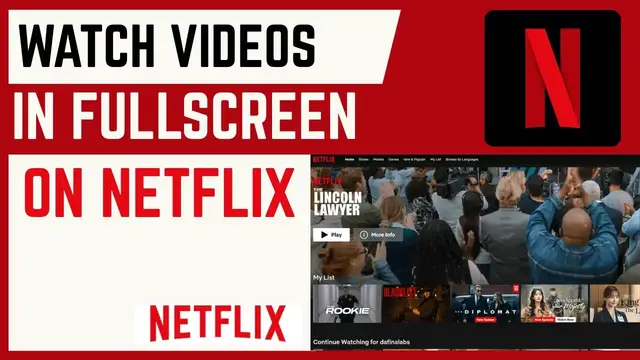
In this video, I'm going to show you how you can watch Netflix videos in full
0:05
you can watch Netflix videos in full
0:05
you can watch Netflix videos in full screen mode. If you find this video
0:06
screen mode. If you find this video
0:06
screen mode. If you find this video helpful, I'll kindly request that you
0:08
helpful, I'll kindly request that you
0:08
helpful, I'll kindly request that you support me by liking the video and also
0:10
support me by liking the video and also
0:10
support me by liking the video and also by subscribing to this channel. All
0:12
by subscribing to this channel. All
0:12
by subscribing to this channel. All right. So, if you want to watch movie or
0:14
right. So, if you want to watch movie or
0:14
right. So, if you want to watch movie or a TV series in full screen mode, it's
0:16
a TV series in full screen mode, it's
0:16
a TV series in full screen mode, it's pretty simple. Just go over to the video
0:18
pretty simple. Just go over to the video
0:18
pretty simple. Just go over to the video that you want to watch and click on it.
0:21
that you want to watch and click on it.
0:21
that you want to watch and click on it. Now, as you can see, it is not in full
0:23
Now, as you can see, it is not in full
0:23
Now, as you can see, it is not in full screen because we have this top bar here
0:25
screen because we have this top bar here
0:25
screen because we have this top bar here and also we have this task bar here. So
0:28
and also we have this task bar here. So
0:28
and also we have this task bar here. So to make this video or to make this movie
0:30
to make this video or to make this movie
0:30
to make this video or to make this movie in full screen, head over to this icon
0:33
in full screen, head over to this icon
0:33
in full screen, head over to this icon and then click on it and this will go
0:35
and then click on it and this will go
0:35
and then click on it and this will go ahead and enter full screen mode. Now if
0:39
ahead and enter full screen mode. Now if
0:39
ahead and enter full screen mode. Now if you go ahead and watch, you can see the
0:41
you go ahead and watch, you can see the
0:41
you go ahead and watch, you can see the video will play in full screen. Should
0:43
video will play in full screen. Should
0:43
video will play in full screen. Should you want to exit, you can also go ahead
0:45
you want to exit, you can also go ahead
0:46
you want to exit, you can also go ahead and then just tap on it and this will
0:48
and then just tap on it and this will
0:48
and then just tap on it and this will exit full screen mode. So that's how you
0:50
exit full screen mode. So that's how you
0:50
exit full screen mode. So that's how you can enter or watch Netflix videos in
0:52
can enter or watch Netflix videos in
0:52
can enter or watch Netflix videos in full screen mode. If you have any other
0:54
full screen mode. If you have any other
0:54
full screen mode. If you have any other question, kindly let me know in the
0:56
question, kindly let me know in the
0:56
question, kindly let me know in the comment section. Otherwise, thanks for
0:58
comment section. Otherwise, thanks for
0:58
comment section. Otherwise, thanks for watching and let's meet in the next