0:00
In this video, I'm going to show you how
0:02
In this video, I'm going to show you how
0:02
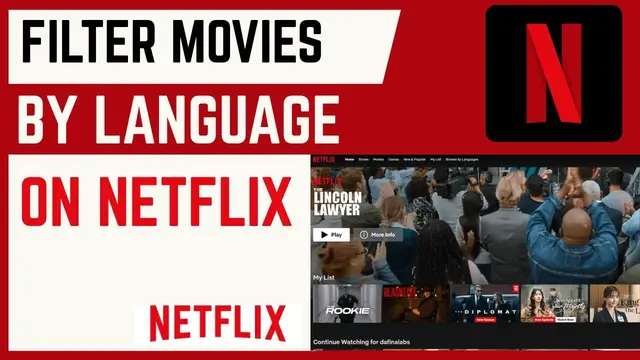
In this video, I'm going to show you how you can filter your movies by language
0:04
you can filter your movies by language
0:04
you can filter your movies by language on Netflix. If you found this video
0:06
on Netflix. If you found this video
0:06
on Netflix. If you found this video helpful, I'll kindly request that you
0:08
helpful, I'll kindly request that you
0:08
helpful, I'll kindly request that you support me by liking the video and also
0:10
support me by liking the video and also
0:10
support me by liking the video and also by subscribing to this channel. All
0:12
by subscribing to this channel. All
0:12
by subscribing to this channel. All right. So, if you want to get
0:14
right. So, if you want to get
0:14
right. So, if you want to get recommendation of TV shows and movies in
0:16
recommendation of TV shows and movies in
0:16
recommendation of TV shows and movies in specific language is pretty simple. Just
0:19
specific language is pretty simple. Just
0:19
specific language is pretty simple. Just head over to your profile up here and
0:22
head over to your profile up here and
0:22
head over to your profile up here and then choose account. Now under account,
0:24
then choose account. Now under account,
0:24
then choose account. Now under account, head over to profile here and then
0:27
head over to profile here and then
0:27
head over to profile here and then choose the profile that you want to
0:29
choose the profile that you want to
0:29
choose the profile that you want to filter by language. For my case, I'll
0:31
filter by language. For my case, I'll
0:31
filter by language. For my case, I'll just go ahead and choose the first and
0:33
just go ahead and choose the first and
0:33
just go ahead and choose the first and then head to the preferences section.
0:35
then head to the preferences section.
0:35
then head to the preferences section. And you'll see we have languages here.
0:38
And you'll see we have languages here.
0:38
And you'll see we have languages here. Here your tool set languages for display
0:40
Here your tool set languages for display
0:40
Here your tool set languages for display and audio. So I'll go ahead and click on
0:43
and audio. So I'll go ahead and click on
0:43
and audio. So I'll go ahead and click on it. And you can see we have here display
0:46
it. And you can see we have here display
0:46
it. And you can see we have here display language is set to this language. I like
0:48
language is set to this language. I like
0:48
language is set to this language. I like to change this from dusk to English. And
0:51
to change this from dusk to English. And
0:51
to change this from dusk to English. And also under audio and subtitle languages,
0:54
also under audio and subtitle languages,
0:54
also under audio and subtitle languages, you can see currently by default it is
0:55
you can see currently by default it is
0:55
you can see currently by default it is set to English. You can also go ahead
0:57
set to English. You can also go ahead
0:57
set to English. You can also go ahead and choose as many other languages by
1:00
and choose as many other languages by
1:00
and choose as many other languages by checking on them and they'll be applied.
1:02
checking on them and they'll be applied.
1:02
checking on them and they'll be applied. So that's how you can filter by
1:04
So that's how you can filter by
1:04
So that's how you can filter by languages on Netflix. If you have any
1:06
languages on Netflix. If you have any
1:06
languages on Netflix. If you have any other question, kindly let me know in
1:08
other question, kindly let me know in
1:08
other question, kindly let me know in the comment section. Otherwise, thanks
1:10
the comment section. Otherwise, thanks
1:10
the comment section. Otherwise, thanks for watching and let's meet in the next