Up next in 10



Bots are Hot. Power Virtual Agents a SaaS offering from Microsoft empowers teams to easily create powerful bots using a guided, no-code graphical interface without the need for data scientists or developers.
In this demo-driven session, we will cover the basics of the Power Virtual Agents. We will cover how to get started with the Power Virtual Agents and build a working enterprise-grade bot for your organization.
You will learn:
What are Power Virtual Agents?
Bots in Microsoft Ecosystem
What is Azure Bot Service?
How to call Power Automate (Microsoft Flow) from Power Virtual Agents?
How to create bots using Power Virtual Agents?
About Speaker:
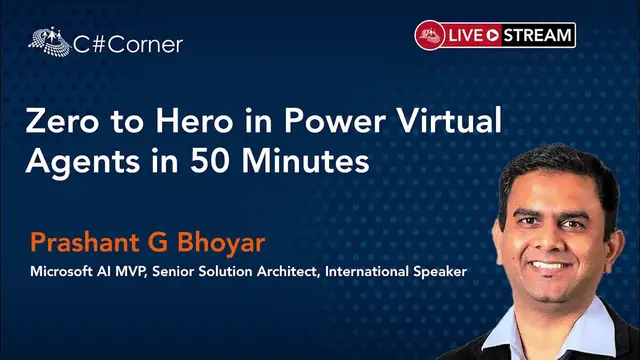
Prashant G Bhoyar is a Microsoft AI MVP and Microsoft Certified Professional. He currently works as a Senior Solution Architect at WithumSmith+Brown, P.C. (formerly Portal Solutions), one of the top 30 advisory and accounting firms in the United States. He is a trusted advisor and Subject Matter Expert in Intelligent Business Process Automation, development and post-implementation adoption of complex custom solutions in AI, Machine Learning, Bots, Azure, Office 365, and SharePoint. Prashant has supported a multitude of government agencies and non-profit organizations in the Washington D.C. metropolitan area. Prashant is the co-author of the book “PowerShell for Office 365 “and is the technical reviewer of the book "Pro SharePoint 2013 Administration."
He serves on the leadership committee for the Azure Data Fest conference, Artificial Intelligence Fest conference, Artificial Intelligence and Machine Learning User Group, DC Metro Office 365 User Group, SharePoint Saturday Baltimore event, and SharePoint Saturday Washington DC event. He is a renowned international speaker and actively speaks at technical conferences, most recently in India, Canada, England, Bangladesh, Peru , Washington DC, Austin, New York, Chicago, Seattle, New Orleans, Baltimore, Philadelphia. Fun fact??, Prashant is a recipient of the "Antarctic Service Medal of the United States of America" for his outstanding service in Antarctica.
Conference Website: https://www.2020twenty.net/power-platform-virtual-conference/
C# Corner - Community of Software and Data Developers
Show More Show Less View Video Transcript
0:00
Thank you, thank you, Simon
0:03
Thank you, Mahesh and rest of the organizers at C Sharp. Welcome to the session on Power Virtual Agent
0:10
The title is Zero to Hero in Power Virtual Agents in 50 Minutes
0:19
Who am I? My name is Prashanji Boyer. I was born and raised in India
0:23
I came to the United States in 2007 for studies. I am University of Maryland College Park alumni
0:29
I co-authored a book, PowerShell for Office 365. I also acted as a technical reviewer for the book, ProSharePoint 2013 Administration
0:36
I am from Washington, D.C. area, and we organize a lot of community conferences
0:43
Pre-COVID-19 pandemic, most of the conferences used to be in person, but now we have converted
0:49
all our conferences to virtual only. So if you are interested, we frequently post the upcoming information about upcoming conferences
0:57
on the meetup.com. And we have three meetups. One is on AI machine learning
1:02
Second one is on Microsoft 65. And third one is on SQL and Big Data
1:07
And a couple of conference dates I have listed here. Those are going to be free virtual conferences
1:13
One is coming up called Global AI Fest. It's going to be on 25th of June
1:17
And the second one is Azure Data and AI Fest, which is going to be on 12th of November
1:22
As I mentioned, if you're interested in joining us, do check out us on meetup.com
1:27
I am a recipient of Antarctic Service Medal, and I'm also recipient of Microsoft MVP award since 2017
1:37
Now, those of you who are not familiar with this award, I don't work for Microsoft
1:42
It's just additional recognition that Microsoft gives out to the folks who does technical contribution
1:47
And those technical contributions can be in the form of writing books, creating training contents
1:54
speaking at various conferences, answering people's questions at various public forums, and also providing direct feedback to the Microsoft product group
2:03
And this award is valid only for 12 months. And after every 12 months, you have to apply for renewal
2:10
And during renewal, then you have to submit all your contributions that you have done in previous 12 months
2:15
So for the first two years, I was an MVP in Office 365 Apps and Services
2:21
and since 2019, I changed my category to AI. And right now I work as Senior Solution Architect at Witham
2:28
where I focus on intelligent business process automation. And in that, I use a variety of the stacks of products in Microsoft ecosystem
2:38
starting with Azure AI, bots, Azure core services, Microsoft 65 Teams, Power Platform
2:46
where in Power Platform we use a lot with Power Apps, Power Automate and Power Virtual Agent
2:53
And as I mentioned, I'm from Washington DC area and I worked at Witham's Washington DC office
2:59
This is a quick information about our company. We have two Microsoft MVPs on the staff right now
3:04
and we have done 100 plus deployments in Microsoft ecosystem. And we have 50 plus consultants
3:10
dedicated to Microsoft ecosystem only. Witham is a big company. We have more than 1000 employees
3:17
and out of that 50 are dedicated to Microsoft ecosystem. And we are providing services in Microsoft ecosystem
3:23
from last 17 years. And these are some of the capabilities that we have
3:28
And we are growing. We are actively looking for candidates in USA
3:32
and as well as in India as well. In India, we have office in Bangalore
3:37
So if you are looking for a change and if you reside either in USA or in India
3:41
do reach out to me. We have plenty of exciting opportunities. As I mentioned, if you are interested
3:47
joining us for future events, do check us out on meetup.com. So now let's talk about the session
3:54
So this is going to be a 100-level session. We will start with why bots
4:00
Then we'll talk about if you have to create bots, what are some of the options available to us
4:05
in Microsoft ecosystem? Then we will dive deep into what Power Virtual Agents are
4:10
how to get started, what are some of the key concepts or functionalities are there
4:15
And then we'll talk about what's the story between Microsoft Flow and Power Virtual Agent is
4:20
we'll have demos, key takeaways, Q&A. So I know we are using a live stream for this
4:26
So feel free to post your questions in the YouTube chat. Along with me, Simon is also there
4:32
who's monitoring the chat window so we can answer your questions. So this is the mission statement from Microsoft
4:39
They would like to make data science and AI accessible to everyone
4:44
And it doesn't matter what your role is or what kind of device you're using
4:47
And some of the services that are coming from Microsoft actually aligns very closely with this mission statement
4:55
So now let's talk about why bots, like why we should bother about creating bots nowadays
5:00
Bots are not new. We have been interacting with bots, let's say from last 10 to 15 years
5:06
but certainly in last one or two years, we have seen a surge in usage of a self-service bots
5:13
One of the reasons for that is bots provide you more natural human computer interaction
5:19
We can help, we can automate a lot of repetitive tasks and free up the resources
5:24
And that's one of the reasons why bots are getting very popular in the enterprise space
5:29
especially in the help desk department, where if you ask any help desk person
5:34
typically they will tell you that out of 100 requests, 40 or 50 requests are very, very basic requests that can be
5:43
solve very easily. And there in those kind of scenarios, we can use bots for that so that that
5:50
will free up the valuable time from the actual human agents. And they can then focus on more
5:55
complicated tasks, which are a little bit complicated for bots to handle as of today
5:59
Bots are available all the time. And depending on what kind of product or service you have used to
6:05
implement bot, your bot can be available wherever you are. That means if you're driving, if you're
6:11
your mobile, the bot can be available. But if the implementation is done right, bot adapts
6:18
to the user depending on the circumstances. And also bots are a little bit shiny because
6:23
bots are new. And if you have done implementation right, it simplifies the UI as well. And if
6:29
you go with Microsoft ecosystem and if you create a chat bot or a voice-based bot, then
6:35
you can deploy that bot across multiple channels. Now, those of you who are familiar with Microsoft
6:40
teams. Don't get confused with the channel in the context of teams versus the channel in the
6:45
context of bots. So channel in the context of bots mean different product and services. That means if
6:51
I create a bot using Microsoft offerings, then I can deploy that bot not only to Microsoft
6:56
ecosystem products like Outlook or Teams or other products, but I can also deploy to other non-Microsoft
7:08
of products like Slack, Twilio, Facebook, et cetera. And also, if you, there is a lot of study has been done
7:17
in the industries, if your organization has a wider age group then if you are using bots then the younger users sometimes feel more they find it more comfortable to interact with bots as compared to interacting with actual human agent
7:36
So it may help you to connect with the young users as well. And bots are not new
7:40
We are familiar with bots in our personal life. In fact, if you are a customer of major financial institutions like Bank of America, Citigroup
7:51
which is VC Bank. And if you call their customer service number
7:56
the chances are the first line of defense from this financial institution is a voice-based bot
8:02
That bot will ask you questions and depending on your answers, that bot may give you answers right away
8:08
or it may connect you to the human agent. Now, slowly with all the advancement
8:13
that is happening in the AI, especially in the commercial space, we are seeing that bots are slowly entering
8:20
into the enterprise space as well, where more and more companies would like to use bots
8:25
for their internal processes or internal head desk. Now, if you are interested in implementing bots
8:32
in your organization, and if you would like to explore the options
8:35
in Microsoft ecosystem, these are the two options available. By the way, there are plenty of vendors available
8:41
who provide you off-the-shelf bots. The other Microsoft competitors like Google, Amazon, IBM
8:47
they have similar offerings as well. But from here onwards, what we'll be focusing on is the bots or Power Virtual Agent in the Microsoft ecosystem
8:55
So if you are in Microsoft ecosystem and if you are interested in implementing the bots, then we have two options
9:01
Under Software as a Service, we have Power Virtual Agents, which we're going to cover in detail today
9:08
It provides you a no-code experience for bot development. And it's ideal for business users and domain experts to easily build a bot
9:16
This is the link you can go to quickly sign up for the Power Virtual Agent and start creating a bot
9:22
And it just takes you maybe less than 30 minutes to have a working bot if you go with a Power Virtual Agent
9:29
The other option is Platform as a Service where we have Microsoft Bot Framework
9:34
And it's an open source SDK and tools and it's built for the custom bot development
9:40
And it's ideal for developers. and Power Virtual Agent is actually built
9:46
on the top of Microsoft Bot Framework. So the product group from Microsoft
9:49
who owns Power Virtual Agent, they have actually used Microsoft Bot Framework
9:53
to build a product. And this is the link you can go
9:57
to find more information about the Microsoft Bot Framework. There's another tool called
10:03
Microsoft Bot Framework Composer. It is an open source, again, open source tool
10:08
and it gives you a visual authoring canvas So we can develop a multidisciplinary Bonds
10:15
and it can integrate with other Microsoft cognitive services like Q&A Maker, LUIS, et cetera
10:22
As I mentioned, it has a visual editing canvas for conversational flows
10:27
It has in-context editing for natural understanding. And we can also integrate with Q&A and natural language understanding
10:37
And as I mentioned, it's open source and you can find more information about Microsoft Bonds
10:41
Framework Composer by going to this link. Now, if you had to line up the options that are available
10:49
in Microsoft ecosystem regarding bots, and this is the pyramid we can follow here
10:54
The core of the bots is Microsoft Bot Framework, which is optimized for developers
11:01
And Power Virtual Agent is built on the top of Microsoft Bot Framework
11:05
and it provides us a no code bot building experience. And it's optimized for our business users
11:11
And there is a really good integration story available between Microsoft Bot Framework
11:16
like custom bots built using Microsoft Bot Framework and Power Virtual Agent using the Bot Framework skills
11:25
So Microsoft Power Platform is a low code platform that spans across Office 65, Dynamics 65, Azure
11:32
and standalone application. And you may be already familiar with Power BI
11:36
Power Apps and Power Automate. And recently, maybe one and a half years before
11:41
Microsoft introduced Power Virtual Agent as one of the offerings under Power Platform
11:46
And we use Power Virtual Agents to create intelligent, no-code chatbots. So this is the mission statement of Power Virtual Agent
11:57
empower your people to drive more business value through easy to create natural conversational AI
12:03
And Microsoft, Power Virtual Agent is built on the top of Azure AI services and bot framework
12:14
So you as a creator of the bot doesn't have to worry about the AI services
12:20
All that difficult part of using, like difficult part of selecting and using the AI services
12:26
and adding the AI support is all done by Microsoft. So all we do is we just use Power Virtual Agents
12:32
and we just start creating our business logic. And there is a really good integration story available
12:39
like in case you have to call any external service, then we can call Power Automate from a Power Virtual Agent
12:46
And since there are like more than 300 connectors available with Power Automate
12:52
basically we have access to this connector via Power Virtual Agents only
12:57
And the way we can do that is our bot will call Power Automate
13:02
and then Power Automate, then it will use any of these connectors and then you can implement your business logic
13:09
So Power Virtual Agents gives us a very easy to use authoring canvas, as you can see in
13:18
the screen here. And it's a graphical user interface which we can use to quickly create a bot
13:26
And it also remembers the user responses. For example, if I'm interacting with a bot and if I interacted today for five minutes
13:34
and again I interacted again after a few minutes, then the Power Virtual Agent will remember the user responses
13:41
and then will be intelligent enough to give us a better responses
13:47
So we can start from the scratch, or we can also start using some of the suggested topic
13:54
in the Power Virtual Agent. And for the suggested topic, we can use the information that is publicly available
14:01
If you have your company's information available publicly on a public facing URL
14:05
You can use that or you can also use information from your FAQs database as well
14:15
We can avoid the repetitive conversation using the authoring canvas. And once you create your bot using Power Virtual Agent
14:25
you can deploy it to anywhere. Like these are the list of channels that are supported
14:30
right now. And Microsoft is working hard to add the support for the additional channels as well
14:35
Like for example, when you create your first bot using Power Virtual Agent
14:39
it is already available on a demo website, but you can also integrate that with Microsoft Teams
14:46
with Telegram, with Facebook, Slack, direct line, Skype, or you can put it on your custom website as well
14:56
And it has the inbuilt ytics as well in the form of Power BI So the Power BI reports will show you the ytics in terms of how many sessions that bot had
15:09
whether your users were satisfied with bot or not, and also it will have other information about billing as well
15:17
So with that, let me show you a quick demo of the Power Virtual Agent
15:22
And in the meantime, if you have any questions, feel free to post them in the chat window
15:30
So for this, what you can do is open your favorite browser
15:35
and go use your favorite search engine and then just search for Power Virtual Agents
15:46
And the link we are looking for is this one, PowerVirtualagent.Microsoft.com And once the link opens, you can sign in here
16:04
And by the way, if you don't have right now the license for Power Virtualagent
16:08
it's okay. You can start with the trial as well. So click on sign in here
16:19
And once it's load, then I will show you the rest of the part
16:41
Typically it's not that slow. like since I'm using my browser to stream this session, my machine is scrapping out
16:51
Otherwise typically it is not that slow
17:04
All right. So this is the window you'll get. And here you see, whatever the last bot you created, the screen will show you that
17:13
And here on this screen, if you click on this icon, which has a little bit of a bot icon
17:18
or called the Bots panel, if you click on here, here you will see all the bots that you
17:23
have created. And here you can also see the environments that you have
17:28
By the way, give me a minute. I just need to take care of my son in a minute
17:33
I will be back. All right, sorry about that
18:07
So let's say if you, this is the first time you're creating the bot, then what you need
18:11
to do is click on this button called new bot and what it will do is it will open up the
18:17
window to create a new bot and then you can give it a nice friendly name
18:24
So let's call it as my first EVA bot and then you can select the languages
18:37
languages if you expand this. So majority of the common languages are available and some of them
18:46
like and right now five languages are available in preview and rest of the languages which you
18:51
can see in the drop down are generally available. So in this case, I'll be going with English US
18:59
And the next thing, the environment is very, very important. If you are familiar with
19:03
if you have used Power Platform products like Power BI or Power Apps or Power Automate
19:12
then we can have multiple environments. And using the environments, you can have your application lifecycle management
19:19
or you can also have your DLP policies. So same thing we can do with Power Virtual Agent as well
19:26
So make sure you select the right environment. By default, it will be showing the default environment
19:31
But if you have multiple environments in your tenant, then you will be seeing that as well
19:38
But make sure you select the right one. And then click Create
19:41
And once you start to click Create, the entire operation of creating your bot
19:46
may take up to one to five minutes. Now, we are not going to do that right now
19:51
because it will consume, basically, eats up a majority of the time from this talk
19:55
So what I will do is I have already created a bot, and I will just show you that
20:01
and this is my bot. Like if I go to the bot's homepage here
20:07
this is what I will see, where you will see in the left-hand navigation
20:12
the topics, the entities, the ytics, published and under manage. If I expand here, I will see the details
20:18
the channel, security, skills, and AI capabilities. And if I scroll towards the right
20:26
I will see the information. Like if I scroll down, I will see some really good documentation from Microsoft
20:31
like PVA documentation. There are some videos as well where you can follow those videos
20:39
the steps mentioned in the video and have your working bot within a few minutes. And one of the most important thing
20:45
I would like to mention here is this support community. Like the one thing which is really great
20:50
about Microsoft product, especially with the Power Platform products is each product has their own community site
20:56
where you can go and ask questions. And so far right now
21:00
the average trend is if you post a question, you will get an answer within 24 hours
21:06
And the answers will be really good one because there will be some folks from the community
21:11
who will be providing the answers and also some folks from Microsoft as well
21:15
So if you ever get stuck with Power Virtual Agent, you can always go to the support community
21:20
and then post your question. And on the home screen, you also see this UI
21:26
where we can test the bot using in this same user interface as well
21:32
Now, what we'll be doing next is talking about some of the key concepts
21:36
that come with the Power Virtual Agent. So one of the key concepts is topics
21:41
So topics are like the backbone of your chatbot that's built using Power Virtual Agent
21:50
And every bot comes with some predefined topics. and you can add your own topic as well
21:58
So to add a new topic, you just have to click on a new topic here
22:05
And then give it a name. Let's call it as Ignite 2021
22:13
And then you can provide some description and friendly name. And then you can start entering the trigger phrases
22:20
Now trigger phrases are the one which let say if I am a user who interacting with a bot if I use any of the trigger phrases that are listed in this topic then this particular topic will get triggered And in this topic I will have my business logic
22:35
So if you are coming from the development background, then you can call, you can consider
22:39
topic as a function. So you can have a class, like inside your, inside your function or a class
22:46
then you can have your separate business logic. Same is the scenario here. If you are not a
22:51
developer, and if you're coming from a power user background, then treat topics as a subsection
22:59
Like you have your main bot and within your bot, then you have a subsections. So topics actually
23:05
act on a similar way. So here I have already created a topic. So I'm going to quickly walk
23:11
you through that. And let me go to the topics again. That's fine. I want to leave from this one
23:21
So the topic I have created here is a very simple one
23:33
So ever since COVID-19 pandemic has started, pretty much entire workforce who can work
23:39
remotely is working remotely now. And that has posed a lot of challenges to the IT helpdesk
23:45
So the topic, the scenario I would like to simulate here is we have this work machine
23:51
topic. And this topic will get triggered whenever a user or employee of your firm is having issues
23:58
with his or her laptop or machine. And these are some of the trigger phrases I have used
24:03
like computer not starting, machine not starting, slow laptop, slow computer, computer not working, my machine is slow. Now, you may be asking why we have to use multitude of
24:13
trigger phrases. The reason is when you are implementing chatbots, we are trying to mimic
24:18
the conversation your user will have with actual human agent. And when it comes to communicating
24:24
we humans can ask the same question in a multiple way. For example, if I'm a really good friend with you
24:31
I can ask you, hey, how are you? Or yo, what's up
24:35
Or I can use any other lingo that I'm familiar with. Same thing is there, like same kind of scenario
24:43
we would like to mimic here with chatbots as well. Like if I am a user and if I have an issue
24:47
with my machine and if I'm interacting with the bot, I may ask that question in multiple ways
24:52
I can just say my computer is slow or my computer is not starting
24:57
my machine is slow, something like that. And again, Microsoft recommend, we should have at least five to 10 drivers
25:04
key phrase, trigger phrases, but you can also add more as well
25:08
And the next important thing is authoring canvas. So if a user is interacting with this, with a bot
25:15
And if the user uses any of these trigger phrases, then this particular topic will get triggered
25:22
And then it will use the same business logic that we have in this authoring canvas
25:28
So the business logic I have here is very, very simple. I didn't try to make it very complicated
25:45
All right. It's taking more time than expected. The reason is my machine is a little bit slow
25:56
That's why. Otherwise, this gets loaded pretty fast. I will wait. All right, it's loading now
26:22
So as you can see, in the top, we have all the trigger phrases are listed
26:28
And then there is a message. Again, we can customize this message. And the way I customize is I have added, I'm sorry to hear that you're having with your
26:36
work machine. And what I have done next is, and while adding the message, as you can see, we can make the
26:44
text bold or italics. We can add the bulleted list, numbered list, and we can also have the hyperlinks
26:51
And this little variable X you'll see is here to insert the variables
26:57
Now I will talk about those variables a little bit later. This is the welcome message we have
27:03
And then after that, straight away, I'm asking a question to the bot
27:09
Now, if I click here, if I would like to modify this business logic
27:17
then what I have to do is, in between these two message and question
27:23
and on this line, hold on this line, and wait for that plus icon
27:27
and which is called add a node, and click on that. And once I click on that
27:36
then I will see all the options that are available. I can either ask a question or I can add a condition
27:43
or I can do a call and action. And when it comes to ask a question
27:55
I have multiple options here. All right
28:06
I'm going to turn off my camera. Let's see if that's going to improve the performance on my machine
28:14
All right. It looks like it did. So here I have option, like when it comes to adding the question, I can either add multiple
28:23
choice option and or i can add the user entity response age boolean city color continent country
28:33
or region duration event language uh money so there are like a lot of other options available
28:40
and you see here the search option is also there so if you're looking for something uh you can
28:45
quickly search for it for example if i search for url uh then you are here i can see uh the url here
28:51
So let me exit out of this. And let me delete this
29:12
And looks like turning off video also didn't improve much, but okay
29:24
Let me go back and start from the beginning
29:37
and while i'm doing that uh let me quickly cover a few of the slides uh that will be
29:50
a helpful in the interest of time all right so
30:00
All right, so we were showing you the demo. Then let's cover some of the important concepts
30:06
So we can create the personalized customer experience using Power Virtual Agent
30:15
And we also have ability to transfer the control to an actual human agent
30:22
because no matter how smart your bot is, still the parity that we have when it comes to the AI
30:30
it still doesn't match. We still don't have the AI services which can match the human capabilities
30:37
So there will be instances where your bot will not be able to answer the question
30:41
And in that time, you may want to transfer the control to the human agent
30:45
And the way to do that using Power Virtual Agent, we can use Dynamics 65 Omnichannel for customer service
30:52
And we can also do the handoff to a generic live chat provider as well
30:58
And as I mentioned, we can extend the bot capabilities with Azure bot service
31:04
As I mentioned, Power Virtual Agent is like just one and a half years old
31:10
and Microsoft bot framework is there from last four or five years
31:14
And if you are early adopters of Microsoft bot framework and if you already have rollout custom bot using Microsoft bot framework
31:20
and if you would like to integrate that with Power Virtual Agent, you can do that via board framework skills
31:29
When it comes to integration with authentication provider, you can integrate any authentication provider
31:36
and that authentication provider can be Microsoft, Google, Facebook, or custom authentication provider
31:42
as long as it's using the modern authentication protocols using OAuth. and Power Automate is going to be your gateway to the outside world
31:55
So let's say if you have to call any external web service or if you had to do something outside of your bot
32:01
then the way you can do that is via Power Automate. And one of the good things is the access to Power Automate
32:11
is already included as part of your Power Virtual Agents queue. and we can create flows using Power Virtual Agent Connector
32:20
We can call flows to perform actions and we can connect to any third party service
32:26
or data source using a premium flow connectors as well. And okay, so now let's see if this is back
32:39
Okay, I'm back in the topics now so I can show you this one
32:43
Okay, perfect. Let's go to the work machine and let's go to the authoring canvas
32:50
This is much better performance. All right. So the experience I'm having here is if I'm interacting with the bot and if I mention any of these trigger phrases that my computer is not starting, my machine is slow, then this particular topic will get triggered
33:14
and whatever the business logic I have in this topic will get activated
33:19
So the first thing I'm doing as part of the business logic is I'm showing a message, like, I'm sorry to hear that you're having issues with your Merck machine
33:26
Then I'm asking a very genuine question. Did you reboot your machine
33:29
Because we all know, especially this is true with Windows machine, is if you reboot your machine, chances are a majority of your problems will get resolved
33:39
And if the user select yes, and so there are two options
33:43
user can select yes or no. If the user says yes, I have rebooted the machine
33:48
Then the next question I'm asking is, are you stuck? Whether it's an emergency situation or not
33:54
And if you say yes, he's stuck, then the next question I'm asking is, what's your email
34:02
And once the user provides the email, I'm actually calling a Power Automate
34:07
which is sending an email to the help desk with relevant information
34:11
So the helpless person can then reach out to that particular user and resolve the issue really quickly
34:18
Now let's see how exactly we can test this. So we have this business logic
34:24
And here you see on the bottom left side of the screen, we see a test your bot
34:29
So let's click on that. So once I click on that, I can test this bot right away in the same Power Virtual Agents UI itself
34:38
So let's start with me saying hello. Okay, it's getting the welcome message
34:50
And this welcome message, you can customize it. Now what I'll be doing is I'll be straight up asking
34:56
like mentioning that I am having issues with my machine. My machine is slow
35:02
And if the sentence I using has any of the trigger phrases then the topic that we have gets triggered And here I can debug this runtime So as you can see in the right section
35:19
right now I'm showing this, I'm debugging this particular business logic runtime
35:25
So I can see here, if I scroll on the top, this particular topic got triggered
35:31
And then this is the message has been shown. And then the bot is asking the question
35:36
Did you reboot your machine? And these are the choices as a user I'm getting
35:40
So if I click yes, then what is going further with the business logic
35:51
And the next question I'm asking is, are you stuck? So before answering this question
35:55
let me show you this particular panel here. So here, if I click on this variable watch
36:00
so I can see the runtime values of the variable. And this comes really, really handy
36:06
because you may want to, like during the troubleshooting or during the testing this bot
36:11
you want to check what kind of values that are getting passed in the variables. If I select, are you stuck? Yes
36:21
Then the next thing is doing is, as per our business logic, it's going to ask us the email address
36:28
Now, what I'll be doing is, I won't be providing my email address as such
36:32
I'll be adding some additional content to it because I would like to see if the AI services
36:37
that this Power Virtual Agent is using in the backend is intelligent enough to extract the email
36:42
from the complete sentence I will be writing. So my email address is..
36:58
Okay, let's click that. And if everything is right, then sooner or later
37:05
I will get an email address. And that email address will get sent by the Power Automate
37:11
So here you can see, we can have really good integration between Power Virtual Agents and Power Automate
37:19
All right. The next thing is there regarding the login. Now I want to show you how exactly
37:25
the authentication will work in the bot. So, So if you would like to, if there is a scenario where you're interacting with your user, but
37:36
you would like to authenticate for some security reasons, you can do that as well
37:42
And as I mentioned in the previous slides, for the authentication, we can use authentication
37:46
in Microsoft ecosystem, Google, or any other provider, as long as they support the modern
37:54
authentication protocols. So, if I click on login here, then it will give me a code
38:03
So, if I click copy here, and if I paste the code, and if the code is correct, then the
38:13
bot will know that I'm an authenticated user, and it will come back with some information
38:19
which only it can show to the authenticated users. So as you can see here, the message I'm getting is you are logged in and it's showing me my
38:31
display name. So as you can see, it pulled my name from my Active Directory and then it's asking me
38:43
did I answer your question? I just click yes
38:55
And then it's asking me to provide the experience. I'm just going to rate my experience here
39:01
Number five. No, thank you
39:12
And the conversation is ended here. All right. Let's see what's some of the next content
39:21
I would like to show you in the slides. All right. We talked about this
39:30
All right. So these are some of the important announcements that happened regarding the Power Virtual Agent
39:36
during the Ignite last week. So in case if you are not watching the recordings
39:41
I definitely urge you to go to the Ignite site and you can watch the recordings now
39:47
So one of the main announcements they made is they announced a new open source low-code programming language
39:53
called Microsoft Power FX. Now, there are a lot of announcements happened
39:58
but I'm just covering the announcement in the context of Power Virtual Agent. Now, why the Microsoft Power FX is important
40:05
if you're interested in Power Virtual Agent? The reason is, so the Power FX will be soon available
40:13
for other Microsoft Power Platform product as well. Right now it is available already in Power Apps Canvas Apps but slowly sooner or later it get rolled out to other Power Platform products like Power Virtual Agent Like right now in Power Apps Canvas apps but slowly sooner or later it gets rolled out to other Power Platform products like Power Virtual Agent Like right now in Power Virtual Agent
40:30
we don't have support for any programming language. And then there, Microsoft will add the support
40:35
for Power FX so that we can implement some additional complex business logic inside that
40:41
The second announcement is related to the topic overlap detection. So these are update related to the AI offerings, where we can find the overlaps between multiple topics
41:01
And also, depending on the chat transcripts between your users and the bot, you'll also
41:07
get some suggested topics as well. So you can add that in case if you don't have that
41:12
So with that, let me show you some additional things that I wanted to show you. And let me check how are we doing on the time-wise
41:18
I think we still have five to 10 minutes. So let me show you real quick regarding the ytics
41:29
So every chatbot comes with the pre-built ytics. You don't have to do anything for it
41:35
It's already there for you. You just have to go to the ytics section and then a Power BI report will get generated for you
41:45
And here you can find out the summary, the information about the customer satisfaction
41:53
how many sessions you had with your Power Virtual Agent and also the billing
42:03
All right. It's taking longer than expected to load the information. this is my machine and not the regular experience
42:16
that you will be getting with Power Virtual Agents UI. So if I go to the customer satisfaction
42:26
since let me change this maybe to previous month and say if I use this
42:36
then it looks like I haven't interacted with this bot at all. That's why I won't say this
42:40
The next thing I wanted to show you is the security. So if I go to the security
42:46
and if I would like to configure the authentication, then I have multiple options for that
42:51
So here under authentication, every bot will come as a no authentication
42:56
which will be by default. You can also add authentications for Teams only
43:02
or you can also, in that case, your bot will only available within the Microsoft Teams only
43:07
or you can also select the manual authentication. And here you can select the service provider
43:14
Like you can go with the Azure Active Directory or if you don't want to interact with Azure Active Directory
43:20
if you have your own proprietary authentication provider or if you would like to integrate
43:25
with Google Authentication or Facebook, then you just select a generic OAuth 2
43:29
and then you configure the rest of the things. So here I have selected Azure Active Directory V2
43:35
And here I'm using the combination of client ID and client secret
43:39
Now, if you are a power user, don't have to worry about all this stuff
43:43
You can work with your IT admin and get this configured. Because configuring this is not that difficult
43:50
You just need to have right access in your Azure Active Directory. You need to register an app, get the required information
43:56
come to this portal, add that, and voila, you have authentication support for your bot
44:01
The next thing I would like to show you is under publish
44:05
under manage the channel. So by default, as I mentioned, the bot is available as a demo website
44:13
but you can deploy that to Microsoft Teams, custom website, and these are the channels
44:17
that are supported right now. And if I click on a demo website right now
44:25
so this is the site I can use, I will have to test my bot
44:32
So if I go to this particular site, I can have this bot already added to this site
44:39
and I can test it here. One of the important advantage of this
44:44
is if you are developing a bot and you would like to quickly share with your internal users for them to try it out
44:51
then you can share the link of this demo website with them. They can interact with the bot, and they
44:57
can provide you the feedback. So let me see. My machine is slow
45:04
Yes, I reboot the machine. Are you stuck? Yes, I'm stuck. Let me provide my email
45:21
And if everything is right, then it will answer your question. Yes. Perfect
45:29
So as you can see I can interact with this bot using a demo website as well And if I would like to deploy this I can deploy that to my own Custom website as well So if I click on the custom website all I get is the embedded code
45:44
And I just need to copy this And this the way this work is it uses the iframe and I can add this iframe to any other location it
45:53
I can add this iframe in SharePoint page or I can add it any other or any other site or web page I'm using
46:00
It can be ASP.NET page or build using any other language. Okay, let's see
46:10
I know we are coming towards the end of the talk. So let me show you, let me cover a few of the other things
46:16
that I wanted to cover. So if you are interested, you can go to this link
46:20
and try out the Power Virtual Agent. As I mentioned, you can start for free
46:27
And one thing I didn't mention is if you are familiar with Microsoft Teams
46:32
Microsoft announced a new offering called Dataverse for Teams. And using Dataverse for Teams, you can create the chatbots built using Power Virtual Agents for free
46:44
So Power Virtual Agents come with two flavor. One, which is free layer, which comes with Dataverse for Teams
46:50
where if you create a chatbot, it will only works in the context of Microsoft Teams
46:53
But if you go with full blown Power Virtual Agent, you can use that bot across multiple channels like it can be used in teams and it can also be used in Facebook on public facing website or any other website as well
47:07
So when it comes to the bots and Microsoft ecosystem, these are my personal thoughts
47:12
If you go with Power Virtual Agent, it's really easy to create and test the bots
47:16
When it comes to the Microsoft bot framework, you have a steep learning curve. The ideal audience for Power Virtual Agent is Power Users and IT Pros
47:23
Whereas to use Microsoft Bot Framework, you need to be a developer
47:27
The maintenance and enhancement is easy with Power Virtual Agent. The maintenance and enhancement's a little bit cumbersome
47:33
with Microsoft Bot Framework. You don't have to worry about any of the AI services
47:39
when you go with Power Virtual Agent. Microsoft has already taken care for that you
47:44
However, if you go with Microsoft Bot Framework, you need to integrate various AI services
47:49
with your bot to make your bot intelligent. There is inbuilt support for ytics there
47:55
Here in Microsoft Bot Framework, that support is not there. You have to use some other products like App Insights
48:02
However, if you are using full-blown Power Virtual Agent, then it's a little bit expensive to begin with
48:10
And right now, there is no easy way to manage the cost across the department
48:15
If you look at the licensing of Power Virtual Agent, it's based on how many sessions you have
48:19
and you have a firm cost that you have to pay per month. Whereas if you go with Microsoft Bot Framework
48:25
it is inexpensive to begin with. However, you need to take into account
48:29
a lot of other services, like where you're going to host your bot
48:33
what are some of the AI services you will be using. Then you have to integrate those AI services in your bot
48:37
and then finally you will have your bot ready. In case if you're interested
48:44
starting with playing with Power Virtual Agent, there is a really good program from Microsoft
48:49
called Microsoft 365 Developer Program. So go to that link and you can sign up for free
48:55
And once you sign up, you can create your personal Microsoft 365
48:59
developer subscription for free. It comes with e5 licenses, which is the highest top licenses right now
49:06
And it comes with 25 users. And this tenant is valid for 90 days
49:10
And if you are using this tenant for your personal training and development
49:16
after 90 days, Microsoft will graciously increase your trial period for another 90 days
49:21
And they will keep continue doing it as long as you are using this tenant
49:25
for training and development and this program is active. Another way to get
49:30
the Microsoft 365 is through signing up for the trial. The reason I'm saying the Microsoft 365
49:37
is once you have this tenant, you can use Dataverse for Dream
49:42
which is already included. And you can also sign up for the trial version
49:45
of Power Virtual Agent as well using the account that you'll be getting through this Microsoft 365 developer program
49:53
In case if you're interested in exploring bot framework, and if you would like to deploy that
49:59
in Azure, then you need to have Azure subscription. And these are various ways you can get the Azure
50:04
subscription. So hopefully the contents we covered today made you explore the power virtual agents
50:09
You will go home and play with it. And if you don't have access to a developer tenant
50:15
then definitely check out the developer program from Microsoft. So these are the things we covered today
50:22
And these are the references I use. With that, I come to the end of the talk
50:27
Feel free to post any questions you have in the chat window. And if you have any feedback or if you would like to get in touch with me in future
50:33
these are my contact details. With that, thank you very much for coming. Stay safe and stay healthy
#Software
#Virtual Worlds
#Intelligent Personal Assistants