Up next in 10


🔧 Find the Fault in Seconds! Why pay a mechanic $100 just to scan your car? Use this tool to find out exactly what's wrong and reset that warning light:
✅ My #1 Recommended Budget Scanner: ➤ ANCEL AD310: https://amzn.to/4sx9u7g
📏 Precise Digital Tire Pressure Gauge: ➤ AstroAI Digital Gauge: https://amzn.to/4qQARI3
As an Amazon Associate, I earn from qualifying purchases.
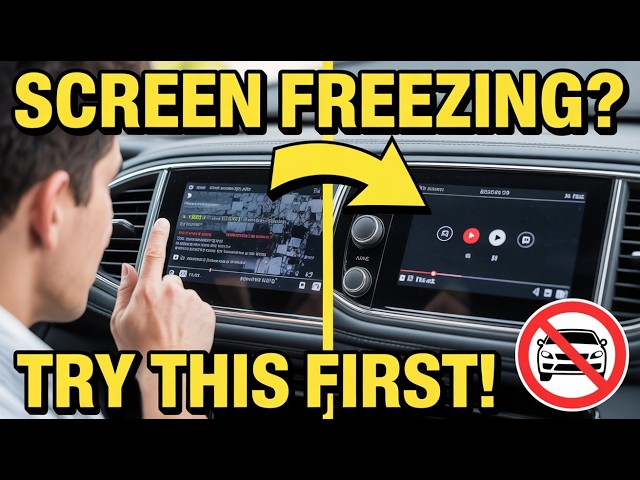
Is your car's infotainment screen freezing, lagging, or going completely unresponsive mid-drive?
You're not alone—this glitch hits tons of modern cars like Chevy Equinox, Silverado, Ford, Toyota, Honda, Subaru, Volkswagen, and more in 2025-2026 models.
The touchscreen suddenly ignores touches, hangs on one screen, flickers, blacks out, or delays everything from navigation and backup camera to music, calls, and climate controls.
It often starts as occasional stutters before turning into full freezes that force you to pull over in frustration.
If your dashboard display is acting up like this right now, this video explains what's really going on with these common car screen issues.
Hit play and see if your symptoms match what so many drivers are dealing with.
Comment your make, model, and year below if this sounds like your ride!
Thanks for watching Car Justify—drive safe.
Show More Show Less View Video Transcript
0:00
Hey, is your car's infotainment screen
0:02
freezing up on you right when you need
0:03
it most? Well, often a quick reboot or
0:06
software update gets it working smooth
0:08
again. Ignoring this could mess with
0:10
your backup camera or navigation,
0:13
leading to accidents or bigger
0:14
electrical failures that hit your wallet
0:16
for over a,000 bucks in dealer fixes.
0:19
So, you know, I've seen this a ton in
0:20
the shop. Folks pull in frustrated
0:23
because their car's touchscreen just
0:24
locks up. It happens across brands like
0:27
Ford, Chevy, Toyota, you name it.
0:29
Usually, it's not some huge disaster,
0:32
just a glitch we can tackle at home.
0:34
Okay, so first things first, let's talk
0:36
about why this even happens to your
0:38
car's display. Overheating is a big one.
0:41
Park in the sun too long and that screen
0:43
gets toasty, causing it to freeze like a
0:45
bad computer. I've had customers swear
0:48
their air conditioning was blasting, but
0:50
the dashboard heat still builds up.
0:52
Another common culprit is outdated
0:54
software in your car's infotainment
0:56
system. Car makers push updates to fix
0:59
bugs, but if yours is behind, bam,
1:02
freezes during music streaming or map
1:04
loading. Honestly, low battery voltage
1:06
can do it, too. Especially in older
1:08
rides where the car's battery is on its
1:10
last legs that dips the power and your
1:13
screen stutters or locks. Sometimes it's
1:16
hardware like loose wires behind the
1:18
dash or a faulty connection from a bumpy
1:20
road. You know, vibrations over time
1:22
shake things up. or if you've got a
1:24
phone plugged in via USB, that can
1:26
conflict and cause the freeze. I fixed
1:29
plenty by just unplugging and
1:30
replplugging. The thing is, certain
1:32
features might trigger it, like
1:34
switching to reverse, and the backup
1:36
camera view glitches out. In some Fords,
1:39
having pitch and roll displays on can
1:41
mess with audio, too. All right, then.
1:44
Before you drive to the dealer and drop
1:46
cash, try these DIY steps. Start simple.
1:49
Do a soft reset on your car's
1:50
infotainment. For most cars, hold down
1:53
the power button or volume knob for
1:55
about 10 to 15 seconds until the screen
1:57
goes black and reboots. You'll see the
2:00
logo pop up like restarting your phone.
2:03
In a Ford, press the power and the
2:05
fast-forward button together for 5 to 10
2:07
seconds. Chevy folks, just hold the
2:09
power for 10 seconds or so. This clears
2:12
minor glitches without losing settings.
2:15
If that doesn't cut it, check for
2:16
software updates. Head to your car
2:18
makers website. Ford has sync updates.
2:21
Chevy has My Link or Infotainment 3.
2:24
Download to a USB stick, plug it into
2:26
your car's port, and follow the onscreen
2:28
prompts. Make sure the USB is formatted
2:31
right, like XFAT, and between 8 to 32
2:34
gigs. It might take 20 minutes, but run
2:36
the engine so the battery doesn't drain.
2:39
You know, I've saved people hundreds
2:40
this way. If the freeze happens with
2:42
your phone connected, unplug it and
2:44
restart the car. Switch from Bluetooth
2:47
to wired or vice versa. Sometimes that's
2:49
the fix. For overheating, park in shade
2:52
or use a sun shade on your windshield.
2:54
Let the car cool down before cranking
2:56
the system. Okay, so if resets don't
2:59
work, time to check the basics under the
3:01
hood. Pop the hood and inspect your
3:03
car's battery terminals for corrosion.
3:05
Clean them with baking soda and water if
3:07
they're gunky. A weak battery under 12
3:09
volts can cause all sorts of screen
3:11
issues. Test it with a multimeter. If
3:13
it's low, replace it for around 70 to
3:16
100 bucks. While you're there, look at
3:18
fuses. Your owner's manual shows the
3:21
fuse box location, usually under the
3:23
dash or hood. Find the one for
3:25
infotainment or radio. Pull it out, wait
3:28
a minute, and pop it back. That hard
3:30
resets the system. In some cases, like a
3:33
Volkswagen, pulling the fuse or
3:35
disconnecting the battery for a few
3:36
hours clears stubborn codes. But hey,
3:39
don't start the car right after
3:41
reconnecting, or it might throw errors.
3:44
All right, then. If you're comfy with
3:45
tools, peek behind the dash, remove the
3:48
trim around the screen, usually clips or
3:50
a few screws. Check for loose harnesses
3:53
or wires. Wiggle them gently and receat
3:55
if needed. But if that sounds sketchy,
3:58
stop and call a pro. Don't risk shorting
4:01
something. For brands like Honda or
4:03
Subaru, screen delamination from heat
4:05
can cause touches to register wrong,
4:07
leading to freezes. That's when the
4:09
layers separate and it looks glitchy.
4:12
dealer might need to replace the unit,
4:13
but try cleaning the screen first with a
4:15
microfiber cloth. No harsh chemicals.
4:18
You know, dust buildup can make it hyper
4:20
sensitive. The thing is, always scan for
4:23
codes if the freeze persists. Grab an
4:26
OBD2 scanner, links in the description,
4:28
and plug it into the port under your
4:30
dash. It reads error codes from your
4:32
car's ECU module, telling you if it's a
4:35
sensor or software fault. Common ones
4:37
like Podes point to infotainment
4:39
glitches. clear them and see if it
4:41
helps. I've used these on everything
4:43
from a frozen Chevy screen to a buggy
4:45
Ford sink. Saves trips to the shop.
4:48
Okay, so let's walk through a real
4:50
example. Say your Ford Edge screen
4:52
freezes in camera mode. First, hold
4:54
power to reboot. If no luck, pull fuse
4:57
19 in the box. Wait, reconnect. That
4:59
often snaps it out. For a Chevy, if it's
5:02
my link, soft reset by holding power 15
5:05
seconds. Screen blacks out, then
5:07
reloads. If it's still wonky, update via
5:10
Chevy's site. Honestly, prevention is
5:12
key here. Keep your car's software
5:14
current. Set reminders every few months.
5:17
Avoid extreme heat. Use garage parking
5:20
if possible. Don't overload the system.
5:22
Running nav, music, and calls at once
5:24
can bog it down. Clear cash if your
5:27
system allows, like in some BMWs. Go to
5:30
settings, system, and wipe temporary
5:31
files. That frees up memory and stops
5:34
lagging freezes. If your car is newer,
5:37
like a 2024 model, check for recalls.
5:40
Some have known infotainment bugs fixed
5:42
free at dealers. For instance, Honda had
5:45
a backup camera software recall causing
5:47
freezes. Look it up on the NHTSA site
5:50
with your VIN. You know, better safe
5:52
than sorry. All right, then. What if
5:54
it's hardware gone bad? Screens can fail
5:57
from where? Touch digitizer quits
5:59
responding. In that case, replacement
6:01
might run 300 to 800 bucks plus labor.
6:05
But try all DIY first. 80% of freezes
6:07
are software. I've replaced units in the
6:10
shop, but often a reset or update would
6:13
have done it. For electric cars like
6:15
Teslas, it's similar. Hold steering
6:17
wheel buttons to reboot. They overheat,
6:19
too, especially cameras. Tesla pushes
6:21
OTAA updates to fix. The thing is, if
6:24
your freeze ties to specific actions,
6:27
like shifting to reverse, it might be a
6:29
sensor fault. OBD scanner shines here.
6:32
Pull codes for the rear camera or
6:33
parking sensors. Common in Broncos or
6:36
Subarus. Fix could be recalibrating or
6:39
cleaning sensors on the bumper. Wipe
6:41
them down. Dirt block signals causing
6:43
screen hangs. Okay, so let's cover brand
6:46
specifics a bit more. Volkswagen owners
6:48
hold the volume knob to hard reboot.
6:51
Works while driving. Updates fix buggy
6:53
firmware in older models. Chevy
6:56
Silverado, same hold power trick. If
6:59
it's a black screen, check HMI module
7:02
behind the glove box. Sometimes needs
7:04
reprogramming, but that's shop level.
7:07
For Nissan, outdated software or bad
7:10
updates corrupt things. Reset by
7:13
disconnecting battery 10 minutes. Unplug
7:16
USB devices first. Maserati or luxury
7:20
rides. Electrical like blown fuses or
7:23
dead batteries. Test alternator 2. If
7:26
it's not charging right, voltage drops
7:28
freeze the screen. You know, simple
7:30
voltmeter check at idle. All right,
7:33
then. Safety note. Don't fiddle with
7:35
this while driving. Pull over if the
7:38
screen locks during use.
7:40
Losing nav or cameras mid-trip is risky.
7:44
I've heard stories of folks missing
7:45
turns because of it. Honestly, if DIY
7:49
fails, head to a trusted mechanic.
7:52
They'll diagnose with pro tools, maybe
7:54
flash the ECU costs 50 to 100 for a
7:57
scan. Better than guessing. The thing
8:00
is, modern cars rely on these screens
8:02
for everything. Climate, safety,
8:05
entertainment. A freeze isn't just
8:07
annoying. It can disable ABS warnings or
8:10
SRS airbags alerts. That's why fixing
8:13
quick matters could save you from costly
8:15
ignored problems. Okay, so wrapping up,
8:19
most freezes boil down to software,
8:21
heat, or power issues. Start with
8:23
reboot, update, battery check. Use that
8:26
OBD2 scanner from the description.
8:28
Affordable and handy for any car
8:30
trouble. If you're still stuck, comment
8:33
below your make and model. I'll chime
8:35
in. Hey, if this helped, smash that like
8:38
and subscribe to Car Justify for more
8:40
tips. Drive safe out there, buddy.
#Autos & Vehicles
#Vehicle Parts & Services
#Ford