0:00
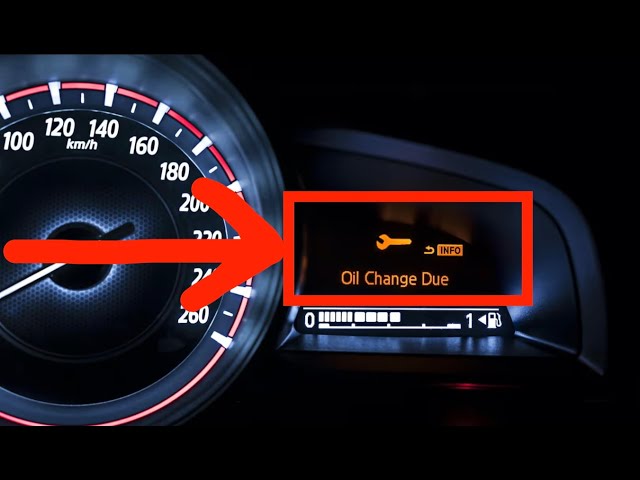
All right, so your Honda Pilot's oil
0:01
change light is on and it's driving you
0:03
nuts because you already changed the
0:04
oil. Let's fix that. Hey there, I'm Tom
0:06
from Car Justify. Good to see you here.
0:08
This light is basically the car's way of
0:10
nagging you for maintenance. But once
0:12
you do the oil change, you have to tell
0:14
the car's computer you took care of it.
0:15
Otherwise, it just keeps bugging you.
0:17
Don't worry, it's easier than it sounds,
0:19
and I'll walk you through it step by
0:21
step. First thing, make sure the car is
0:24
in park and the ignition is on. For most
0:26
pilots, you don't even have to start the
0:28
engine. Just turn the key to the on
0:30
position or hit the start button without
0:32
pressing the brake. That'll get all the
0:34
dash lights on so you can see the
0:35
maintenance minder. Next, look at your
0:38
instrument cluster. You want the oil
0:40
life screen. Usually, you press the trip
0:42
button or the info button on the
0:43
steering wheel to cycle through. Honda
0:45
loves hiding these in plain sight. I've
0:47
seen folks swear it's not there, but it
0:49
is. Just keep tapping until you see
0:51
something like oil life 15% or oil life
0:54
100% if it was reset before. Once you're
0:57
on that screen, press and hold the
0:58
tripper info button. Hold it for about
1:00
10 seconds. You'll see the oil life
1:02
start blinking. That's the car asking,
1:04
"Hey, you sure you want to reset me?"
1:07
This part trips people up all the time
1:09
because they let go too soon. Just keep
1:11
holding until you see the blink. Now you
1:14
let go, then press and hold it again for
1:16
another 5 to 10 seconds. That's the
1:18
confirmation step. Once you do that,
1:20
it'll reset to 100%. It's honestly a bit
1:23
like dealing with an old video game
1:24
cheat code, but it works every time. If
1:27
you have one of the newer pilots with
1:28
the touchcreen, they made it a bit
1:30
fancier. You hit home, then settings,
1:32
then vehicle, then maintenance info.
1:34
From there, you tap reset or oil life.
1:37
Super straightforward once you know
1:38
where it's hiding. But I had a buddy
1:40
last week who spent half an hour
1:42
swearing at the screen before calling
1:43
me. Now, here's a quick tip. If you're
1:45
changing your own oil, try to remember
1:47
to reset this right after because if you
1:49
forget and do it a week later, you'll
1:51
see 98% oil life and wonder if you even
1:54
changed it. I've done that myself more
1:55
times than I want to admit. One more
1:58
thing, if the light won't reset, make
2:00
sure your battery isn't low or your key
2:02
fob isn't acting up. Sometimes the
2:04
electronics get picky and if it still
2:06
refuses, disconnect the negative battery
2:08
cable for a minute, then try again. That
2:11
usually forces the computer to behave.
2:14
So, let's recap real quick. Turn the
2:16
ignition on. Get to the oil life screen.
2:18
Hold the button till it blinks. Then
2:20
hold it again to confirm. For the
2:22
touchscreen models, just follow the
2:24
menus. And if it's stubborn, check the
2:26
battery or do a quick reset by
2:28
disconnecting the cable. That's it.
2:30
Pretty simple once you know the steps.
2:32
If this helped you out, don't forget to
2:34
hit like and subscribe. I'm always here
2:36
with tips to make car stuff a little
2:38
less frustrating. Catch you in the next