0:00
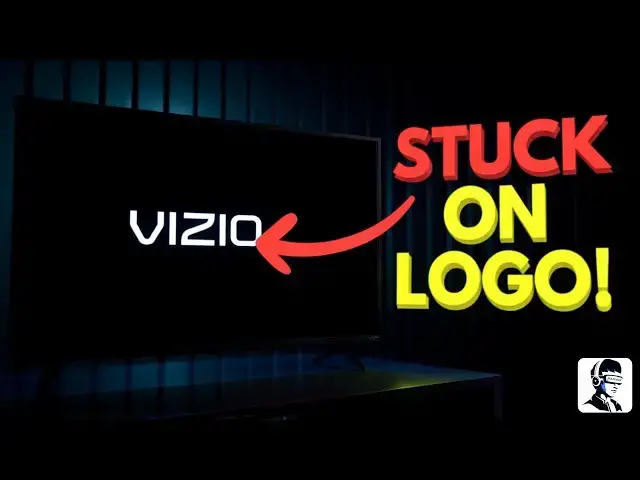
Is your VO TV stuck on the logo screen
0:02
and just won't start? Don't panic. This
0:04
is a common issue, and in this video,
0:06
I'll walk you through simple, proven
0:08
fixes that can get your TV working again
0:10
in just a few minutes. These methods
0:12
work for most Vizio smart TVs, including
0:14
DM and V series models. Let's jump right
0:17
in and fix it together. If your Vizio TV
0:19
boots up to the logo and then shuts off
0:21
or keeps looping, the first thing to
0:23
check is power. A weak or unstable power
0:25
supply is often the cause. Plug your TV
0:28
directly into a wall outlet instead of a
0:30
power strip or extension cord,
0:32
especially if you have multiple devices
0:34
connected to it. Make sure the socket
0:36
can handle high power electronics like a
0:38
TV. Also, check your power cable for any
0:40
signs of wear, bending, or damage. If it
0:43
looks frayed or loose, replace it
0:45
immediately. For good measure, try a
0:47
different outlet in another part of the
0:48
room. If your outlet isn't providing
0:50
consistent voltage, it's best to have an
0:52
electrician check it before continuing.
0:54
Once you know the TV is getting stable
0:56
power, it's time to perform a power
0:58
cycle. This drains leftover electricity
1:00
from the components and resets the
1:02
circuits inside the TV. Unplug the TV
1:04
from the wall and leave it unplugged for
1:06
about 2 minutes. After waiting, plug it
1:09
back in and power it on. You can also
1:11
power cycle your remote by removing the
1:13
batteries, waiting a minute, and
1:14
reinserting them. If your TV turns on
1:16
normally after this, you're all set. If
1:19
not, let's move on to a deeper reset.
1:21
Next, we'll try a factory reset. This
1:23
clears any corrupted data that may be
1:25
preventing your TV from booting
1:27
properly. Turn on your TV. Grab the
1:29
Vizio remote and press and hold both the
1:31
input and volume down buttons together
1:33
for about 15 seconds. A power menu
1:36
should appear on screen. Select the
1:37
option to reset your TV. If it asks for
1:40
a parental code and you haven't set one,
1:42
just enter 0000 to start the process.
1:45
Once confirmed, wait for the reset to
1:47
finish. When the TV restarts, it'll be
1:49
restored to factory settings just like
1:51
new. If your TV still won't boot, try
1:53
one more quick trick. Unplug your Wi-Fi
1:55
router, then restart the TV while it's
1:57
disconnected from the internet.
1:59
Sometimes software update errors can
2:01
cause boot loops, and starting the TV
2:03
offline can help it recover. If none of
2:05
these steps fix it, the issue may be
2:07
internal, like a damaged power board or
2:09
firmware fault. At this point, it's best
2:11
to contact Vizio support instead of
2:13
opening the TV yourself. If your unit is
2:16
still under warranty, push for a
2:17
replacement rather than a repair. Since
2:19
boot loop issues are often tied to
2:21
quality control faults specific to the
2:23
unit to prevent this from happening
2:25
again, keep your TV's firmware up to
2:27
date. Use a surge protector to guard
2:29
against voltage spikes and make sure
2:30
it's well ventilated to avoid
2:32
overheating. These small habits go a
2:34
long way toward keeping your TV running
2:36
smoothly. And that's how to fix a VZO TV
2:38
stuck on its logo screen. Hopefully, one
2:40
of these steps helped bring your TV back
2:42
to life. If it did, drop a comment below
2:44
and let me know which method worked. It
2:46
might help someone else watching. Don't
2:48
forget to hit the like button if this
2:49
video helped and subscribe for more
2:51
quick, money-saving home tech fixes.
2:53
Thanks for watching and I'll see you in