Up next in 10



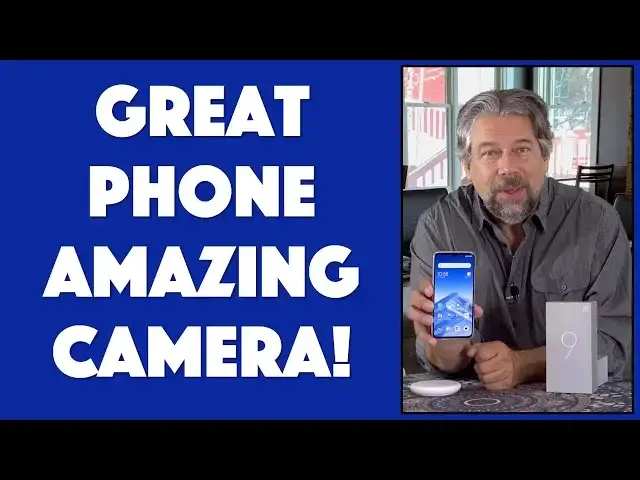
Nowadays people use their smartphone for a lot more than phone calls. One of the biggest uses is photography and the Xiaomi Mi 9 Android Smartphone comes with one doozy of a camera, a 48MP Sony triple lens that can take incredibly detailed photographs. And yes, there's a big 6.3" screen, 3300 mAh battery and in-screen fingerprint sensor.
Tech expert Dave Taylor of https://www.AskDaveTaylor.com/ checks out the Xiaomi Mi 9 and finds that while there's a lot to like about this phone, there are a few things you'll want to know about before you make a purchase decision.
Xiaomi Mi 9 on Amazon: https://amzn.to/2ZApE1a
Xiaomi 20W Wireless Charger on Gearbest: https://us.gearbest.com/chargers-cables/pp_009281829447.html
Show More Show Less View Video Transcript
0:00
Is an amazing camera enough to make a great Android phone
0:04
Let's check it out. Dave Taylor here and I'm looking at this
0:15
This is the Xiaomi Mi 9 flagship Android smartphone. And it's pretty sweet
0:22
Now, the increment of the Mi 8 was so-so, but this is a whole new phone with a whole lot of cool technology
0:29
Not the least of which is, look how darn thin that is. It's pretty amazing, right
0:33
And it has a beautiful screen. This is actually a 6.39-inch AMOLED screen
0:40
But let's get back to that. First off, I just want to talk about the internals. Because this phone is powered by the Qualcomm Snapdragon 855 octa-core
0:49
running at 2.84 GHz. Which means, yes, it's really speedy. It's a very fast phone
0:55
It's the first device on the market that features the Snapdragon 855
1:00
Pretty nice, Xiaomi. It has 6 GB of RAM, 128 GB of storage
1:05
No, there's no support for any sort of additional storage. No little tiny thing you can pop out of the side
1:11
Though it does have dual SIM. That's pretty cool. But the camera is really the corner of this
1:16
It's really like the main thing. And it features a 48-megapixel Sony triple camera
1:22
You can see in this close-up. That's three cameras and a flash right there, stuck on this side right here
1:28
And it's the highest resolution smartphone camera on the market as of, well
1:33
as of the day I received it from the company. But by now, I think there's a couple of companies that announced slightly higher resolution
1:40
So it goes. You get your moment in the sun, and then it goes away
1:44
So, it is a 48-megapixel camera. That's a lot. That means it's shooting at 8,000 x 6,000 pixels
1:53
That is a whole lot of data. That is more data than the screen can even display by a significant factor
2:00
So it does some scaling, which causes some hiccups. But we'll get there too
2:05
So, three cameras. There's the 48-megapixel. There's the 12-megapixel telephoto. And there's the 16-megapixel ultra-wide-angle lens
2:14
But let's jump into some photo samples. First off, this is a 48-megapixel photo
2:19
And we're going to zoom right in so you can see the level of detail. It's quite remarkable
2:24
Now, you can see there's a lot of different photo modes. And that's pretty cool, because there's a lot of different ways to shoot
2:30
The funny thing is, is everything's in English. Everything's translated except flower mode
2:35
At least I assume it's flower mode. I don't know what it is, because it's in Chinese
2:40
So, what did I do? I took a photo of a flower. So, here's a flower in flower mode
2:46
As far as I could tell, it gives you sort of a fisheye background effect
2:50
It's attractive. There's also a pro mode. Now, to be fair, this is Android camera software
2:56
But it's neat to be able to adjust all these different settings as if you were using an old manual SLR or something
3:03
But, really, the interesting question is video. So, here's two video samples
3:07
The first one is just a very bucolic scene along the river
3:12
And you can see it's very crisp. It looks really good. And then we're going to switch to slow motion
3:18
which, ironically, is probably too slow. But it's still a pretty cool effect
3:22
Now, the interesting thing about video is that when I used it
3:26
so I inserted it into this video that I've shot, and you can see it's really clean and seamless and everything
3:32
But when you view it on the phone at the 4K video
3:36
it's a little stuttery, which surprised me. It's like the phone can't quite handle getting that much data
3:43
And my guess is that because the screen isn't at 4K, there's re-sampling on a frame-by-frame basis
3:50
And I found that to be a little glitchy. But, really, just trust that even if it doesn't look perfect on your phone as video
3:58
that it's going to look great when you share it or great when you upload it and give it to other people
4:02
So, all good. Now, on the front, I want to point out that there is..
4:08
It's not a notch. They call it a hole punch, this sort of style
4:12
But there is a little dip down there, and there's a camera there. That's the forward-facing camera
4:17
It's a 20 megapixel, and it features a Beautify selfie camera. I'm not going to make you suffer through pictures of me
4:25
but suffice to say, the Beautify seems, as far as I can tell, to just make things ever so slightly blurry
4:30
But, I don't know, maybe I look better blurry. Leave a comment. No, don't leave a comment
4:35
Seriously, leave me alone. You can also do front-facing. You can do video from here, 1080p at 30 frames per second
4:43
That's pretty impressive, considering it's just the little tiny cut-out picture. So, now, jumping back a little bit
4:51
we're running Android 9, which is the Pi edition. Actually, Android 10 is not going to have
4:57
one of those fun candy names anymore. Go figure. So, this is Android 9 with Xiaomi's MIUI 10
5:04
which is their user interface layer on top of Android. And, if you're not used to that, it is a little different
5:12
but I think, actually, it's actually nicer. So, nothing to complain about
5:17
Now, let's get to this screen. This is the 6.39-inch Samsung AMOLED display
5:24
running at 2340x1080. So, that's full 1080 HD. But, remember, it's taking photos at 8,000x6,000 pixels
5:35
So, that's way more resolution than this can display. Keep that in mind when you're looking at your photos
5:40
They're going to look even crisper on a bigger display. Nice. It has Gorilla Glass 6
5:46
the sixth iteration of Corning's Gorilla Glass. So, that front is super tough, which is great
5:52
And, remember, for the edges in the back, you do have this little case that's included
5:56
So, that's pretty handy. It is a 90.7% screen-to-body ratio. So, impressive
6:04
It's not quite edge-to-edge, but it's so close that I'm not sure you'd really even be aware
6:09
It has a 3,300 mAh battery and supports Quick Charge 4, which is cool
6:16
And, Xiaomi did send me their 20-watt wireless charger. I'm going to get to that at the very end
6:22
So, stick around for that. But, with this, you can charge the phone from dead
6:27
wirelessly in under 90 minutes, all the way to 100%. That's really impressive
6:34
And, right now, you probably can't really see, but it's sitting here charging
6:39
So, super convenient, super easy to work with. And, okay. So, 3,300 mAh battery
6:47
There's also another cool thing, is there's an in-screen fingerprint sensor. So, it's right down here
6:53
about an inch from the bottom, centered. So, if I put the wrong finger on there
6:57
then it gets a little unhappy. So, you get that green light and little flashing things
7:02
But, when I put the correct finger on there, as you would hope, it unlocks the screen
7:07
I really like in-screen fingerprint sensors. I hope that's going to be a standard across all phones
7:13
Much, much easier to work with than having, like, something on the back that you have to feel where is it
7:18
or having a special button, like a physical button that's taking up space
7:23
This is just a magical spot on the screen. Pretty cool, actually
7:27
On the left side, there's actually the one-button push to get to Google Assistant
7:33
That's really easy. And, in fact, let's do a quick tour of all the ports
7:37
because that's important. So, starting at the bottom, you can see there's USB-C charging
7:43
and a bunch of holes drilled out for speakers. On the left side, you have the access to the dual-SIM slot
7:52
that you can just pop out with the included tool. And, of course, you have that Google Assistant button
7:58
On the top, there's really nothing of note. I believe that that hole is something to do
8:03
with a microphone or some sort of sensor. Who knows? And on the right-hand side, you have volume up, volume down, and power
8:10
So, those are handy to have. And what you don't have is you don't have the audio jack
8:15
So, that means you've got to figure out Bluetooth or use the adapter
8:19
which is a great segue into us looking at what's in the box
8:23
So, here we have this little screen protect... I'm sorry, this phone protector case
8:28
It's just, you know, just one of these sort of transparent rubberized
8:32
probably TPU, a whole bunch of documents and such. And then you get a USB-C charging cable, which makes sense
8:41
And you get this little, teeny, tiny USB-C to 3.5-millimeter audio adapter
8:48
which is handy if you really insist that you want to actually plug in
8:53
your headphones or something. So, you put that into the bottom, and you're ready to rock and roll
8:58
Probably most people will be using Bluetooth. Now, since I have the Global Edition, rather unfortunately
9:05
I got the wrong charger. So, I have this style charger, and that is not going to fit into my power outlet
9:11
I'm not even going to try because I know it's going to end badly. So, I ended up using my own charger
9:16
Not a huge big deal. Where that gets to be more frustrating is with the wireless Qi charging
9:22
But as I said, I'm going to defer and get to that closer to the end
9:26
So, that's everything in the box. It is a nice package. It's a nice box
9:31
There's nothing that people wouldn't enjoy and appreciate. I'm going to put this case back on the phone
9:37
I might as well have that protection, right? So, not much else to talk about with the phone itself other than the price
9:44
But I also want to remind you to stick around because we're going to talk about
9:48
the wireless charging, too, or the wireless charger. But before we get to any of that, I want to ask if you can subscribe to my channel
9:56
I really appreciate when you subscribe. And do me a favor and leave a comment or give me some feedback on this video
10:02
and how you found this and whether this was useful. So, now we are back to the price
10:07
This, this, let me actually unlock this with the thumb scan. This very nice phone
10:16
It's fast. It's a beautiful bright screen. It does a remarkable job with photos and video
10:22
There's a lot to like about this. This is the Xiaomi Mi 9 flagship Android smartphone
10:29
And on Amazon.com, you can pick it up for somewhere around $430
10:35
Look around. There's a lot of different places selling this because Xiaomi isn't a brand that's sold through major phone carriers
10:42
So, you get to go and explore the rest of the online world to see what you can find
10:47
Now, I want to hasten to add that this is the International GSM Edition
10:52
Totally unlocked. You can plug it into any carrier you want. But, Verizon doesn't support GSM
10:58
So, if you're on AT&T, if you're on T-Mobile, you're good to go
11:02
Drop in a SIM or take this into the store with you. And they'll be like, wow, that's really nice
11:06
And they'll get you going. But, if you're on Verizon, you're going to end up being disappointed
11:10
So, be careful that you've double checked that this phone is compatible with your carrier. Cool
11:16
Now, let's talk about the wireless charger because this is pretty slick too
11:21
This is the Xiaomi 20-watt wireless charger with dual cooling system. So, if you look on the back, there's a lot going on here to make sure that it doesn't overheat
11:32
Because it's pushing a lot of power. 20 watts is way more than most wireless charging systems
11:38
In fact, most of them are at 10 watts. But, that's how you get such incredible performance
11:43
I mean, I can charge this phone 10% in like 5 minutes. It's really fast. It's really nice
11:49
And, of course, it's just the Qi charging standard. This is actually Qi 2.4
11:53
So, it's compatible with everything. You can drop an iPhone on here and it'll charge up
11:58
It's perfectly happy to do that too. So, there's nothing special about it other than the fact that it's just putting out a lot of wattage
12:05
But, again, 20 watts came with a 20-watt charger. That's lovely. Wrong plug
12:12
So, I got the Global Edition again. And that doesn't do me a whole heck of a lot of good
12:17
So, I have the Qi charger. I have the USB charging, or sorry, USB-C charging cable
12:23
And I ended up having to plug in my own quick charge charger
12:27
So, this is not putting out 20 watts. So, I'm not getting the full performance I could if I could use this
12:35
But, so it goes. This is life when you're using a device that actually has an international market
12:40
So, if you are going to acquire one of these, and they're definitely pretty sweet
12:45
If you're going to acquire one of these, make double sure that it has the correct wall charger
12:50
or you're going to miss out on some of its capabilities. Having said that, this ShowMe 20-watt wireless charger you can pick up
12:59
The best price I could find was at GearBest.com, and it's $21.99
13:04
I am not clear, but I believe that it includes this charger
13:09
So, be an aware consumer and make sure you get the right one
13:13
So, all in all, ShowMe 20-watt wireless charger, ShowMe Mi 9 Android smartphone
13:21
heck of a combination. This is some really nice gear. This is a really, really nice Android phone and definitely worth checking out
13:28
So, that's all I got. Glad you watched, and I will hope to see you in my next video
#Design
#Photographic & Digital Arts
#Camera & Photo Equipment
#TV & Video Equipment