Up next in 10



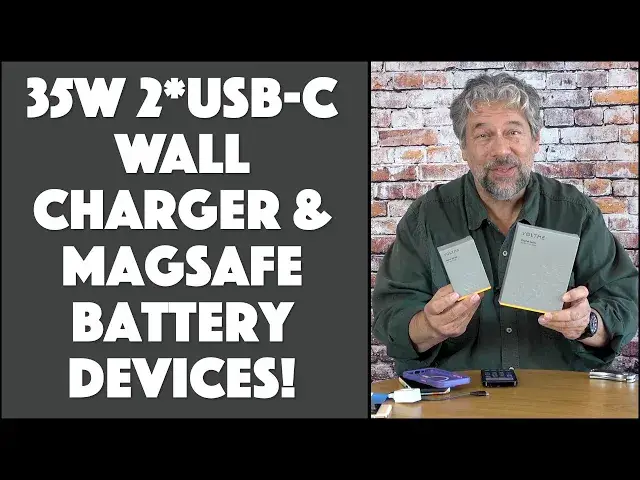
Tired of lugging around that big charging brick? The latest from VOLTME is a remarkably small - and powerful! - 35W dual-USB-C port wall charger that will have your phones and tablets charged in no time. Got an iPhone? Then you'll also love the VOLTME MagSafe Magnetic Power Bank too. Tech expert Dave Taylor unboxes and checks out both in this detailed demo and review!
Check them out at https://www.Voltme.com/
or on Amazon: 35W Charger: https://amzn.to/3D54EWt
and MagSafe Battery Pack: https://amzn.to/3D6qk4E
Visit Dave's Q&A Web site at: https://www.AskDaveTaylor.com/
#voltme #35wcharger #magsafe #batterypack #5000mah #35w #iphone #macbookair #askdavetaylor
Show More Show Less View Video Transcript
0:00
Cool new options for charging your devices. Let's unbox them
0:04
Dave Taylor here, and I'm checking out both of these devices
0:14
They're in their boxes, but this is the VoltMe USB-C 35-watt charger
0:20
and this is the VoltMe Magnetic MagSafe battery pack. So, let's start with the little charger
0:28
For this, let's see, because of the way the box is designed, I need my unboxing tool
0:34
Now, to be fair, there's not much in boxes for chargers, but it's the charger itself that's of interest
0:41
So, let's slide this one out and see what it looks like
0:46
Oh, I guess I did that upside down. That's okay. Here's what we're looking at. Here's the actual charger
0:53
As you can see, it has two wall prongs. They do not fold
0:57
And much more importantly, it has two USB plugs on this end
1:02
and they are both power delivery PD 3.0 charging spots. Now, the box has a very interesting design, and there's also a little bit of paperwork in here
1:13
There's a thank you with warranty information and a starting guide. Not sure how much you need to know about using a charger
1:21
but suffice to say, it has a nice design and has these sort of dimples on the side
1:27
It makes it very attractive. But what's most interesting about this is that the technology inside is Gallium Nitride 3, or GaN 3
1:37
This is the third generation of this revolution in power chargers. So, you probably remember, you might still have pretty big, chunky chargers
1:47
They've become much, much smaller, and they have much better heat management systems
1:52
so it doesn't get very hot at all. So, this is a dual USB-C port, and if you plug in just one, you'll get 35 watts out of it
2:03
which is a lot of power. And if you plug in both, then it's going to share that across both plugs
2:08
and they're each going to get 18 watts, which is still a lot more than a lot of phones and a lot of tablets are still at 5 or 10 watts
2:16
So, give it 18 watts, or by itself, 35 watts, it'll charge a lot faster
2:22
Now, they speak a bunch of different protocols, including PD, or power delivery
2:27
QC for quick charge, and this is also a PPS, or programmable power supply charger
2:33
So, all of those basically let the device and this charger negotiate how much wattage the device can take
2:42
to have the maximum charge. Now, in practice, there's nothing you have to do
2:47
So, if I take my iPhone 14 Pro, and I take this, and I plug this into power
2:53
and I plug this in, then it is charging. You can see there in the top corner, it's bright green
3:00
It's charging as fast as my phone can take a charge. And why that's important is because that's what you want
3:07
When you plug in your devices, you want to have them charge as fast as possible
3:11
because that's the goal. So, how fast does this charge? Well, I'll tell you, my phone was down to 16%
3:18
That was a sad state of affairs. And I plugged it in just like this, and in 30 minutes, it went from 16% to 70%
3:28
So, that is over a 50% charge in 30 minutes. Now, that doesn't mean you'll get 100% charge in an hour
3:35
because of the way the phone manages power, but it does mean it charges pretty darn fast
3:41
And then when I tried my Google Pixel, the Pixel actually tells you how fast the charge is coming in
3:49
As you can see, it said charging rapidly, which means that it's negotiated with the charger
3:55
and it was giving me the fastest possible charge for this phone, too
3:59
So, in other words, for something that is 1.8 inches by 1.8 inches by 1.1 inches and 2.4 ounces
4:09
this thing is a rock star. In fact, it puts out enough power, you can also charge something like a MacBook Air
4:16
and in a pinch, you can charge a bigger computer. The trick, if you have a computer that's designed for 60 or 65 or 80 or 100 watts input
4:26
and you're only giving it 35, turn the computer all the way off
4:30
plug it in, and just let it sit and slowly charge. It will actually charge, but it'll just charge slowly, because it's getting a lot less wattage
4:38
But for tablets, for a Kindle, for earbuds, headphones, a phone, this is great
4:45
So, that's the Voltme USB-C 35-watt charger. I'll come back to pricing in a little bit
4:53
And then the other box, this is the Voltme MagSafe magnetic battery pack
5:00
So, this one also should be fun. Let's see what's in this box
5:05
So, this box, again, contains, in fact, exactly that same thank you note
5:11
and it contains a user's guide and a USB-C to USB-C mini charging cable
5:19
and, of course, most importantly, the actual unit itself. So, this is a 5,000 mAh battery pack, comes in a bunch of cool colors
5:30
but what I want to show you is that it's designed, because it's MagSafe
5:35
iPhone 12, 13, and 14 all use MagSafe, it literally just comes on with a magnet, and it stays on there
5:45
It's not falling off, and even as I do that, I don't know if you can see here
5:49
but it is charging my phone. So, that's about as easy as it gets to work with
5:54
Now, it does have a little stand. It's a little tricky getting the hang of it
5:58
You want to, when you first get it, overstretch it a little bit
6:02
but then eventually it will actually get to just the right position
6:06
and now you can see I have this nice little built-in kickstand, too
6:10
and if I want to do it at this orientation, I can do it that way instead
6:14
or I can just do it flat and just leave it like that. Really, really nice
6:19
Now, secret superpower is that because you actually charge the battery pack via USB-C
6:27
that's a bi-directional plug. So, what that means is that you'll need to plug it in to charge it
6:34
but you can also plug in another device and charge that, too
6:38
So, you can tap into that for power and simultaneously have it be that for MagSafe
6:45
and it's all working simultaneously. Pretty sweet. Now, inside of this is a graphene heat dissipation system
6:53
so it's not going to get hot. You don't have to worry about that. There's also overcurrent protection, and there's a button on the bottom
7:01
and if you push it just a tiny bit, you'll get a status update on these LEDs of how much charge it has
7:07
but if you push and hold it for three seconds, it'll actually turn off the unit
7:12
So, you can turn it off, use it just as a stand, leave it in your purse, your computer bag
7:18
your car, whatever, and then in an emergency situation, you can put it on
7:23
and notice it doesn't cover up the camera, so it's really nice
7:28
You can be charging away and still taking pictures at a concert or whatever
7:32
and in fact, it's so well designed that it's actually very comfortable to hold your phone with that on it
7:39
which is not true of the majority of these cases. Now, I will say that it says that it's compatible with MagSafe cases
7:49
and that's generally indicated by this symbol here, so that means that there's a magnet built into the case to help share that magnet connection and the current
8:00
but I found that the problem with these cases, some of them at least
8:05
is that it might actually be correct magnetic, but because of the edge that this particular case has for the camera
8:14
that actually gets in the way of the very top of this MagSafe charger
8:20
so you do have a little bit of a compatibility issue that is going to be absolutely dependent on the design of your MagSafe case
8:28
but be aware that's something that you might encounter. So, what else can I tell you
8:34
We've gone through the unboxing. This one is the actual battery pack with the built-in stand that folds in
8:41
and the little USB-C to USB-C charger and some paperwork, and this one is the charger by itself and some paperwork
8:51
so that's our unboxing. That's our system. In terms of this, I then took my phone
8:58
it went down to 69% and put this on it, and in 30 minutes, it went from 69% to 80%
9:07
That's pretty good for a wireless charge, so that's somewhere around 22% an hour of charge
9:14
and Qi wireless charging is inherently slower because it's a lower wattage than what this thing is pushing out
9:21
so I think both those numbers are extremely impressive. This is a really nice option for you for charging
9:27
Dimensions-wise, it's 4.3 x 2.6 x 0.5 inch thick and 7 ounces
9:34
so it's actually also not particularly heavy, which is good because if you were going to use it like this
9:40
you don't want to get too much hand fatigue because now your phone weighs that much more
9:45
and in terms of 5,000 mAh, that's about the same size as the battery in an iPhone 14 Pro or an iPhone 14
9:53
so it's like getting a second battery or a whole second charge out of it
9:57
and that's pretty nice. Finally, this comes in black or a light gray or green or blue or violet
10:05
Those colors are pretty cool-looking, and it's definitely one to check out
10:09
so that's pretty much what I got for you, and I'm impressed with both these devices
10:15
I love the evolution of this technology because when I think about how big chargers used to be
10:21
and the capabilities of something like this or even just something like this
10:25
this is a glorious step in the right direction for us never having our devices run out of power
10:31
and that's the goal, so I think you should check these out. That's all I got
10:35
but hold on because we haven't talked about price, so let's talk about price
10:40
but before we get to price, I'm going to ask if you could subscribe to my channel
10:44
Just go ahead and click or tap on that subscribe button, and if you found this helpful, useful, interesting, entertaining, whatevs
10:51
go ahead and give me a like or a thumbs up. I appreciate that, too. Great
10:55
This is the Voltme USB-C 35-watt dual-port charger, and it is $19.99
11:04
There's currently a 20% coupon, so it's $15.99 at Amazon.com. That is a no-brainer
11:11
Just go buy one. You will thank me for this. This is such a nice, small, powerful unit
11:16
Really cool, and then this is the Voltme magnetic MagSafe battery pack
11:23
and it comes in, like I said, a bunch of different colors. It is $39.99
11:27
currently discounted down to $27.99 at Amazon.com, so for $27, this is a great solution for people that use your phone
11:37
beyond the point where it needs to be charged and you're in trouble
11:41
It will work with other Qi wireless charging devices. However, other devices like this Pixel don't have MagSafe
11:50
so that part isn't going to work as well. There's a little bit of a magnetic hold
11:55
but nowhere near as strong as this, where I can pick up my phone with the charger
12:00
So, really, probably best for iPhone users, but in a pinch, it will work with any Qi wireless charging unit
12:08
or, of course, you can always plug it into that USB-C, and you can just use this as a 5,000 mAh external battery
12:16
Lots of flexibility. I think both of these are at solid prices and worth checking out
12:21
That's all I got. Catch you in my next video. [♪ music playing ��
#Computer Hardware
#Computer Drives & Storage
#Computer Peripherals
#Gadgets & Portable Electronics