Up next in 10



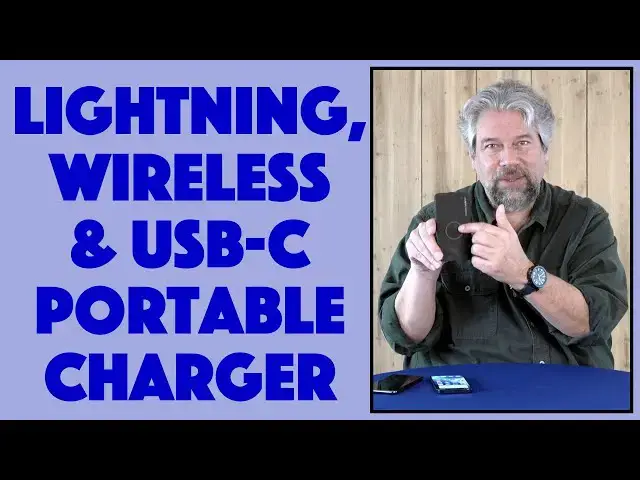
Whether you've got an Android phone or an iPhone, you undoubtedly run out of battery at the most awkward times. Enter the ChargeHubGo+ Portable Charger with built-in lightning, USB-C and Qi wireless charging capabilities. Not only that, but it has MicroUSB, USB-3.0 and USB-C plugs too. Tech expert Dave Taylor of https://www.AskDaveTaylor.com/ tests out this lightweight battery device and finds it's okay, but a much better fit if you seek convenience than the fastest possible charge while mobile.
Check it on Amazon at https://amzn.to/3raaSw8
Show More Show Less View Video Transcript
0:00
This slim little portable charger's got a lot going on. Let's check it out
0:12
Dave Taylor here, and I'm checking out this. This slim little device is the Charge Hub Go Plus
0:18
portable charger, and it's got everything you want, all self-contained. Well, everything except
0:24
the actual wall charger, but that's another story. So once you have this charge, you can use it. It
0:30
has built-in cables for USB-C, and then on the other side it has a built-in cable. If I can get
0:38
it out, let's try this here. There we go. For lightning, so that covers most very modern Android
0:46
phones and most modern iPhones. In fact, all iPhones, right, with lightning. And then on the
0:52
front, you might be able to see that ring, it also does Qi wireless charging. So I can just put my
0:58
phone on it, and it's actually charging right now. That's about as easy as it gets. So let me tell
1:05
you just a little about it, and then I'll tell you the numbers and how it worked with a couple of
1:10
different phones that I tested. So it's 5,000 milliamp hours, so it is a slim portable charger
1:17
A lot of them are 7,500 or 10,000, but the trade-off is that the bigger the charge, the heavier the
1:24
unit. This one is really light, it's 10 ounces, so you can do the math. This is lighter for sure than
1:31
my phone is. And 5,000 milliamp hours is about another spare battery for an iPhone or a modern
1:38
Samsung or Pixel or something like that. So as I said, it has lightning, USB-C, and they have what
1:46
they call smart speed charging, which gives you 15 watts total. I'm not sure I saw that with my
1:52
iPhone, but I'll give you numbers in a minute, we'll get to specs. The Qi wireless charging is a 5 watt
1:58
so it is the base minimum Qi charging. But it's functional, I mean, you can put your phone on
2:04
there, there's a little button on the side, you push, that gives you the battery status. You can
2:09
see, hopefully, the little tiny blue lights. There's four of them, so it shows you how charged the unit
2:15
is, and that also wakes up the Qi charging, so now I am wirelessly charging my phone. There we go
2:22
wirelessly charging my phone, so that's pretty slick. Now, how does it actually work though? Well
2:30
there's a couple of funky features to this. So let's start with lightning, because that's perhaps
2:34
a little more interesting. Oops, that's the USB-C side, this side is lightning. And they have an
2:40
interesting lightning connector, because it only has pins on one side, the other side is just flat
2:46
metal. So the first thing I had was a little bit of an orientation challenge. So I found that if I
2:54
plugged it in, and pushed the button, and had the pins facing upward, then, let's see, so it's not
3:02
working, so now I'll try it the other orientation. I suppose they do this to save a few dollars, but
3:10
it would be so much more convenient to have a proper lightning connector. Okay, so here we have
3:15
it, now it's charging. I had to have the pins facing downward, so I'm looking at, when I pull
3:22
this out, I'm looking at the undetailed metal surface on that side of their lightning connector
3:30
So, with my iPhone plugged in, what kind of charge do I get? Well, nothing to write home about. It's a
3:37
30% charge per hour, and all of these numbers are variable, because the time it takes to charge from
3:44
90% to 100% is slower than from 20% to 30%. And that's because that's part of how all these very
3:52
modern devices try to manage battery life. So they charge quickly, and then when they get near the
3:57
end, they slow it way down. So a handy tip is to charge to about 90% and stop. Don't constantly get
4:04
it to 100%, because it's not great for the battery, and frankly, it takes longer. So, plugged in like
4:11
this, hopefully not spinning around, it was 30% an hour on the plug. And then I thought, hmm, all right
4:19
well, what happens if I do the Qi wireless charging? And so for that, I found that the
4:26
convenience factor is fantastic, but it only actually gives me a 24% charge in an entire hour
4:33
That's that 5 watt Qi charging. So it is functional. It is charging right now. That is as
4:40
convenient as it can possibly get, but it's hardly what I would call a lightning charge. A little pun
4:48
there, right? So then I thought, hmm, all right, well, let's see how this phone does. And this phone
4:56
is the brand new Samsung Galaxy S21. And I thought, brand new phone, it should be able to do
5:04
pretty well with things, right? So for this one, I didn't time the Qi charging, I just looked at the
5:09
plug. And this, of course, USB-C is a great connector, so there's no worry about orientation
5:16
You plug it in, and it's immediately charging. No hassles, no fuss. And this one did really well
5:22
48% in an hour. So it charged almost, well, almost double the speed of the iPhone. And this
5:30
is the iPhone 12 Pro. So the Samsung did a whole lot better with this charger. Does that mean you
5:37
shouldn't get this if you have an iPhone? No, I don't think so. I think it's just a matter of
5:41
having realistic expectations. So if you plug it in, and it gets 30% in an hour for the iPhone
5:49
then that, to me, is like you plug it in at lunch, or maybe between classes while you're
5:56
studying, and just let it sit and charge as best it can. And at least if you're like in the red
6:01
zone, it'll get you back to the green zone. So that's something. Are there faster wireless
6:07
chargers and portable chargers out there? Yes, there are. But this is a really nice combination
6:13
of huge flexibility, because it can charge anything. Oh, and on the bottom, if you look
6:19
the bottom has some bonus connections. It has micro USB. It comes with a micro USB to USB 3
6:27
cable for charging. But I found you could also charge it by plugging in the USB-C connection
6:33
And then there's a USB 3 in the middle. All of these can be used as out connections too. So
6:41
if you have a device that isn't USB-C and isn't lightning, or you just want to try charging two
6:47
devices at once, though it's pretty limited on its outgoing power, but you can plug in something to
6:55
the USB 3 and then plug in a device. And it'll try to work on charging that too. So super flexible
7:03
It is 6.5 inches by 4 inches by 1 inch thick. And I don't know how they measure that as 1 inch
7:10
That looks like a lot less than 1 inch to me. 10 ounces. You know, there's a lot to like about
7:15
this. It's a really simple solution. It's not state of the art. It doesn't give you a lightning
7:21
fast charge or anything. There's, you know, nothing amazing on that side. But it is super flexible
7:28
And if you really want to get that wireless charging capability too, this has all of that
7:33
It's as connected as you could possibly have for a portable charger. At the price of it not having a
7:39
huge capacity, 5,000 milliamp hours is so-so, and not having super fast charging. But if you're okay
7:47
with that, it's super convenient to have this in your backpack or bag or purse. And then if you
7:54
realize that, oh my gosh, your device is running low, then you can just go ahead. And if I want to
8:00
even do wireless charging with the Samsung, it's wirelessly charging. I can literally just do that
8:06
and then get on with whatever I'm in the middle of. So that is pretty handy. Now, only thing left
8:11
to talk about is the price. But before we get to the price, can I ask for you to subscribe to my
8:16
channel, please? It's just a click or a tap on that little red subscribe button on the lower right
8:21
And that's great. As is obvious, hopefully, I am really honest and candid with my reviews. So I'm
8:28
not going to just hype up a product. I'm going to tell you the good and the bad. So having you
8:33
subscribe is something I really appreciate. Excellent. All right. Now, this is the Charge Hub
8:40
Go Plus portable charger. It comes in black or pink or a pretty cool looking gray. And it's $39.99
8:50
at Amazon.com. I would say know its limitations, know what it does well, know what it doesn't do
8:56
so well. And if you need just a little extra charge and you want to have it where you don't
9:00
even notice you're carrying it until you need it, then this could be an excellent solution. So
9:06
I say check it out. Let's go back to charging up that S21 because I'll be reviewing that shortly
9:12
And I'll catch you in my next video. Transcribed by https://otter.ai
#Consumer Electronics
#Mobile & Wireless
#Mobile & Wireless Accessories
#Consumer Resources
#Gadgets & Portable Electronics