Up next in 10



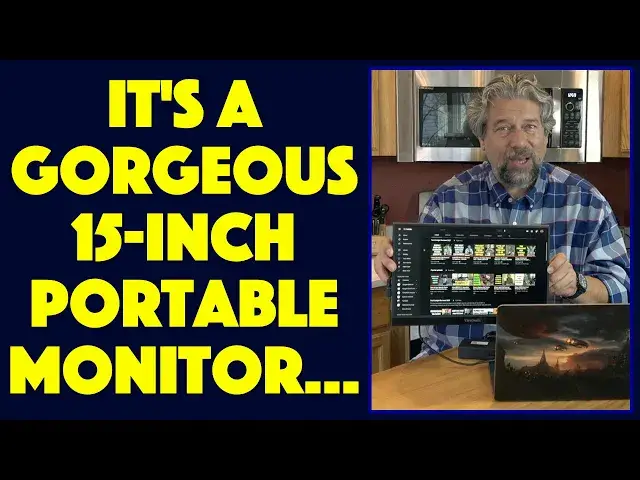
If one screen is good, then surely two screens are twice as good! Tech expert Dave Taylor of https://www.AskDaveTaylor.com/ checks out the Viewsonic VG-1655 15.6" portable HD monitor and finds that there's a lot to like with this big, bright display. Better yet, you can connect via USB-C or HDMI, so you can hook it up to a game system, PC or Mac computer. With the right adapter, you could connect an iPhone or Android device too. So is it all good news? Well...
Check it out at https://www.Viewsonic.com/
Show More Show Less View Video Transcript
0:00
A portable monitor that's better than your computer screen
0:03
Let's check this out. Dave Taylor here and I'm checking out this
0:13
Well, let me open up the cover. You can at least see the screen
0:17
This is the ViewSonic VG1655 15.6 inch portable monitor. And it's a big, beautiful LCD monitor that works great with Mac or PC
0:30
But you can use it with really almost anything. So it has this flexible cover
0:35
And then on the back, there's also this metal cover. So you can stand it up at a variety of different angles
0:41
And it has some really nice, big, wide viewing angle, 178 degree viewing angle
0:47
So it's perfect for having on the meeting table and sharing your presentation with people
0:53
Or just having it as a second screen for your own work. Or honestly, having like your favorite Netflix show or some live sports while you're working
1:02
So all of that happens because there are connections on this one side
1:07
And you can see it's two USB-C and then a mini HDMI and then an audio out
1:14
So that works pretty smoothly. And it includes a USB-C to USB-C cable
1:21
And it's kind of a fun one because it's different shape connectors
1:26
And then there's also USB-C to USB 3.0. And there is mini HDMI to regular HDMI
1:36
And here's the thing. If you're going to hook up with HDMI, the HDMI standard doesn't actually transmit power
1:44
So you'll also need to use your USB-C and the wall charger
1:50
So that you can power the screen. You can power it with your computer if you need to
1:56
But your computer needs to push out at least 10 watts for the screen to work
2:00
Now the good news, what I really like about these, is that if you have just USB-C, USB-C does transmit power
2:09
So I'm going to plug this into my MacBook Pro. And then I'm going to come all the way over here
2:15
Maybe we'll go behind so it's a little bit more aesthetically pleasing
2:19
And I'm going to plug it into the USB-C. And then we should be able to just mirror the screen
2:27
Let's see what happens. It's already turned on. And I'll turn on and open up my MacBook Pro
2:34
And if everything's working correctly, there we go. So now as I do things, you could see this would be one way I could be sharing with people
2:43
how to use this device. Or how to work with a piece of software or training or something, right
2:48
Or I can turn off screen mirroring and have this as a second screen
2:53
It works for Mac. It works for PC. You might need to download a driver from ViewSonic for a PC
2:59
But lots to really like about this. Now let me tell you some specs
3:04
It's a 1080p resolution, which means it's 1920 pixels by 1080 pixels
3:10
It's an 800 to 1 contrast ratio with an anti-glare screen and a 3H hardness coating
3:16
So it should be able to survive pretty well. As I said, it has a 178 degree viewing angle, which means that you're still getting a good
3:24
picture even as I go at different angles. So I have issues here with glare from my set
3:32
But that looks pretty good. Two USB-C ports. If you do use this for power, you can also plug into the second USB-C and charge your computer
3:44
So you can actually work in both directions, which is kind of fun. Then with the mini HDMI, that gives you regular HDMI on the other end, which you could plug
3:53
into a Switch. You could plug into a PlayStation. You could plug into a Blu-ray player
3:59
Whatever you want that's pushing out HDMI, it will just be able to use this as basically
4:04
a small TV screen. And it does have those two speakers. Let me go to a YouTube and, well, let's go to my own channel
4:19
And let's push this out. Let's see. So that's these speakers
4:28
Now, to be fair, it's not the same as a big, fully robust speaker system
4:39
But in terms of being able to hear the commentator when you're watching a sporting event or have
4:44
a little bit of music in the background or something, the built-in speakers work fine
4:49
Remember, there's an audio jack. So you could also plug in a pair of headphones or external speakers if that worked better
4:56
for you. So there's a lot to like here. It's a very robust system
5:00
And it has its own built-in menu system and everything, which I could show you
5:05
But this is pretty basic stuff. It lets you set contrast and brightness and things like that
5:10
And it's just a little knob on the back. Let me give you a little bit more of a tight close-up so you can see this displaying some video
5:19
And you can see that it works really pretty cleanly. Yes, tonight's two of the biggest and best in the land
5:52
But it is here for Milan. And what a return! What a goal
5:59
Whoa, what a good goal it was. I often find myself working on the road
6:16
So having something that's this slim and this portable and yet gives me this big, bright
6:22
screen is really, really useful. So this is really great for road warriors
6:28
But even if you just have, you know, you're working from home and you have your kitchen
6:32
table has turned into your office, then doing this gives you two screens
6:36
You can fold it all up, put it all away when you're done, set the table for dinner
6:40
So really super flexible. There's lots to like about this. If you're doing presentations, then having this means you have your own setup
6:49
You don't have to worry about is the projector compatible? What external display do you have
6:54
You have it all self-contained. Really lots to like about that. So let's talk about the price
7:00
But before we do, let me just give you some quick dimensions. So it's 14 inches by 8.8 inches by six tenths of an inch thick, and it's 1.8 pounds
7:09
So it's very portable. You know, it is really just like having another computer screen
7:16
It just happens to be a separate external standing unit. So really, I really like this sort of device and I've looked at other ones and none of
7:24
them are anywhere near as bright as this ViewSonic. This makes all the other ones I've looked at just, you know, just put some to shame
7:32
because they tend to be a little dim. They don't work in bright environments
7:36
This thing is plenty bright enough. This is a full high quality ViewSonic screen
7:41
And there's a reason ViewSonic has such a great reputation for displays and monitors
7:45
because they make really good ones. So this is definitely one of those
7:50
Now, let's talk about price. But before we get to price, let me ask if you can give me some feedback
7:55
So leave a comment. Tell me what you wish I would have shown a little more of, or maybe I showed too much of
8:01
Go ahead and subscribe to my channel if you're so inspired. I really appreciate when people subscribe
8:06
And that leaves us to the price. So this is the ViewSonic
8:13
Get that glare off. There we go. The ViewSonic VG1655, 15.6 inch portable monitor, and it's $218.98
8:24
You can check it out at ViewSonic.com. They also have the TG1655, and that includes a touchscreen capability, which isn't going
8:33
to do you any good on a Macintosh, but on a PC, it should work just great
8:37
And that bumps the price up to $263.48. So definitely, I'm a big fan
8:44
This is just a great addition to any serious worker, whether you're in school and you just
8:50
want to have reference content on one screen while you're writing your term paper or your
8:55
thesis on the other, or you're a professional and you need more screen real estate
9:00
This is a solid solution that's going to work with Mac or PC
9:04
I definitely am going to keep this with me when I'm on the road. And with that, I'm going to go back to watching some Netflix, actually, which means I'll catch
9:12
you in my next video
#Computer Peripherals
#Laptops & Notebooks
#Consumer Electronics
#Game Systems & Consoles
#Virtual Reality Devices