0:00
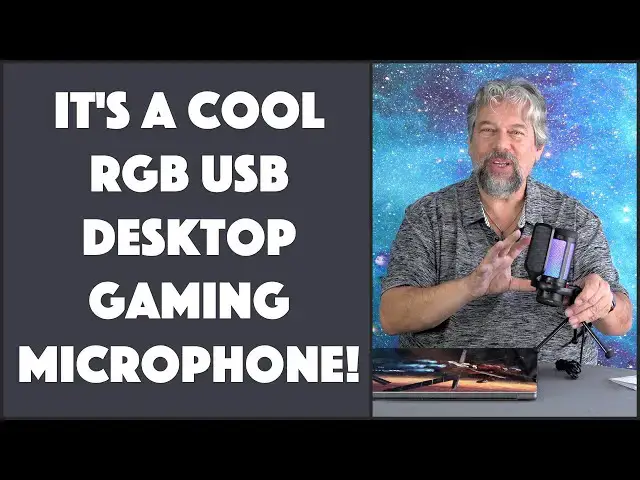
Level up your gaming experience with this cool RGB desktop mic. Let's check it out
0:12
Dave Taylor here, and I'm checking out this This is the toner TC 310 USB gaming microphone and as you can see it's pretty darn cool-looking
0:22
But it also actually picks up sound really well And it's way more affordable than you think it is this really will level up your gaming or general computing experience
0:33
We all spend a lot of time talking to people on our computers
0:37
This is gonna make you sound better now has a 96 kilohertz sampling rate 50 to 20,000 Hertz at
0:44
Minus 40 DB plus or minus 3. It's a cardioid condenser microphone
0:50
I know all the specs and everything more fun Is this RGB and there's a button on the front you can actually change RGB modes
0:58
You can see that here and change colors if you have a favorite it can just stay on that color
1:03
You can even adjust how bright it is And if you really want you can push and hold and you can turn off the RGB feature at all
1:12
Honestly, I don't know why you would do that. I think it's really cool. Let's see we can get back to that
1:18
Multicolor there we go. That's my favorite and it has this P or pop shield or filter
1:24
And the idea of that is if you're really close to your mic and you're making a lot of popping P sounds
1:30
This will actually make you sound a little better. You don't like it. Take it off, which is easy enough on the top
1:37
There's a quick mute and you can see it turns red to tell you that the microphones and all are picking up what you're saying
1:43
That's pretty darn important when you're talking to someone off game The top also has a dial that gives you adjustable gain, which is sort of like input volume control
1:54
And let's see what I was going to tell you. There's a shock mount You can see in this close-up that the microphones actually sort of
2:01
Suspended in this ring and the idea of that is that if you're typing on your computer at the same time
2:07
Then it's less likely to pick up all of that sound because you really wanted to just pick up the sound you're saying
2:14
Now I know you don't want to hear specs. You don't want to see close-ups. You want to hear the microphone
2:20
So just happen to have my Mac here. So I'm gonna go and let's go ahead and start a screen recording
2:27
Here's voice memos. And now I'll double check that my input is
2:32
The microphone so I can do that in system settings Sorry, there's a little bit of fiddling here but sound
2:41
input Toner microphone so that all looks good So then now what you're hearing is my voice as picked up by the toner microphone
2:50
And I'm gonna move it just a little bit so that it's pointing in the right direction and you can hear it
2:56
Sounds really good Now let's play with the gain a little bit because if it turned the gain all the way up
3:02
Then I'm giving it the maximum signal but there's sometimes a little clipping
3:07
so usually you want to set it down a little bit and if I set the gain
3:14
So let's get that back up I would say turn it all the way up and then go back about like 20% or so and then just to demonstrate
3:24
You can't hear me when I'm on mute Perfectly reasonable, so that's really how it works. It's really not very hard
3:31
Just make sure you've selected the right input device and on a Mac or a PC
3:37
It is plug-and-play no extra drivers. No hassle or anything. In fact, let me just stop this recording and
3:44
Really? That's like my whole demo right there I think that there's a lot to like here when I tell you the price you're gonna be like, oh wow
3:52
That's actually pretty cool. So Suffice to say I've given you all the specs and everything. I've shown you the different lighting modes
4:00
It's works with PC and Mac and a PlayStation 4 and a PlayStation 5. It's about 9 inches tall
4:07
6 inches wide somewhere. I'm not sure where that is 4 inches. Those are the dimensions they give you but
4:14
It actually is pretty compact and the tripod all of it actually is
4:20
Contained in the unit so what you buy is you buy everything and it's all ready to go and all you have to do and
4:27
Here's a tip for people that are saying it doesn't balance well is spread the legs all the way and then make sure you push it underneath a little bit and
4:37
Then adjust the microphone to where you want it and now you're good to go and it's well balanced
4:43
So I have had no problem with any of that It hasn't fallen over once other than when I knocked it and that's kind of how these work
4:50
So really lots to like here the RGB colors are super fun and it actually does a really nice job with voice
4:58
So it's definitely one to check out But we do need to talk about the price before I get to the price
5:04
I'm gonna invite you to go ahead and click on that button and subscribe to my channel really appreciate when you do that. Cool
5:11
This is the toner TC 310 USB gaming microphone and it's $29.99 currently minus $5. They have a digital coupon at amazon.com for $24.99
5:26
This is a real Level up sort of piece of audio equipment that can really change your gaming and just your general computing experience
5:35
Definitely one to check out. I'm gonna go back to using it myself So I'll have to catch you in my next video