Up next in 10



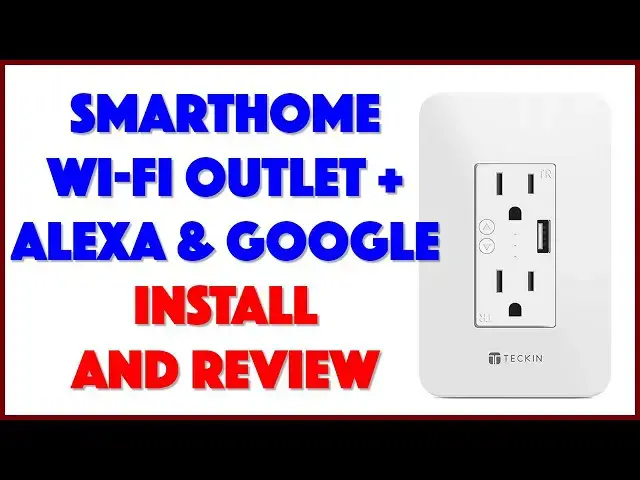
Love your smarthome and voice control, but aren't a big fan of the clunky, clumsy power outlet adapters? Teckin has a great solution: The surprisingly affordable Teckin Smart Wi-Fi Wall Socket with USB-3. Tech expert Dave Taylor of https://www.AskDaveTaylor.com/ installs the Teckin Smarthome Wi-Fi outlet (model SR40), showing each step of the process and explaining what pitfalls to avoid during your own install. Finally, he offers his assessment of the device and where it could be a great addition to your smarthome, whether you want to use the Teckin SmartHome app, Amazon Echo's Alexa or Google Assistant Home).
Check it at https://amzn.to/3o0te1B
Show More Show Less View Video Transcript
0:00
It's a smart home electrical outlet. Let's check this thing out
0:11
Dave Taylor here and I have a lot of electrical outlets in my house. I mean we all have lots of electrical outlets
0:17
Problem is, is the design hasn't really changed in a hundred years, right
0:21
It's two prong or three prong and that's all you get. You plug things in, they're on. You unplug them, they're off
0:28
Some of them might actually have a switch. But if you want to build a smart home, they're not very smart
0:34
So standard solution is to get a little dongle that you plug in
0:38
You plug your appliances into that or your lights or whatever else you want
0:43
And then that controls things from a smart home perspective. Hmm. It is an interim solution but how much smarter to make the outlet itself smart
0:54
That's what this is. This in the box is the Tekken Smart Wi-Fi In-Wall Socket Model SR40
1:03
And what I want to do is I want to unbox it and show you and talk about it a little bit
1:08
And then I'm going to go ahead and actually install it. And I'm going to install it in my bathroom. I'll explain why I'm putting it there
1:15
And then I'll come back and we'll talk about what it works and how easy it is to use with Wi-Fi and everything
1:20
So here it is. Here's the basic unit. And this looks just like a wall outlet
1:28
So this actually has two 15-amp 125-volt 3-prong outlets. And it has a USB 1.5-volt 2.1-amp USB 3.0 port, which is great
1:43
All three of these are going to be controllable as smart home objects or entities
1:48
So I'll be able to use them within Google Home or Alexa or the Tekken Smart Life app
1:54
So all of that. There's two tiny buttons. And those buttons, actually, let me give you a close-up of this
2:00
But the two tiny buttons are the on and off buttons, which is really helpful
2:04
Imagine a wall plug that you can turn the plug itself off without having to worry about a switch somewhere else in the house
2:11
Handy, right? So it's compatible with all the major smart home systems other than Apple Home
2:17
So it doesn't work with that as far as I know. That also means that if you have something like an Amazon Echo, you'll actually be able to use voice controls
2:28
So I'm really interested in seeing that. And by using the Tekken Smart Life app, you'll be able to use things like schedules and timers
2:36
And I really like timers, especially with the USB. Because then I can say things like, you know, I can plug in a phone to charge and then I can tell the socket, after four hours, turn it off
2:47
Well, hopefully that'll work. We'll have to plug it in, get it all wired up, and then we'll see
2:51
Now, it is, let's see, we have a warning here. Risk of electric shock, yes
2:57
Standard tip is if you're working on something like this, drop the power
3:02
And in fact, that's one of the reasons I'm going to be putting this in my bathroom
3:06
Is because bathroom electrical circuits are really easy to work with because you probably have a ground fault interrupt circuit or outlet
3:13
So if you don't, you should. But that means if you actually turn it off at the GFCI, that circuit's dead
3:21
And now you can work on doing things like putting in a better, smarter socket without having to go to your main breaker box
3:28
If that's not the case, then you will have to go to your breakers and turn off the circuit you're going to be working on
3:34
Do not do this while your circuit is live. That's a really bad idea
3:39
Alright, so dimensions wise, this is 4.7 inches by 3.1 inches by 2 inches deep
3:47
So it's a pretty big box in the back. So there are going to be some wall outlets that you'll take apart and you'll pull the existing socket out
3:57
And you'll say, there's just not space for this. So sometimes you open it up and there's a standard builder's box that's behind your wall plate
4:05
And sometimes there's tons of space in there. But other times they are jammed packed with just tons of wires
4:12
And if you don't have the ability or space to work or to put in something that's this big
4:17
And this is pretty big for an outlet. Then you're just not going to be able to do it
4:21
And you'll have to put it somewhere else. So a word to the wise
4:25
Now, what else is in the box? On the back you can see pretty typically there are three wires
4:32
One of which is ground. And then there's a hot or live wire
4:36
And then there's the second wire. Because AC is alternating current, right
4:41
They are labeled. If you are not comfortable working on this sort of thing
4:45
Then get an electrician to do it. It is no sign of a lack of personal fiber or moral character to do that
4:54
In the box, in addition to the actual outlet itself. Is a nice set of instructions
5:01
And they have these four twist-on insulators. I'm not sure why they have four
5:07
I guess they gave us an extra one. But it's actually with these it's super easy
5:11
You put the other wire next to this. And you just screw this on
5:15
And when you do it, it gets nice and tight. And then you just do that for all three wires
5:19
Typically just matching colors. So it's typically pretty easy. And then you're good to go
5:25
You bring up the power and fingers crossed everything works. There are also two screws
5:30
Because it also comes with a swanky Tekken wall plate. Which of course you don't have to do
5:38
Because this is I'm sure a standard size. But from the back I can see it's also well designed that it just clips on
5:46
In fact, you could probably get away with just clipping it on like that
5:50
And not even screw it on if you were so inclined. So, options, right
5:55
And actually I think in fact that's exactly how it's designed. There's no holes on this
6:00
So this does just clip on. And these two screws are to put this into the wall
6:05
So there you go. Learning as I go. So let's switch around
6:10
And I'm going to show you. I'll speed it up. I'll edit it a little bit
6:14
But I'm going to actually go ahead and show you how easy or hard it's going to be
6:18
For me to put this up in my bathroom. And then we'll come back and I'll talk about some of its features
6:24
And give you a little demo. So, let's do it. Alright, so we're going to start by testing to see if the outlet's working
6:30
Let me start actually by showing you the outlet. Yes, it is an outlet with USB charging
6:37
But it doesn't work right. And in any case, I really want to upgrade to that smart outlet
6:42
So, first step is to see is it working. And I'll just use a hair dryer
6:47
That's easy. So, we'll turn it on. And it is working. Now, I want to confirm that I'm turning off the circuit with my ground fault interrupt
6:58
Here's what that looks like by the way. And I'm going to push the button
7:02
And then we'll try the hair dryer again. And hopefully, it won't work
7:06
Let's see what happens. Alright. So you can see, I'm pushing all the same buttons
7:12
But we're getting nothing. Which means that this is dead. And we are ready to work on it
7:19
We'll put the hair dryer aside. And I just happen to have this nice Ryobi little electric screwdriver
7:25
And that will make short work of this. So, we need to pull off the old wall plug
7:33
And now that it's actually... The power is off. It will be easy to work with hopefully
7:43
So, pull the plate off. And you can see, this is also a pretty big chunky outlet
7:47
So that's good. That gives me a high degree of confidence. We're going to have enough space for the new Tekken unit
7:55
And there's two screws. One on the top. That might not fully come out
8:03
We'll get there in a second. And then one on the bottom
8:11
And let's see what's going on here. So, this comes out. And in fact, I think it's actually bigger than the new unit
8:18
Yeah, look at that. So, that's good. That tells me that we're going to have no problems
8:24
Further, you can see when I pull it out. That number one, these twisties are already here
8:32
I don't know, there's probably some official name for this. And that we have the exact same color scheme
8:38
So, we've got green, white, and black. So, this is going to make it ridiculously easy to work with
8:42
So, we'll start with the black one. And orientation wise, you can do it either way
8:46
But I like to have the ground down. There actually is some meaning to having the ground up on a three-way socket
8:50
So, if you're an electrician, you know what I'm talking about. So, there we go
8:54
There's the first one off. And now I'll put this new black one on
8:58
And I have to say, I am working without much concern about electricity. Because I'm going to be using this black one
9:02
And I'm going to be using this black one. And I'm going to be using this black one
9:06
And I'm going to be using this black one. And I'm going to be using this black one
9:11
And I have no concern about electricity. Because I know the circuit's off
9:15
So, make sure your wires are all intertwined. So, make sure your wires are all intertwined
9:19
So, make sure your wires are all intertwined. And then you can use the same ones if you have them in the wall
9:23
And then you can use the same ones if you have them in the wall. Or, of course, Tekken includes these orange ones
9:27
Or, of course, Tekken includes these orange ones. I'm just going to stick with the ones that were already in the wall
9:31
That's the black. Then we'll do the white. Then we'll do the white
9:37
And as you can see, it's pretty easy to do. So, the white. And now we'll get the white off the new one
9:43
So, the white. And now we'll get the white off the new one. Then all we have to do is the green
9:47
And then put it back in the wall. Which hopefully will also be easy
9:51
Which hopefully will also be easy. And let's make sure we get a good connection
9:55
And let's make sure we get a good connection. And then I tighten these down
10:01
pretty much until they're super tight. pretty much until they're super tight
10:05
Because I don't want to have any loose wires in my wall. That does not sound like a good idea
10:10
And here's our third one. So, I'm going to take the green off
10:14
And now, this old unit is history. So, we'll put it aside
10:20
And the new one is two-thirds of the way there. So, we've got to do one more
10:26
And that's the ground wire. And you can see it's also in the middle here
10:30
But the ground wire is a different type of wire. But the ground wire is a different type of wire
10:34
And it's pretty darn important, particularly in a bathroom. Because of the kinds of things that you'll use
10:38
But if you were using this in the kitchen, you would also have that same issue
10:42
where most of your appliances tend to be grounded. So, tighten this one up
10:48
all the way. We're good. So, there it is. It's wired. So now, all I have to do is sort of
10:58
push all of this back into the wall. And then position this correctly
11:02
Use the screws to firmly affix it to the wall. Put the wall plate on
11:08
And Bob's your uncle. We're done. It's easy enough. Alright, so now
11:14
just sort of carefully push this in. Because you don't want to pop any wires out as you go
11:18
I am happy that I have a lot of space in this box
11:24
You don't always have that benefit. Let's see. So, there's that. It's all
11:32
looking good. There we go. Now, I can use the old screws
11:38
but I'll use the new ones because why not, right? So, I like to tighten them
11:44
by hand just enough so I know they're in the right position
11:48
I really like this electric screwdriver. Now we have the right head on it
11:52
So, I just have to switch the direction it's turning. And you've got to admit
12:00
that's a pretty easy way to put a screw into the wall. So
12:10
let's see. That looks good. So now, I'm not going to put the plate on yet
12:20
I'm going to go ahead and actually turn the circuit back on
12:24
So, if you see it burst into flames, you'll know I did it wrong
12:28
But the nice thing is, with the GFI, all you have to do
12:32
is push the button on the wall and now we should have a hot circuit again
12:36
And if I did it right, we'll even have this working. Let's find out
12:42
You ready? Uh-oh. It's not working. That's not good. Let's see. Maybe I have to do this. Well
12:54
that did something. Aha! So, we are good to go
13:04
And I think that it's probably something to do with the software
13:08
or something to do with the switches. Since I haven't read about it yet, let's see if we can figure this out. So
13:14
I see. Oh, that's a smart idea. So, if you can see
13:24
hopefully this close-up will show you, there's little tiny LEDs and the top and bottom
13:30
one are both illuminated, meaning that both sockets are hot. I can push this
13:36
and now the bottom one's off. And let's put that wall plate back on. Now
13:42
the top one's off. And let's put that wall plate on because we want it to look nice
13:48
And it just snaps on. And there we go. Mission accomplished. Next step is to program it
13:58
And for that, we're definitely going to need the instructions. All right. I've gone ahead and added the
14:02
outlet to the Smart Life app. And you can see in the inset
14:08
it actually shows me both the plugs and the USB. So, I'm going to turn on
14:14
the hairdryer. And, correctly, it is not working because I have the outlets turned off
14:22
So, the hairdryer's on. So, let's turn on switch two. And let's turn off switch two
14:30
So, that works perfectly. Let's try the same thing with switch number one
14:36
All right. Now, what about the overall power of the entire outlet
14:44
I'm going to do that with that. How nice is that? And then I can do things like schedule
14:50
or I can do a countdown. So, I can say, you have, let's say
14:56
on switch number one, you have five minutes to use your hairdryer
15:04
And then that's it. So, that's got a five-minute timer. You can see it's running
15:10
So, let's go ahead and turn it on. I guess maybe I have to turn it on and then
15:16
run the timer. Let's see. Give it one minute. And so now it's
15:24
showing that it is, in fact, running and it has a countdown
15:28
timer on it. We don't need to go through all of that. It's a little bit chaotic
15:34
and noisy. But let's go ahead and turn the entire outlet on
15:38
So, I have a lightning connector plugged into the USB and my iPad Mini. So, let's go ahead
15:44
and plug that in. And it's charging. But what if we turn that USB
15:50
off with the remote app? Now it's not charging. Now I can turn it. Ready
15:56
Let's see what happens. And hopefully it's charging again. So, that's all perfect. This is great
16:06
I'm really happy. This all works exactly as I want. That went in
16:10
really easily, I have to say. That was a really easy project
16:14
And the Smart Life app is really easy to work with, as you
16:18
saw. And it gives me all the controls. What I still need to do is pair
16:22
it with Alexa. And that turns out to be really easy from within the Alexa
16:26
app. In fact, when I did Discover New Devices, as you can see, it immediately showed
16:32
up under a different name. But that's okay. Once I chose that
16:36
I then had the device in the Amazon Echo ecosystem. And I could rename it
16:42
to Bathroom Outlet. And then I was ready to use voice controls to
16:46
turn things on and off. Now, that was another 5 or 10 minutes. I figured
16:50
you probably didn't want to watch me program my Amazon Alexa system
16:54
So, I skipped that. So, job done. Great outlet. Really powerful. Everything works exactly as I would
17:02
want. And I have all these different ways to control it. Now, one of the things I've learned is
17:08
that in the Smart Life app, you want to have everything turned on. And then let it be
17:14
controlled from within the Alexa app. And then you avoid any confusion about why isn't it turning
17:20
on? Why isn't it turning off? So, that solves that. And in terms of everything else
17:26
it's ready to go. I am ready to use that and to not worry about it anymore
17:30
Which means, the only thing left to talk about is the price
17:34
And you're going to be very pleased with the price. It's actually ridiculously affordable. But
17:38
before we get to the price, I'm going to ask if you can click or tap on that little
17:42
red button on the lower right and subscribe to my channel. I really appreciate
17:46
when you do that. And I hope you've seen I put a lot of effort into my
17:50
video content and try to produce really great stuff that's super informative
17:54
and really candid and honest. So, go ahead and subscribe and I really appreciate that
18:00
Great. Now, this device that I am not holding because it's now
18:04
mounted and installed in the wall of my bathroom, is the Tekken Smart WiFi
18:10
In-Wall Socket. And it is surprisingly inexpensive at $24.99 at Amazon.com. Now, if
18:18
you think about those little external plugs, those tend to be somewhere around
18:22
$7-$10 per anyway. So, to have all this sleekly installed in your wall and the whole thing
18:30
is $24.99, it's kind of a no-brainer. Just get one or two and it
18:34
would be great to have one in the kitchen too. Again, remember to drop
18:38
your circuit power before you do any electrical work. Please don't leave a
18:42
comment saying, well, I have a new hairstyle thanks to my install job. Thanks
18:46
for not saying that. I did say it. So, be careful out there
18:50
And otherwise, I'm going to go back and I'm going to go and get that all programmed
18:54
the way I want. And that's great. So, I will hope to see you
18:58
in my next video
#Home Improvement
#Small Kitchen Appliances
#Gadgets & Portable Electronics
#Home Automation
#Home Alarm & Security Systems