Up next in 10



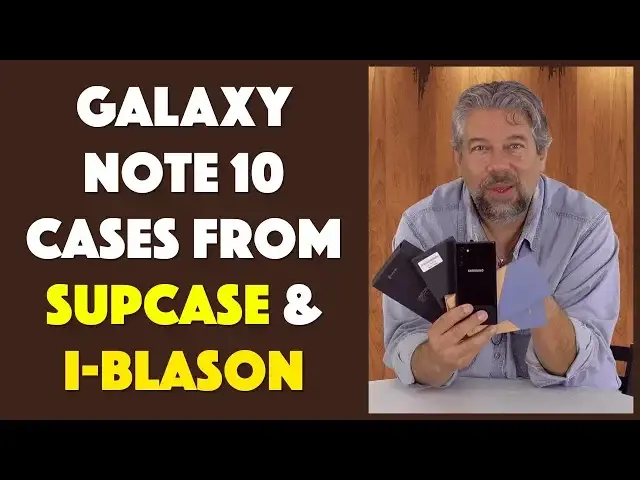
The cool new Samsung Galaxy Note 10 is tough, but it deserves a good case to keep it safe from the rough and tumble of daily life. Like cases from SUPCASE and i-Blason that offer attractive looks and protection, all at an affordable price. In this roundup we look at the i-Blason Ares and Cosmo and the SUPCASE UB Style and UB Pro for the Note 10.
Tech expert Dave Taylor of https://www.AskDaveTaylor.com/ tested out all of the cases with a Samsung "Note 10 dummy" unit, as explained herein.
Check out i-Blason cases at https://amzn.to/2Ytdg2h
and check out SUPCASE at https://amzn.to/2Msf9tM
Show More Show Less View Video Transcript
0:00
Your note 10 needs a case
0:01
Let's look at some choices. Dave Taylor here, and I'm looking at this
0:12
This is the Samsung Galaxy Note 10. Well, sort of. This is actually what's known as a manufacturer's dummy
0:18
This is actually pretty interesting because it's exactly the dimensions. All the buttons are in the right place, but it's not actually a functional phone
0:27
So push as you might, the buttons actually push. but you can't get this thing to turn on
0:32
You can't actually power it up because there's actually no electronics inside
0:37
But it's perfect for checking out some cases as early as possible
0:42
So that's what I have, is I have cases from two companies, I Bless On and Subcase
0:48
So let's have a look at both of them, using this dummy as our stand-in
0:53
for an actual Samsung Galaxy Note 10. So now, we're going to start with the I-Bless-on
0:59
and this is the Ares case in blue. And they make really nice cases and their cases are all nice and affordable
1:06
There are companies that seem to think that because you just spent hundreds of dollars on a device
1:11
you therefore have hundreds of dollars to spend on a case too, right? Well, not always the case
1:17
Get it? Not always the case. So this is one of these where there's two pieces
1:23
You have to sort of pull it apart. And then you put your phone in it
1:29
and so in this case, we will do this. So as you can see, the phone goes into the sort of rigid plastic part
1:38
and then that fits into the rubber part at the back. And so now, done
1:45
So that's all there is to it. And so you have this nice rubberized exterior
1:50
which gives you lots of protection, and the top and bottom of it give you
1:55
let me just get it all the way in. So the top and bottom of it give you, just a little bit of bevel so there's something so the screen isn't hitting. And then the back is
2:04
solid plastic and actually gives you a lot of protection and it's a scratch protection. And as you can
2:10
see in this close-up, once I pull the plastic off, all the cutouts are exactly the right place for
2:15
the three cameras and the flash and everything. Now, the other question is what about the pen? And
2:22
let see this mock has the space for the pen And so you can see in this close of the bottom that all the ports are there There a nice piece that covers the charging port
2:35
And there is a nice big cutout for the pen. So that is actually perfect
2:40
This is a great case. This is the Ares from I Bless on, and this will run you $25
2:48
So it's pretty inexpensive for a two-part protective case. Now, let's see if I can get it back apart
2:54
So there's one half, push the phone, I'm just going to say the phone
3:01
And then they have another one, and this one actually I think is probably the coolest looking of all of them
3:06
This is the Cosmo. So this is the same basic design where it's two pieces, but look at that back
3:13
That's really cool. And again, there's a corner that you push down on, and then the sort of plasticy part comes up
3:22
you tuck your phone into that. Let's get that all set and fit
3:28
You get your phone into it. You put it into the case. Let's actually orient it correctly
3:34
And this is really kind of exactly the same case as the other one
3:38
just a different pattern. And again, there's a clear film. So we take the film off
3:43
That's a very nice distinctive phone design or phone case design. I really like this one
3:49
So this is the Cosmo in marble, and there are three different styles of marble
3:54
And this will also run you $25. And let's see. Now let's see if I can take this one apart
4:00
And there's a little green sticker on the bottom here that tells you how to actually take it on and off
4:04
Obviously, once you get the hang of it, you just pop that sticker off so that your friends don't have to see the tutorial
4:11
Now, we're going to switch brands. So these are both I Blason
4:16
and they're both available through Amazon. I will have links to all of this stuff
4:20
in my description of the video. So please check that out. Now we're switching to subcase and subcase. There's two here. This is the, let's see, this is the UB style and UB stands for Unicorn Beetle for absolutely no obvious reason. Again with the clear film on the back. You can see this one's going to be a little easier to work with because it's one piece, not two. So our
4:46
So Galaxy Note 10 fits in and done and it just absolutely ready to rock and roll It done I mean again we have the protection on the top and bottom for the screen and it has all the cutouts for everything and you can see here a close of the bottom
5:07
Very nice. It's all done exactly as you would hope, and this one has a nice color sense to it
5:13
And, of course, the very back is clear, so you can get to see the Samsung logo and all of that
5:18
I mean, you know, you want to make sure people know you have good taste in devices, right
5:22
So let's see. There's also a plastic film here that I have to remove that I think is actually inside the case
5:29
So I'll get to that later. Now this one of all of them is the easiest to remove, done
5:35
Which means that it's time to look at the fourth case. This is the subcase UB Pro
5:41
And this one's actually more complicated than the others. This one actually comes with a video that it shows you how to actually disassemble the case to put your phone in
5:52
and then reassembled. But since we've been looking at these other cases, it turns out that it's
5:57
basically the same deal. So you actually pull down the rubber on the lower right corner and then
6:07
pries up the plastic. So it's really the same design. It's like they take this one design and then
6:13
they just say, hmm, how thick can we make this part? How much can we make that part? Obviously
6:17
two different companies, but you know what I mean. And then once we have it in the
6:22
plastic then we tuck that into the rubberized portion and now we have a pretty
6:28
nice ruggedized case let's get it all fitting in properly that's it and you know
6:35
again all of these have the same design where the top and bottom are a little
6:38
raised so that protects the screen really nicely done this is the UB Pro and it
6:46
comes in this blue or black and I will note that has a built-in stand which is
6:52
pretty cool let's see I think I let's see well we can certainly do it this way
6:56
there's a trick to getting it not slide when you want to orient it the other way
7:00
but built-in stand is actually a pretty cool idea so there's that and again with
7:06
this close-up you can see that it works perfectly and it has space for the pen to get
7:12
in and out and everything now of all of these this one is the one that's the most
7:17
tricky in terms of working with wireless charging obviously when you have a
7:21
back like this you drop it on your wireless charger boom you rocking and rolling But the UB Pro it a bit thicker There more going on here So what the company says is use the Samsung charger Not sure why you can use a third party charger
7:35
but they say use the Samsung charger, put it on the wireless charger and then give it a couple
7:40
of seconds to figure out that it's going to be able to charge. So my guess is that it's
7:45
just at that limit of just how much you can have between the wireless charger and the
7:51
device, but it will charge. You just need to have a little page. I obviously cannot test that because this dummy does not do wireless charging because it's literally not actually the phone
8:01
So that's all I got. Now, thank you for watching. Really appreciate it
8:06
Go ahead and click subscribe so you can catch up. And when we get an actual note 10 in-house, we have one on the way
8:12
We'll be able to give that a solid review and give you all the specs on it
8:16
And maybe we'll come back and revisit one or two of these cases. But for now, if you're picking up a note 10, here are some really cool case options for you
8:24
So, super quick review. This two-tone with the blue and the black
8:30
This is the I-Blesson-Aries Blue, $25 in Amazon. This one with the swanky marble back, my favorite of all of these
8:41
is the I-Blazon Cosmo in marble, $25. This is the simplest of them
8:47
This is the subcase U-B-style. It is the least expensive, too. It is $19
8:52
bucks and now let's see if I can figure out how to take off that other piece of
8:56
plastic let's see here we go well there we go now I can show you now that's what
9:04
this is right so 19 bucks UB style comes in a couple of different colors and then
9:09
finally this one this is the heaviest duty of all of them and you can see like
9:13
the cut out for the camera and everything is a big hole which is perfect right this is
9:17
the UB Pro it's 28 bucks you can get it in the blue and black or just solid black
9:22
all of these are solid choices for you they're all available on Amazon that's all I
9:27
got I'm gonna go back to trying to get this thing to boot up which will never actually happen but it's okay which means I'll catch you in my next video
#Consumer Electronics
#Electronic Accessories