Up next in 10



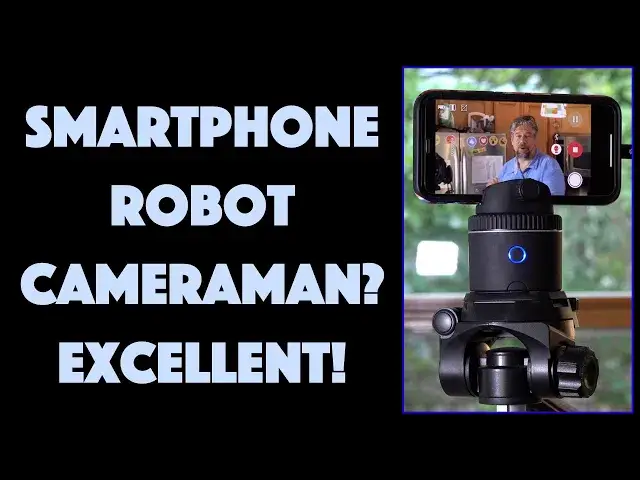
Whether you're shooting video of yourself on a bike or horseback, showing off the latest Fortnite or TikTok dance move or just moving around your kitchen while whipping up a recipe, it's really difficult to get good footage without someone working your camera. Or is it? Tech expert and videographer Dave Taylor of https://www.AskDaveTaylor.com/ checks out the Pivo Pod Silver Edition tracking camera base and finds that it does a remarkable job. Not only can it track your movement, but it can auto-zoom to ensure that you're always front and center in the footage, whether you're 8-feet or 20-feet away. Review includes an extensive example shoot to demonstrate how it works and what it does well (and not so well).
Then check it out at https://www.GetPivo.com/
Show More Show Less View Video Transcript
0:00
This is like having your own cameraman follow you around
0:03
Let's check it out. Dave Taylor here and I'm checking out this
0:14
This is the Pivo Pod Silver Edition and it's an amazingly cool little piece of technology
0:21
Now the concept is pretty straightforward. It is a little base that you put your phone on
0:26
you tighten it up and then you use the Pivo app and with that it will actually move the base
0:35
so that you're always on camera. So it kind of sounds confusing but I'm going to go ahead and power it on
0:44
and it is a rechargeable. It has 10 hour battery life once you charge it with its micro USB connection
0:52
It of course includes a micro USB cable and then I'm going to go ahead and launch the Pivo app and let's see
1:00
We'll have to just get it to reconnect and so now it is reconnected and so you can see
1:09
So one of the things it comes with is well oops now you can see right
1:15
So I have a feeling it's probably I'm too close but if I move yeah it's too I'm too
1:20
close so it can't see me but if I do this then maybe as I move it should move
1:28
Well this is not a great demo so instead let's switch to a real demo
1:34
What I did is I hooked this up onto a tripod and then I simultaneously recorded using the Pivo app
1:43
I recorded what I saw on my phone screen while it was recording
1:48
and I used my camera to record the entire setup. So let's just watch that and I'm going to switch views back and forth
1:56
and hopefully it'll all be in sync. All right so this is my demo here and as I move around it's going to track with me and you can
2:04
see from the various angles I can just look at myself on my phone and know that it's working correctly
2:11
Now one thing you really want to do is make sure your phone's at the correct height
2:15
so that your head's about in the middle and that's not easy when you're standing up so
2:20
you'll want to think through like a tripod or something. But here's my fridge and if we walk over here then here's my sink
2:27
I know you can't see it because it's not low enough and that's because I have auto zoom
2:32
Now one of the interesting artifacts of auto zoom is that it's trying to keep my face the
2:37
same size so if I walk towards the camera it'll actually zoom out as I go which is
2:43
a pretty cool kind of Hollywood effect. And then if I back up quickly you'll see it zooming in to try to get that same image aspect ratio
2:51
So there's my demo. I hope that was interesting. I hope you were impressed by that demo
2:56
I'm really impressed by this device. Now it also comes with a remote control so you can even control it just from your hand
3:05
so you can sort of fine-tune things as you go. Now they call it a tracking camera base
3:12
It's probably a pretty good name for it and the difference between the original and the
3:17
silver edition is this can rotate twice as fast which means it does a much better job
3:23
of tracking you as you move around. They say it takes only four seconds to do a full 360 which is not bad actually
3:32
As you saw in the demo it does keep up pretty well. As I said it has a 10-hour battery life
3:39
It has little built-in feet so kind of cute. You can do that and now you can use this directly but obviously as I demonstrated earlier you
3:48
have to have it far enough away that your face actually is on camera
3:53
Now you can also use it in this orientation and there's a lot of fun things you can do
3:58
with that. So one of the things you get obviously is you still get the auto tracking but you also
4:04
get nine different create modes and here's a quick screenshot of what that looks like
4:09
in the app. There are also a bunch of really interesting settings including different types of tracking
4:15
as you can see here. So this gives you what they call multi-stream live also which is really nice
4:23
That's in the app much more than it is the base but the idea is that you can live stream
4:28
to say Facebook and YouTube simultaneously. So if I want to do a great cooking video or a dance video or a performance where I
4:37
might be moving around whatever it is this will do that and it'll work fine simultaneously
4:43
multiple streams. Very cool. It also has what's called smart capture which is super fun so you can set it up so if you
4:50
clap your hands or say cheese or make a particular hand gesture it will then do a quick three
4:56
second countdown and take a screenshot. So that can be really nice if you're setting up with your friends or you know you're a
5:03
horseback or you're on your bike or something and you just want to make sure it catches
5:07
a picture as you go past even as it's tracking you right all of that automatic
5:13
So also has panoramic mode and there's some really neat things they're doing with capturing
5:19
as it rotates around. I was unable to test that because I'm sort of stuck in the house but there's some really
5:26
great demos online you can check out. So has these stabilizer legs but it also much more useful has a quarter inch thread for tripods
5:36
This is a standard tripod thread so I had it work just fine with some of my larger tripods
5:42
which gave me a lot of flexibility. Obviously remote control charging cable
5:47
It's pretty much all it comes with. There is a tiny little spirit level on the very top so when you are using it in this
5:55
sort of mode you can make sure you have it level because I hope it's obvious if you end
6:00
up using it in an angle like that then you're going to go from being really low to being
6:05
really high to being really low. It's going to be really confusing. It's really pretty important for this to be level or for you to experiment and see what
6:12
kind of different results you can get. But suffice to say this is really a keeper if you want to be doing performances if you
6:21
want to be doing as I sort of demonstrated you could do a cooking show and as you walk
6:26
around in your kitchen it will just automatically track you. How cool is that
6:30
Oh I did want to mention one thing is that I did use a wireless external microphone with
6:36
my phone which is why the audio sounded good. That's something you're going to want to really think about because if your phone is
6:43
ten feet away and you're using it to record audio and video that audio is not going to
6:48
sound really great. Unless you're going to do a voiceover later or something you might want to invest in some
6:54
sort of microphone technology. I've reviewed more than one that works with the smartphone so you can check that out on
7:00
my YouTube channel. Speaking of which I'm going to ask if you can subscribe to my channel
7:05
I really appreciate when you do that and the more subscribers I have the more leverage
7:09
I have to get interesting gadgets and gizmos and test them out. That's really all I have and this is just one of those devices where 20 years ago you
7:19
wouldn't even have dreamed you could build something like this and now this is something
7:24
that's eminently affordable. In fact there's a substantial discount on this going on on their website right now
7:31
Let's get to the price. This is the PivoPod Silver Edition and it's $199 but wait it's actually discounted down
7:41
to $139 right now at GetPivo.com and if you want to take your vlogging or videos or cooking
7:50
or dance or yoga or bicycling whatever it is you want to do if you want to take it to
7:56
the next level with your video work this might be the ticket
8:00
So definitely worth checking out. And with that I'll catch you in my next video
#Consumer Electronics
#Camera & Photo Equipment
#Outdoors
#Gadgets & Portable Electronics
#Media Streaming Devices
#Virtual Reality Devices
#Other