Up next in 10



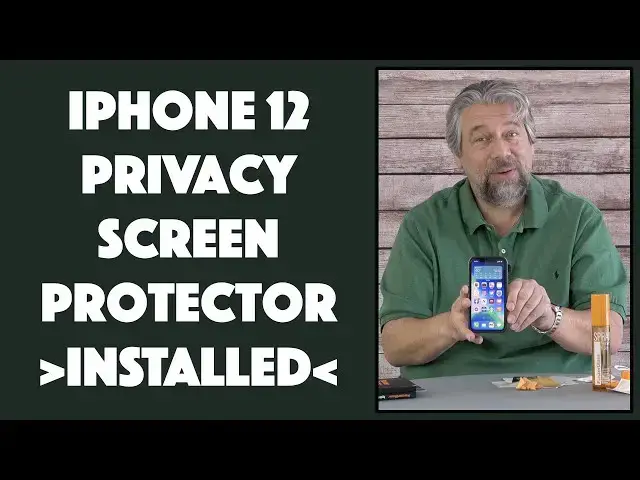
The glass on your iPhone is pretty tough, but if you want a privacy shield too, it's time to add a privacy screen protector. Tech expert Dave Taylor of https://www.AskDaveTaylor.com/ installs the PanzerGlass Dual Privacy Screen Protector on his iPhone 12 Pro with great results. Not only does it give you a narrower screen viewing angle, but there's a slider that can cover up your selfie camera too. And there's a trick to being able to use FaceID to unlock and be able to use the selfie camera with the slider too, as Dave explains in this install and review...
You can check out their products at https://www.PanzerGlass.com/
Or use these specific product links:
Dual Privacy Screen: https://panzerglass.com/products/pg-new-iphone-6-1-cf-camslider-privacy-ab-black
Screen Cleaner: https://panzerglass.com/collections/spray/products/spray-twice-a-day-100-ml
Show More Show Less View Video Transcript
0:00
A dual privacy screen protector for the iPhone
0:02
Let's put it on and see how it works. Dave Taylor here, and I have my trusty iPhone 12 Pro
0:17
And I have to say, like many of the most recent smartphones, the 12 Pro has a really tough glass surface on it
0:24
which is really nice because there's nothing more depressing. Well, there might be a few things more depressing
0:28
but it's pretty darn depressing to get your phone screen cracked or shattered or damaged in any way
0:35
So tough glass is the order of the day. But sometimes you might feel, well, you know, I think I'd rather put a screen protector on anyway
0:44
Now, there's a couple of things you can get with a screen protector that you wouldn't have with a regular phone screen
0:50
one of which is a little sliding cover for the little camera, right
0:55
If you don't want to worry that someone might be monitoring you through the selfie, camera. A little slider is the order of the day, and that's one of the things this offers
1:04
This is the Panzer Glass dual privacy anti-bacterial screen protector. The company says it kills
1:11
99.99% of surface bacteria on your phone. Now, that would only be on the screen surface
1:18
obviously not on the back of the phone. It is dual privacy, notably including a camera slider
1:24
and it's edge to edge, shock resistance, scratch resistant, and we're going to go ahead and install it
1:30
Now, before I do the install, I also want to mention that the company also kindly send me
1:36
their screen cleaner spray. So let's see what's in this container. So it is a lot of spray
1:45
That is a 10-millimeter, I'm sorry, 100-millimeter bottle. That's a lot. I think this is going to last me probably a couple of years, actually
1:54
and comes with a nice soft cloth and instructions in case you don't know that you spray and wipe. Pretty easy
2:03
So we're not actually going to be using this because there's also a little mini one included in the screen protector install kit
2:11
So let's do this. Now, first thing I'm going to say is that no one ever tells you, except for me, that the very first step on this process is to go wash your hands
2:22
So wash your hands and get the oil. off your fingers. You'll thank me later when your install works perfectly
2:28
Alright, let's see what's in the container here. So there are instructions which is helpful
2:33
and there is another lint-free cloth and a wet wipe and a dust removal sticker
2:43
And of course in a compostable bag, props to them, is the actual screen protector. You'll
2:51
notice it has two very distinct size and on the tabs it says one back and two front So here a shot of all of these things and what we going to do is we basically going
3:07
to clean my phone as clean as we can possibly get it
3:11
Take the number one white sticker off, put this on the phone and then as these tend to do
3:19
nowadays, the adhesion just sort of spreads across the phone and it should actually do everything
3:25
you need. Then we'll peel off layer two, which is just the protective front, and we're done
3:30
It's easy enough, right? So, first step will be to get my phone out of the case. And they do say
3:35
these are case friendly phones, so we'll test that too. So I'll put the case here. iPhone 12 and
3:42
I'm sorry, iPhone 12 Pro. And screen looks a little dirty. So I think we'll
3:49
we should probably start by cleaning it. So step number one is the wet wipe
3:54
So this is the same substance as this. This is just basically already impregnated onto a tiny cloth
4:04
which hopefully I can unfold. And then we can go ahead and use it to clean my phone
4:11
All right, that's good enough. We'll do this. And as you can see, it's a pretty easy task
4:17
to clean your phone. And I wouldn't worry about moisture. Now, some people say you should have your phone off when you're doing this
4:26
I actually don't agree with that because having the screen light up helps you align things and square things properly
4:33
So your mileage may differ, but that's what I experience. And I've installed a lot of these things
4:39
So now we'll take the lint-free cloth, give it a nice wipe, and it's looking pretty clean
4:49
And let me just move, make sure you can see everything I'm doing
4:53
Can't do this twice. So we have to get this right the first time. And now that we've got all that done, I'm going to use the dust removal sticker
5:02
I always like this. And at least they have a decent size sticker. Some of these companies, they give you screen installers
5:08
and they give you a sticker that's like a half an inch by a half an inch, which just seems silly
5:12
I do have a fairly dusty environment because I have two cats. So this is a good idea
5:19
and it just gets those last couple of bits of dust off and you might be thinking
5:23
well you don't really need to be that obsessive about it do you and the answer is
5:27
yeah you do because once you put the screen protector on that tiny little molecule of dust is gonna sit there
5:34
forever and bug you forever so get it right the first time
5:39
now I'm ready for the big step I'm gonna peel the white off that didn't work I see you do it this way
5:47
so peal So peel the screen protector off of the white backing And this is a glass backing which is interesting And there a lot going on on the top but we will worry about that in a moment For now what I need to do is I need to really focus on getting it perfectly square
6:06
and once I've done that I can drop it down hmm that looks pretty darn good and that's really all I have to do
6:17
and then generally you just run your finger along the outside edges
6:21
and the adhesion actually now is pulling it all together. Then I can take this part off and there's a monster air bubble in the middle
6:33
I'm not sure I don't think you can see that but there's a nice big air bubble in the middle
6:37
but that is the second task for this lint-free cloth and that's easily done is just pick a side
6:44
and push the air bubble towards that side and in just a moment or two
6:50
or two, I have, let's see, it's about 99% gone. All right, 92% gone
6:59
A little bit more. And I think we've got it perfectly
7:08
Now, what I wanna show you, just a tiny bit more there
7:18
All right, so now what I wanna look at is I want to look at this little camera cover
7:24
And sure enough, there's a tiny little slider on the top. Here's a close-up so you can see what I'm talking about
7:30
When you have the slider all the way to the right, then the webcam is available or the selfie cam
7:36
But if you slide it all the way to the left, the camera is blocked
7:40
and your selfies are going to look really, really, really dark. So that's another nice added feature
7:46
So let's see. I will bring this up. I will unlock. Quick addendum is that the slider on the top
7:55
you actually want to leave dead center on its little path. If you have it all the way to the left
8:01
then you block the unlock camera, and it doesn't unlock your phone, which is annoying
8:06
If you move it all the way to the right, then you're blocking your selfie camera. Put it in the middle, however
8:11
and you get the best of both worlds. And I'll show that by unlocking my phone
8:16
without entering my pin code. So there you go. important to know. You can see it is full brightness. Now, privacy-wise, you can see as soon as I turn it at an angle, it is more, there's more privacy because instead of it being visible from every possible angle, there's a lot of angles that suddenly you can't see the screen. So that's nice. So if I'm using it like this, someone who's sitting, say, over here now can't see my screen. So that's privacy step number one
8:49
and the slider on the top is privacy step number two Now the whole thing it is a tiny bit dimmer but not very much So let put it back in my case and we see if it is indeed case friendly And the answer is
9:05
it looks like we are good to go. So everything is fine. The case is properly on there. I don't
9:12
see that the screen protector has come off anywhere. So it's a job well done. And so now I have
9:18
my privacy's anti-bacterial screen protector. It gives me a lot more privacy in terms of at an
9:25
angle. I have the slider on the top. It was pretty darn easy to install. Not much else to talk about
9:31
other than the price. Now, when we get to the price, it gets a little bit tricky because they're
9:36
a European company and their prices are in euro. Now, some of their products they have on Amazon
9:43
in US dollars for the U.S. market, but I couldn't find the one for the iPhone
9:48
Pro on Amazon yet. So let me just ask real quick, if you don't mind
9:54
click on that subscribe button and subscribe to my channel. Really appreciate when you do that and we can stay in touch
10:00
So anyway, I asked Panzer Glass to send me links to the Amazon listings
10:06
but I'm not sure they're there yet. So as soon as I get them, I will actually include them in the description of this video
10:13
In the meantime, let me just tell you that the Panzer Glass dual privacy
10:18
the antibacterial screen protector for the iPhone 12 Pro is $3495, which translates to $42.23
10:30
The link for it on the Panzer Glass website is in the description
10:35
As I said, as soon as I get a U.S. link, I will use that instead
10:39
4223. And then this screen cleaner, which is actually, this is pretty nice
10:48
I actually secretly have already tried it. This is the spray twice a day, is what they call it
10:54
and it is no ammonia, no alcohol, no parabins, kills 99.999% of common bacteria
11:01
and the 100-millimeter bottle, which is plenty for a number of computers
11:06
is 1495 euro or 1807 US dollars. So you can check them out on their website
11:14
You can check my description for this video to get updated link
11:18
And all in all, I am actually really happy to have this screen protector on my phone
11:23
I like the added privacy, and I like the little slider on the top
11:27
That's a neat feature. So that's all I got. I hope to catch you in my next video
#Software
#Gadgets & Portable Electronics