Up next in 10



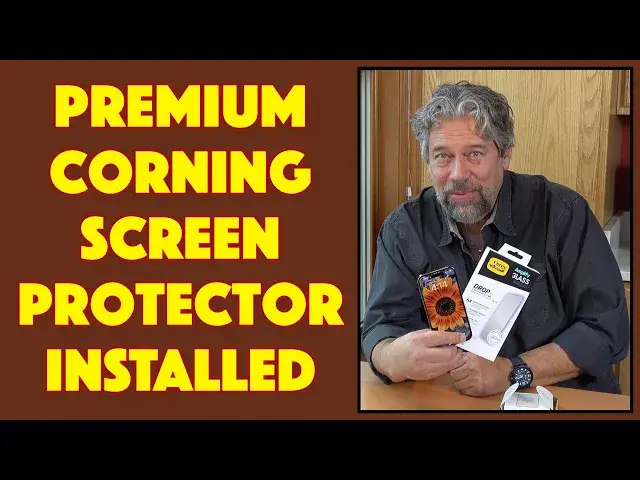
A new smartphone generally means it's time to get a new screen protector too. Why? Because even with the best glass, that screen takes a lot of abuse. Tech expert Dave Taylor still uses screen protectors, even on his brand new iPhone 14 Pro. This time it's the install of a top-end OtterBox Amplify Glass Screen Protector, and the process is remarkably smooth and easy...
Check out the Amplify protectors at: https://www.OtterBox.com/
Then visit Dave's Q&A Web site at: https://www.AskDaveTaylor.com/
#otterbox #screenprotector #corning #iphone14 #iphone14pro #askdavetaylor
Show More Show Less View Video Transcript
0:00
New phone, new screen protector
0:02
Let's go ahead and install it. Dave Taylor here and I have a new iPhone 14 Pro
0:14
You can see by the cameras it sticks out. Everything's really nice about it
0:19
Except, like every one of these super expensive devices, I want to have a little extra protection
0:26
Now, Apple is using a really fancy glass on this, which they assure us is really tough
0:33
But I've been around the block a couple of times with these smartphones and I've had
0:38
things crack and chip and get damaged and having a screen protector means that it's not
0:44
the screen of your phone that's getting damaged, it's the screen protector
0:49
And when it gets chipped or cracked, you just take it off and put another one on
0:52
Easy enough. So Otterbox sent me their very nice Amplified Glass screen protection
0:59
So this is a 9-H hardness. It's actually made by Corning, the same company that makes the actual glass on the 14 Pro
1:08
It has a 6 foot drop test and it is, you ready for this, 0.43 millimeters or 0.02 inches thick
1:18
It is a very, very thin little sheet of glass, but it's going to protect the phone and make it that much tougher and more durable
1:27
It's also 5x scratch resistant and fingerprint resistant, so lots to like
1:34
Now, the particular one I have is antimicrobial, but Otterbox also makes versions that have
1:40
blue light guards and also have glare guard. Chose not to do that, so it's just antimicrobial
1:46
Cool. Enough about that, let's do the install. So I already opened the box because these installs are a tiny bit daunting but these companies keep innovating they keep trying to figure out how to make it easier and easier for us to be able to do the install So in this one there is actually a little install kit
2:07
Here's the actual screen protector. It's inside this little sandwich of protective films
2:13
And then we're going to put the phone in here and stretch this out
2:17
And then this is a cleaning kit. So let's go ahead and get started
2:22
I'm going to go ahead and stretch this out so that the phone is. is now fitting correctly and sitting there
2:29
So now I need to clean it. And the first step, and none of these companies tell you this
2:34
but the first step is to go wash your hands. Wash your hands, get the oils and dust and dirt
2:39
and everything off your fingers, because otherwise you're just fighting that as you go and do this process
2:45
So I already washed my hands. And now let's see, we should have a whole cleaning kit in here
2:52
So there is a dust removal sticker. There is an anti-lint or a lint-free cloth and there's an alcohol wipe. So there are actually
3:06
instructions on the top, but those instructions actually are all to do with the case. So for the
3:11
cleaning, we're a little bit on our own, but fortunately it's not that hard. So first step is we're going
3:17
to take the alcohol wipe and assuming I can get it out of its little holder. There we go. These are
3:24
basically like the hand cleaners you get at a barbecue joint but alas no fantastic
3:30
barbecue to go with it so instead we'll just clean the screen and that's easy
3:35
enough and because it's already in this little holder it's really easy to work
3:40
with and you want to just really do a good job because I guarantee anything that
3:45
you leave on the phone and then put the screen protector on top of you will
3:50
look at that hair or that tiny bit of dust or something you look at that for the rest of time So take the time here to do a really good job of cleaning things Now a lot of people like to turn off their phone to do this
4:06
I like to leave it on because I like to see the screen. So that's up to you. It doesn't really affect anything
4:12
and I don't think it's going to make it work better or worse. And now here I am using the lint-free cloth
4:19
and that looks like that's in pretty good shape. We'll do one more thing
4:23
the dust removal sticker, actually my favorite part of the process. And this just makes sure
4:32
if there's any dust floating around that you're going to get it just at the last possible second
4:37
before you put the screen protector on. So that's about as good as it gets
4:43
Now, this we're going to put over the top and there's actually a notch on it
4:49
Let's see, there's some dust here. There's a little notch on the top here
4:53
So what I'm going to do is I'm going to peel. Let's see
4:59
So this is the surface that's going to go against the phone. I'm going to peel this off
5:05
And then we're going to put this on, centering it as we go
5:12
And then it goes in the tab. And then there's a little hole here that I'm going to push down with my finger
5:20
And that starts the process of it starting to adhere. to the phone. And then I can just run my finger up and down. And you can see it just sort of spread out the way that it
5:34
adheres. It's actually very cool. And I'm basically done now. So at this point, what I want to do is I want
5:42
to keep my finger here to make sure the film stays on, pull this off, take my phone out
5:53
That is absolutely perfect. That so perfect it makes me wonder if it worked but we know it worked because I can put my finger through here and there obviously no film left over So that is fully installed It is an absolutely perfect install It is edge to edge exactly what I want and I don have to do anything else
6:14
This is probably the best install I've ever done and I've installed dozens of these things
6:20
However, just for good luck, I'm going to take this lint-free cloth and I'm going to just wipe
6:26
the edges and make sure we got it all done and yeah that's it that's as easy as it gets
6:35
that is pretty easy and so now the iPhone 14 Pro has the Otterbox Amplify Glass
6:43
Screen Protector with antimicrobial protection super easy to install looks perfect you won't even know it's on your phone but it's just a little extra help it's like an
6:55
insurance policy. So we do need to talk about the price of this setup. But before we get there
7:01
I'm going to ask if you could subscribe to my channel, click or a tap on that subscribe button
7:06
and then turn on notifications. We're connected. Great. This, I should, I don't know, maybe I should
7:12
say this, is the Otterbox Amplify Glass screen protector, the anti-microbial version
7:19
and it's 4995 at otterbox.com. I was slightly anxious. I won't be, I'll tell you the truth
7:27
I was anxious going into this and putting it on, but you know what? It works super well
7:32
It's a great install, and I'm done. Easy enough. That's all I got
7:37
Hope to catch you in my next video