Up next in 10



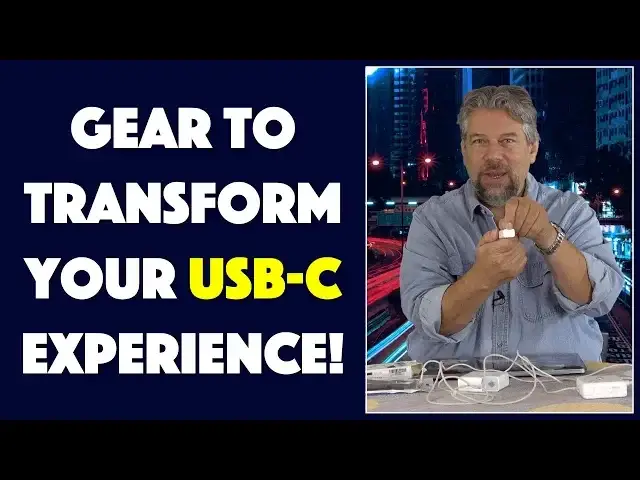
Tired of having to buy new power adapters for your Mac system? Fed up with too-short USB-C cables? NIKOEO has you covered with both: The USB-C MagSafe Adapter and the USB-C Extension Cable.
Tech expert Dave Taylor of https://www.AskDaveTaylor.com/ tried out both with his new MacBook Pro and found they work great. But are they a logical purchase? He talks about that too..
Check 'em on Amazon:
MagSafe Adapter: https://amzn.to/2N5XtWI
Extension Cable: https://amzn.to/2LaxlaW
Show More Show Less View Video Transcript
0:00
Make your USB-C more flexible. Let's check these out. Music
0:12
Dave Taylor here and I have my trusty MacBook Pro which is great except it only uses USB-C
0:18
That means all my old power adapters, my old MagSafe 2 with the T-tip and my old MagSafe 1 with the L-tip, they don't work
0:27
Or do they? So, I don't know why Mac didn't include or Apple didn't include the MagSafe on the new unit
0:35
But this is a way you can retrofit it but much more importantly you can use the old adapters
0:40
This is the Nekoeo, I guess that's how you pronounce it, USB-C MagSafe adapter
0:46
And it's pretty simple. On one end is USB-C and on the other end is, you guessed it, a MagSafe adapter
0:54
So, let's try it out. First off, I have the MagSafe 1 tip already plugged into power and already plugged into the wall
1:03
So I'm going to go ahead and put this on and it fits on
1:07
And let's see, there we go, a little bit of fiddling with it
1:11
I'm going to plug it in and this is a 60, yeah did you hear that
1:15
So this is a 60 watt adapter and my computer is charging
1:20
That's pretty nice. Let's do the other one, right? So MagSafe 2, you're probably a little more likely to have a MagSafe 2 because that's a more recent unit
1:30
So again, I really appreciate Apple's flexibility with those power cords. So now MagSafe 2, the T-tip, this one plugs in much more easily
1:41
What it doesn't do is it doesn't actually light up like it used to with the older ones
1:46
So there's a little tiny piece of feedback from earlier MacBook Pros that isn't getting through on this
1:51
But whatever, I missed that it used to be orange and then green once it was charged
1:56
Super handy, that's not available anymore. But I open this up and not only is it charging, but as you can see in this little hardware profile piece
2:06
it registers in the operating system as charging with the full 60 watts
2:11
So pretty darn handy. So it turns out that this particular device is compatible with 45 watt, 60 watt and 85 watt chargers
2:22
So that is really handy. Now, this also means you can use one of these chargers for something like a Switch or Chromebook
2:31
So anything that charges off of USB-C, you could take one of these old devices and you could actually use it as a backup or emergency charger
2:39
Not bad considering how expensive some of them are. But that's only half the story because the other thing that the company sent me, this is Nekoio, is they sent me this
2:51
And let me go ahead and take the little twisties off of it. This is a USB-C extension cable
2:59
Now, this is pretty darn handy independent of the MagSafe adapter. This basically gives you female on one end, male on the other, which means any device or anything you're using USB-C for
3:12
you can then extend it, right, and then plug the other end in
3:17
And this gives you six more feet of cable. So will it work
3:21
Well, let's listen and hear if it actually sees the charger. There it is
3:27
So you can see this has given me a lot more range. Now, again, this is really handy for something like a Nintendo Switch where you might feel like you're kind of stuck close to the wall because of the length of that power adapter
3:40
You get this little extension cable. It's six feet. It's braided. It's pretty heavy duty
3:46
And this gives you six more feet of range. Super easy. So it supports charge and sync and everything
3:53
And if I open up my computer, as you would expect, I see the little charging icon
3:59
So it's now charging up my computer. Super easy. Do the two of them make sense together
4:04
I don't know. Maybe. Whatever. You can decide for yourself. But I will say that between these two, I think that the extension cable is an immediate and obvious win
4:15
There's a lot of situations where just a couple more feet of cable would be really handy
4:20
This solves that problem. However, the power adapter, if you don't have these old chargers, this doesn't really make sense
4:28
Even in that case, it's a little hard to understand its use case
4:32
Because if you're going to buy this, you can also buy a third party USB-C charger
4:37
And that might be a better route. So, not exactly sure. But if this is something where you do have a bunch of these older chargers and you want to actually use them rather than have them collect dust, this is a good solution
4:49
Now, before I get to the price of these two things, let me just ask if you, you can go ahead and click on that subscribe button
4:56
I really appreciate when you subscribe to my channel. Sweet. Now, let's do prices
5:01
So, this is the Nekoio USB-C MagSafe adapter. And it's $19.99 at Amazon.com
5:09
Okay, $19.99. Simple, smart, useful. Even more so is the Nekoio USB-C extension cable
5:19
And this is $14.99 at Amazon.com. Now, if you know someone who constantly sits right by their power outlet to play their Switch or to use their computer or something, this is a no-brainer addition for them
5:31
And they will love it. And it's nice and heavy-duty and metal. And it feels like it's going to last 10,000 uses, 20,000 uses
5:38
I don't know. It's going to last a long time. In fact, both of these are really well-made
5:42
So, props to them for both of these. And with that, I'm going back to charging my computer with, I don't know, which one of these is still working
5:50
So, that means I will catch you in my next video
#Consumer Electronics
#Consumer Resources
#Product Reviews & Price Comparisons