0:00
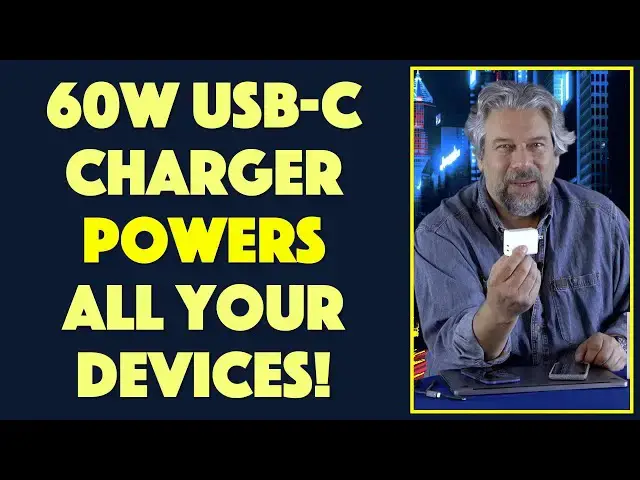
Small charger, big power. Let's check this out
0:11
Dave Taylor here and I'm going to talk about power again. There's no avoiding it in our modern era
0:17
All your devices need to be charged. They all need power and electricity. So we're all constantly
0:23
trying to figure out where can we charge? What do we need to charge? It's kind of a huge hassle
0:28
and it gets more complicated when you get to larger devices like my MacBook Pro because it
0:34
needs a lot of wattage to be able to charge and that means a pretty big charger, at least from
0:40
Apple. But do you need to carry all those chargers? No, actually you don't. That's what I'm looking at
0:47
That's this. This is the Energy C6 Duo charger and as you can see it's pretty darn small and
0:57
fold up prongs. Much more importantly it has two USB-C plugs on the side and that lets you charge
1:05
really almost any combination of devices up to and including my MacBook Pro. So really nice
1:13
It supports Power Delivery 3.0, Quick Charge 4.0, PPS Fast Charge. These are all protocols that let
1:21
the charger negotiate with the device to give you the fastest and most efficient possible charge
1:28
Now what's nice is that they're also equally important ports. So if you want to charge a large
1:34
device like a MacBook Pro or other laptop or tablet or something, then you can plug into either one
1:41
And when it's a single item plugged in, this can deliver up to 60 watts. In fact here you can see
1:48
I used this very small USB-C to USB-C charging cable, plugged it into my MacBook Pro and you can
1:55
see from the hardware configuration that it is indeed charging at 60 watts from this tiny charger
2:03
So fantastic. And you're wondering, well how fast did it charge? Hang on, we're gonna get there
2:09
So now let me tell you that the two ports, if you use both of them, can deliver 45 watts and 18 watts
2:17
or dual 30 watt charges. So I also use USB-C to USB-C and USB-C to Lightning. And these are
2:27
bring your own cables as with most modern chargers like this. I use both of those simultaneously
2:34
to charge my Google Pixel 5 and my Apple iPhone 12. So how fast did it work? Really glad you asked that
2:43
So my iPhone dual charging, right? My iPhone charged 64 percent in an hour. That's pretty
2:50
impressive. The Pixel did even better. It took a 76 percent charge in a single hour. Now I unplugged
2:58
both of those. I plugged in just USB-C, plugged it into my MacBook Pro. As you saw it was 60 watts
3:04
and charging and it got a 57 percent charge in an hour. Again, that's very impressive, particularly
3:12
for something that's this small and so easily can fit in your pocket. Now this isn't just plastic
3:18
and power though, because there's a ton of protection built into this too. This has what
3:23
they call the inner shield protection system, which gives you over current, over voltage, over
3:28
temperature, over power protection, and short circuit protection. So this thing is going to make
3:35
sure your devices charge optimally without ever getting into any dangerous situations. That's a
3:41
huge win. Also comes with a three-year warranty, so if anything happens even two years and 11 months
3:47
later, then they've got your back. Now size-wise, it's 2.2 inches by 1.8 inch by 1.2 inches and it's
3:58
4.9 ounces. I can tell you this is a fraction of the size of the Apple charger and the fact that
4:06
I can charge multiple devices simultaneously is fantastic. So I can be charging my phone and
4:12
someone comes up and says, dude I need to charge my phone too. All I have to do is say, great where's
4:17
your cable? And as long as they have a cable, we are good to go with two simultaneous charges. That's
4:24
really nice. There's really no downside to this. It's a little spendy for a charger compared to just
4:30
a little tiny 20 watt charger for your phone or something, but if you've priced out getting a
4:35
charger for your computer, laptop, or notebook, then you know those tend to be a little more
4:40
expensive when they push out that much more wattage. So how much does this cost? Well, before we get
4:47
there, give me some feedback. Give me a thumbs up if you like this video. Go ahead and leave a comment
4:52
telling me what you wish I would have tested out and tried for charging. And by the way, this will
4:56
work with things like the Switch, the PS5, a GoPro. There's a lot of different devices you can charge
5:03
with this because it's just power, right? That's the idea of things like power delivery or PD3 and QC4
5:09
and all that, is it just works with a wide variety of devices. Really nice. All right, now also
5:17
click on or tap on that subscribe button and subscribe to my channel. Really appreciate when
5:22
you do that. And I really actually like getting lots of subscribers. It gives me more leverage
5:27
to get more gear so I can give you more of the straight scoop. I do not actually doctor, edit
5:35
modify. I tell you the straight scoop. And if they have bad things, if there's problems with devices
5:40
I'll tell you that too. There are no problems with this because it's a charger and it's small
5:46
and it works. So that's awesome. Now, how much does it cost? All right, this Energy C6 Duo charger
5:55
is $64.99 at Amazon.com, which like I said, is a little spendy for a phone charger. But when you
6:03
think about the fact that this is the one charger that will charge every device you own and that
6:08
it's small enough to fit in your pocket, then it suddenly sounds like one heck of a bargain. So
6:14
definitely one to check out. I'm going to go back and finish charging up my devices
6:18
which means I'll hope to catch you in my next video