Up next in 10



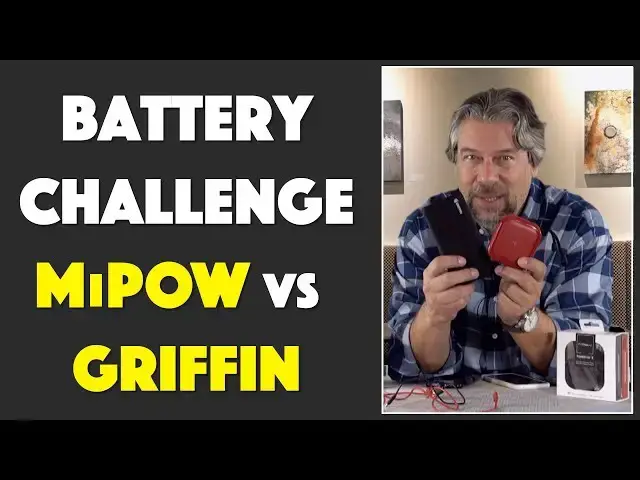
If you have a smartphone, a tablet or any other gadgets that travel with you, you've already experienced the frustration of having the battery die when you aren't near a charging station. Enter external batteries. Griffin Technologies and MiPOW offer two very different designs, but which type of external battery is the better choice?
The two challengers are the Griffin Technology Reserve Power Bank, sporting a hefty 15,600 mAh capacity, and the smaller - and much cuter - MiPOW Power Cube, with its 10,000 mAh capacity. But the MiPOW has - POW! - a secret capability that might just make it the better choice for you.
Tech expert Dave Taylor of https://www.AskDaveTaylor.com/ tests out both units, analyzes charge speed, and discusses pros and cons of each design. The winner? Ah, you'll have to watch the video! :-)
Griffin Reserve Power Bank: https://amzn.to/2TmGheR
MiPOW Power Cube: https://amzn.to/2Kb6FEp
Vendor sites:
https://www.griffintechnology.com/
https://www.mipow.com/
Show More Show Less View Video Transcript
0:00
two different types of external
0:01
batteries let's find out which one's
0:03
better Dave Taylor here and I've got
0:13
phones and because I've got phones I'm
0:15
always thinking about battery life and
0:18
charging so when both Griffin and mpow
0:21
hit me up and said we've got cool new
0:23
batteries for you I thought let's have a
0:25
little mini shootout so here's what I
0:27
got I got this this is the Griffin
0:30
reserve power bank and it's a bit of a
0:32
beast it's pretty big and it's pretty
0:34
heavy but it has huge capacity it has
0:36
15,000 600 milliamp hours that is a lot
0:40
of battery in here but basically it's
0:42
just all battery now competing against
0:46
it standing up against it is the much
0:48
cuter mpow power cube now this is only
0:51
10,000 milliamp hour battery but as
0:54
we'll find out it has some other tricks
0:57
up its sleeve and here's the thing there
0:59
were then five bucks of each other in
1:00
price so I figure it is actually a
1:03
pretty fair comparison now let's start
1:05
with the Griffin this is the Griffin
1:07
reserve power bank and its primary
1:10
connectivity there's nothing nothing on
1:12
this end so it's all about this end so
1:15
there's USBC and that's also how you
1:18
charge it and then there's a single USB
1:21
3.0 port - and then there's a button and
1:25
the button gives you the ability to see
1:27
the little LEDs that show you charge
1:29
status it also comes with this I have to
1:33
say not very impressive little tiny USB
1:35
cable I didn't find it was a very good
1:38
cable which was a surprise Griffin tends
1:41
to nail that sort of stuff but you know
1:43
you basically plug it into the USB and
1:46
then you plug that into a wall charger
1:48
and you charge this guy up and it's
1:50
pretty big or you do it the other way
1:52
and you can obviously plug in any USB
1:55
device but I plug this cable in and that
1:59
gives me USB C so that gives me the
2:01
ability to for example plug in and
2:03
charge my Google pixel 3xl now that's
2:08
all well and good but I'm convinced
2:11
I know this doesn't actually work but
2:12
I'm convinced that if I plug it in like
2:14
this that somehow it will charge itself
2:17
and I'll never ever need to plug it into
2:19
the wall again don't try this at home it
2:22
doesn't work
2:22
sadly but I also I'm gonna have to test
2:26
at some point to see if this will drain
2:28
the battery and if so how long I'm
2:30
guessing probably months to get the
2:32
battery to zero but that's it this so
2:35
you can charge two things ostensibly
2:37
because you can have something like you
2:39
know a USB C to USB C to charge a device
2:43
like the pixel that does that and then
2:46
you can plug something else in like a
2:47
lightning cable and then you can charge
2:49
something like this which is the iPhone
2:51
10's so the question then becomes how
2:55
fast is it charged but before we get
2:57
there let me tell you that it has a lot
2:59
of juice so I already said it has
3:02
fifteen thousand six hundred milliamp
3:03
hour battery but it's up to 15 watts for
3:06
a dual charge so you do both at the same
3:08
time for a smartphone this represents
3:12
six-and-a-half charges that's a lot
3:15
two and a half charges for a tablet and
3:17
up to forty seven charges for a
3:19
SmartWatch if you have the right cable
3:21
in fact with all of these you have to
3:23
have the right cable by itself this is
3:25
basically a battery in a sleek little
3:27
container so does have a power indicator
3:30
and Griffin is very proud as they should
3:32
be that it includes the very latest
3:35
generation of the Qualcomm quick charge
3:37
3.0 protocol and that means that for a
3:40
lot of devices including Asus HTC LG and
3:44
Samsung's it actually can communicate
3:47
with this device and get the maximum
3:49
possible wattage so that it can charge
3:52
as fast as possible so that leads to the
3:55
question how fast is a charge so I
3:58
plugged in the pixel and it did
4:01
fantastic it got a 42% charge in an hour
4:04
that is a decent speed charge the iPhone
4:07
10's not quite as good it actually
4:11
clocked in at 34 percent charge in an
4:14
hour so not fantastic but still you know
4:17
you put this in your pocket you have the
4:19
cable you have your phone or you throw
4:21
it all in your backpack or briefcase and
4:23
next time you pull it out it's going to
4:24
be
4:25
a whole lot more charge so that's pretty
4:27
good now both of these devices have
4:30
onboard power management so that they
4:33
make sure that if it's overheating or
4:34
overcharging or if there's data coming
4:38
from the device saying that it's heating
4:39
up or something it'll slow things down
4:41
or turn off so they all have all that
4:44
protective circuitry my guess is it's
4:46
just a little chip or part of the power
4:48
management chip so pretty much all of
4:50
these devices have that now
4:51
so Griffon reserve power bank I will
4:54
come back to the price but let's talk
4:56
about this this is the mpow power cube
4:59
and as I said it's way more cute but
5:02
what is really cool about it is it
5:04
actually has qi wireless charging so
5:06
that means I can put on a device like
5:09
the pixel that supports wireless
5:11
charging and it is now actually charging
5:13
the phone that is pretty sweet but
5:16
here's the thing it charges wirelessly
5:19
pretty darn slowly that's kind of drag
5:22
but let me get it there so 10,000
5:25
milliamp power battery gives you about
5:27
three and a half power or I phone
5:28
charges so that's compared to six point
5:32
two charges for this guy so I'm not sure
5:35
how they do their math because this is
5:37
you know two-thirds of the power
5:39
capacity of this but somehow it only
5:41
gets half as many charges you figure
5:43
that out I think this actually gets four
5:46
point something but whatever it also is
5:49
a little more flexible because it has
5:51
the USB C on the side that's the in for
5:56
charging it even says in so you can't
5:59
use it for charging out but it does have
6:01
USB 3 on both sides so it has two USB
6:06
three and the wireless charging so you
6:09
can charge three devices simultaneously
6:11
with this that's pretty nice it has a
6:15
little button and the button shows you
6:17
the power status but it is
6:19
extraordinarily subtle it took me a
6:21
while that we even find it because the
6:23
lights are embedded deep inside the
6:26
plastic it is worth noting that this is
6:30
a two amp charge on this side and that's
6:32
a 1 amp charge on this side so if you're
6:35
just using one of them you want to use
6:37
the two amp it's going to go a little
6:39
and let's see it comes with the USBC
6:42
cable and this is actually a nicer cable
6:44
number one it's nice long which is handy
6:47
so you can put this in your pocket or
6:49
your backpack or in your desk and then
6:51
you just plug it in and you then of
6:54
course plug it into a USB see device and
6:57
it will start charging so that's pretty
7:00
handy and then you get to the sort of
7:06
core key feature of this which is the
7:09
wireless charging and that didn't work
7:12
so well so let me tell you that wireless
7:14
charging on the pixel it actually the
7:16
pixel says charging slowly I mean this
7:19
is like such a value judgment but it was
7:21
accurate so it picked up a twenty
7:23
percent charge in an hour and
7:25
interestingly wirelessly charging the
7:27
iPhone 10s also gave me a twenty percent
7:31
per hour charge so that's about what
7:34
you're gonna get now you're gonna get a
7:36
faster charge if you plug it into the
7:38
side because at that point you're
7:40
getting more juice so you can do fast
7:43
wireless charging the pixel actually
7:45
comes with a very nice pixel stand which
7:48
does crazy fast wireless charging it's
7:51
tuned for this specific phone but this
7:54
guy I feel like at some level if your
7:56
goal is to get as much charge as fast as
7:59
you can then the wireless charging is
8:01
kind of a bit of a gimmick it is cool it
8:04
is nicely you can put it on the table at
8:05
your favorite restaurant and do this
8:07
actually I think I need to push the
8:10
button which not only gives you power
8:13
indicator but it also turns on the
8:15
wireless charging it's not on all the
8:17
time but now it's charging wirelessly
8:19
that's pretty cool because if I forget
8:21
or lose my cable this guy does me no
8:25
good at all there's nothing that this is
8:27
gonna do that's gonna help me charge if
8:29
I don't have the cable or my cable
8:30
breaks this I can use with the cable
8:33
which is cool but I really like having
8:36
that alternative of having the wireless
8:38
charging so it's not fast but it's
8:41
something and something is as they say
8:44
better than nothing so let's talk about
8:47
price and then I'll tell you which one
8:49
actually I prefer but before we get
8:51
there can I
8:52
if you can go ahead and subscribe to my
8:53
channel really appreciate that and leave
8:57
a comment tell me do you have a
8:59
smartphone or tablet do you carry around
9:01
an extra battery and if so what's style
9:04
um what do you like about it because I
9:05
just recently also reviewed a different
9:09
Mophie unit that had a built-in
9:11
lightning connector or built-in
9:13
lightning cable that was a cool
9:14
alternative to because there again if
9:17
you lose all your cables it has a
9:19
built-in cable so that's nice you can
9:21
check that review out if you want but
9:23
you know in this case this one is
9:25
definitely better and faster and more
9:28
capable but comes with a mediocre cable
9:31
and comes with you know no ability to do
9:35
anything but hey I'm back so leave a
9:37
comment tell me what kind you use okay
9:39
now I'll roll back to the point I was
9:41
making so this one is the Griffon
9:44
reserve power bank and it's $54.99 at
9:47
amazon.com it is heavy but it has crazy
9:51
capacity this is a lot of juice in here
9:54
so if you're worried that you're gonna
9:56
go for a weekend backpacking trip and
9:58
your phone's gonna die this will solve
9:59
the problem as long as you have the
10:03
cable that you need and again I gotta
10:06
say Griffin I'm sorry that I was not
10:08
impressed by this cable and I didn't
10:10
feel like it worked very well I actually
10:12
ended up using a different cable for my
10:14
charged speed tests there you go the
10:17
empower power cube is a little bit less
10:20
capacity obviously it's smaller it's
10:23
significantly smaller it's a really nice
10:28
design mpow makes really nice products I
10:31
really like they're just sort of focused
10:32
on batteries and there's a lot to like
10:35
about this you know the wireless Qi
10:38
charging isn't super fast but whatever
10:40
it's maybe a gimmick but it can be
10:43
useful because then this device by
10:45
itself can actually charge something so
10:48
that is actually a nice win and having
10:51
two USB instead of one that's another
10:53
win so I gotta say oh and so comes in
10:58
red and white and black and this one's
11:01
$59.99 on Amazon so this is $5
11:05
more than this but what that gets you is
11:08
a better cable wireless charging and two
11:12
USB ports and let's just face it it's
11:15
smaller and cuter and a little handle
11:17
and stuff who wouldn't like something
11:19
like this this is a great little device
11:21
so this is my winner the mpow power cube
11:24
so find the one that meets your needs
11:27
and I think you will definitely be happy
11:29
that your phone doesn't die as often
11:32
because you got extra batteries so
11:34
that's it this is Dave Taylor and I'll
11:36
catch you in my next video
11:37
[Music]
#Product Reviews & Price Comparisons
#Gadgets & Portable Electronics