Up next in 10



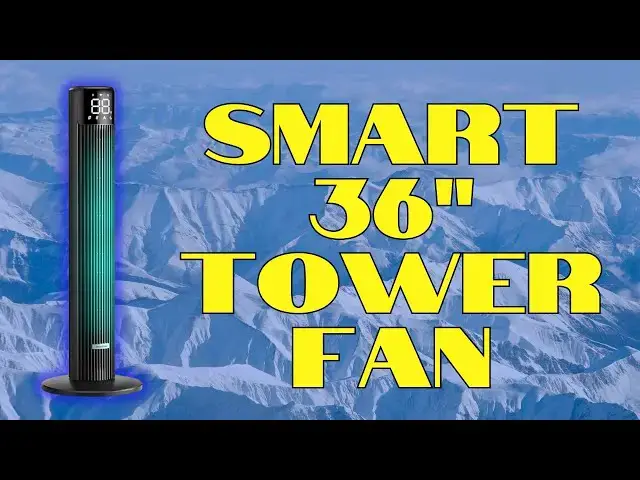
Whether you follow weather stats or not, it's hard to deny that summers are getting warmer and that means it's even more important that we figure out smart and eco-friendly ways to cool off. Air conditioning is good but expensive to run. The savvy alternative is a fan - moving air always feels cooler than still air - and there are few better options than the surprisingly affordable @Provirtec WindMaster Smart Tower Fan TF-01. You can control it from anywhere with the included ProdigyTec smartphone app and it interfaces directly with both Google Home and Amazon Alexa. Tech expert Dave Taylor walks you through all of its features and capabilities while cooling off!
Check it out at Amazon: https://amzn.to/3N6ThlK
or directly on their site: https://provirtec.com/products/provirtec-smart-tower-fan-tf-01
0:00 Introduction
0:30 Base Assembly
1:05 Display and Closeups
3:20 Top Buttons & Remote
4:22 Pairing with the App
5:33 Using the App
7:35 Design Details
8:50 Conclusions
Visit Dave's Q&A Web site at: https://www.AskDaveTaylor.com/
#smarthome #towerfan #smartfan #windmaster #prodigytec #provirtec #ProvirtecTowerFanTF01 #askdavetaylor
Show More Show Less View Video Transcript
0:00
improve your airf flow with this smart
0:01
tower fan let's check it
0:04
[Music]
0:10
out Dave Taylor here and I'm checking
0:13
out this this is the Pro vertek
0:16
windmaster Smart tower fan pretty
0:19
straightforward it is 36 in tall and
0:22
it's 12 in across at the base and let's
0:25
start here you have to assemble the base
0:27
it's pretty easy so there's two parts
0:30
you clip them together you then put it
0:33
on the base of the fan there's a big nut
0:35
that comes off and then you put the nut
0:37
back on and then there are four screws
0:40
and it even includes a screwdriver so
0:41
you don't need any external tools total
0:44
elapse time I don't know 4 minutes if
0:47
you're careful 2 minutes if you're
0:48
rushing it don't rush it cuz you really
0:51
want it to be nice and stable so that
0:53
you don't have any issues with it
0:54
falling down and that is exactly as
0:56
stable as it should be so it it's
1:00
actually a really nice faman so it is a
1:03
90° oscillation you're seeing that and
1:06
it has a big display on the front it's a
1:09
little hard to see cuz I'm in a very
1:11
brightly lit environment but it actually
1:13
shows you the current temperature in the
1:16
room and where that's really cool is
1:19
because it has smart features so it can
1:22
track the temperature and as the
1:24
temperature starts to rise it can
1:27
actually increase the fan speed and then
1:29
slow it back down as the room cools off
1:33
there's also a sleep mode in fact there
1:35
are four modes there's nature cool Auto
1:39
and sleep and while you can
1:42
hear it's pretty darn quiet in sleep
1:45
mode it just has all the settings that
1:48
make it as slow as possible and so it's
1:51
six speeds I'm on speed one let's use
1:54
the remote control and speed it up a
1:57
little bit
2:01
so that's on its top
2:03
speed and it's a little hard to
2:05
illustrate how much air is pushing out
2:08
but here's a piece of paper and you can
2:10
see it's got plenty of oomph on it to
2:14
push that paper even if I'm pretty far
2:16
away and of course I have to follow the
2:20
oscillation and so I really like it it's
2:23
one of these things where you're going
2:24
to put it in a corner so a 90°
2:26
oscillation like that so you don't want
2:29
it in the middle of room cuz it won't go
2:31
180 but if you put it in a corner it has
2:34
plenty of power to push out air to the
2:37
distant corners and again
2:39
listen it's a little bit louder but not
2:43
significantly so in terms of airf flow
2:45
they say on maximum power which is what
2:47
we have right now it's at 1,400 cubic
2:50
feet per minute of air coming through
2:53
and so other cool features it has a
2:57
24-hour timer so if you worry that you
3:00
get up in the morning and you rush off
3:02
to work and you forget your to turn off
3:04
your fan then you can just use the timer
3:07
to set it so that it actually runs until
3:11
like 9 in the morning and then turns off
3:14
so really straightforward now where this
3:17
is really cool is with the app but
3:19
before we get there let me show you the
3:21
buttons on the top and give you a quick
3:23
button to her so you can lower the speed
3:27
with the minus increase the speed with
3:29
the plus access the different modes with
3:33
the middle buttton and then on the lower
3:35
section you have timer power and
3:39
oscillation and then all of those are
3:42
duplicated on the remote control though
3:44
slightly disappointingly the remote
3:45
isn't circular which would have been
3:47
really fun but probably more expensive
3:49
to manufacture so that's basic
3:53
functionality but where this gets really
3:55
fun is that you can actually hook it up
3:58
with an app that they have and here's a
4:02
challenge is the manual doesn't list the
4:05
name of the app so it is not a Pro
4:08
vertek app it is actually called Prodigy
4:11
Tech so you want to look in your app
4:14
store for this app and then I'm going to
4:16
bring it up here and let's see I've not
4:20
yet paired it cuz I thought it would be
4:22
fun to do that on camera so here we are
4:26
in the app and it hasn't seen anything
4:28
so I'm going to say
4:30
plus and let's see we
4:35
will let's see what do we see here add
4:38
device one device found wireless camera
4:41
that is not what we're looking for let's
4:42
look for home
4:43
appliance and let's
4:47
see I will assume it's this
4:50
one and so let's see add device we have
4:54
to long press on the power button for 3
4:58
seconds
5:00
but let's use Bluetooth because that
5:02
makes it a lot easier so there it is
5:07
tf01
5:10
and there we go it's going to take 120
5:13
seconds to pair I'm going to just jump
5:16
forward I don't didn't even need to so
5:18
that 120 seconds was just a little bit
5:21
of generosity here so I'm going to just
5:23
choose finish and now we have it and so
5:27
now let's see what we can do control
5:30
wise so it's
5:31
connecting and probably I should have
5:34
used Wi-Fi earlier I'm sure I can change
5:37
that later but I want to be able to
5:39
access my fan even if I'm in a different
5:41
place and why that might be helpful well
5:44
if it's a particularly hot day it might
5:46
be really nice to turn the fan on before
5:49
you get home to start cooling down your
5:51
space but we can see let's go into
5:56
cool and notice that it was pretty much
5:59
instantaneous which was really nice and
6:01
then I can drop the speed down we'll do
6:04
it to four and then there are these
6:07
scenes so it supports five different
6:10
scenes and you can set it up where like
6:14
um if it's in the living room and at
6:17
certain points in the day you're doing
6:19
yoga with the TV and at other points in
6:21
the day you're just relaxing and
6:22
watching your favorite streaming series
6:25
you can have those as two different
6:26
scenes maybe one doesn't oscillate and
6:29
just gives you maximum power that would
6:31
be yoga and then the other one does
6:34
oscillate in that nature mode so that
6:36
you have a nice relaxed experience with
6:39
just a little bit of air circulation I
6:42
can turn off the
6:44
oscillation turn it back on and here's
6:47
something really important for those of
6:50
you that like a really dark sleep
6:53
environment you can turn the display off
6:56
and let's see it's still on I think it
7:00
will turn off momentarily but it turns
7:03
out that there's actually a sequence on
7:05
the top that you can also use so if you
7:08
want to turn off the display with the
7:10
unit itself then push power plus timer
7:15
push both of those for 3 seconds there's
7:17
also a child lock feature similar idea
7:20
Power Plus oscillation for 3 seconds
7:22
will then disable the touch panel other
7:26
than for you to push it a second time to
7:28
turn off that lock feature and that's
7:31
nice if you have kids that are
7:32
constantly monkeying with things and I
7:35
wanted to show you one couple more
7:36
things so I'm going to spin this around
7:39
let's see let's actually first turn off
7:42
the
7:44
oscillation and then I'm going to turn
7:46
it around cuz there's two things on the
7:48
back that are important the first one is
7:51
there's actually somewhere to stash your
7:54
remote control which I really like I
7:56
guess it goes in sideways because these
7:59
little remote controls just get lost
8:01
especially if you're moving or something
8:03
good luck right but now here this has
8:05
actually a place you can stash it very
8:07
smart engineering but even better is
8:10
that there's a screw that you can open
8:13
up and then you can pop the panel off
8:16
and pop the interior blades off and then
8:19
rinse them off in your sink I will tell
8:21
you I live in a Dusty environment and my
8:24
fans get pretty darn Dusty so it's
8:27
really nice to have that option
8:30
and one more thing they did which is a
8:32
really cool piece of engineering subtle
8:34
but on the power plug itself is a fuse
8:38
that you can actually replace you can
8:39
see it in this picture and that's really
8:42
great so it's just an additional piece
8:44
of safety there so let me turn this back
8:47
around I think that's pretty much
8:49
everything I can tell you about this fan
8:52
it is really nice I really like the
8:55
design I like that I can hook it up with
8:57
my Alexa or my Google home because it
8:59
does have that capability through the
9:01
app and it's really everything you need
9:04
to know if you're looking for a floor
9:06
fan a tower fan for an office or a
9:09
bedroom or the nursery or just a living
9:12
space this is a really solid option it'd
9:14
be great in a dormatory and again you
9:17
can be walking back to your dorm and you
9:20
can pull up the app and say go and it
9:22
can just start cooling things off which
9:24
might surprise the heck out of your
9:25
dormmate but hey you know they should
9:27
have turned it on already anyway way so
9:31
definitely one to check out let's talk
9:33
about price before that let me ask you
9:35
to subscribe to my channel click or tap
9:38
on that subscribe button hit that Bell
9:40
icon for notifications and give me a
9:42
thumbs up if you found this of value and
9:44
certainly hope that you did cool this is
9:47
the Pro vertek windmaster Smart tower
9:51
fan and it's
9:53
$79.99 currently discounted down to
9:56
$59.99 at amazon.com that's $59.99 for a
10:01
smart fan with app that can integrate
10:04
with your smart home that's a killer
10:07
price this is definitely a great way to
10:09
cool off and who doesn't want that cool
10:12
I'll catch you in my next video
10:19
[Music]
10:32
he
#Household Fans