Up next in 10



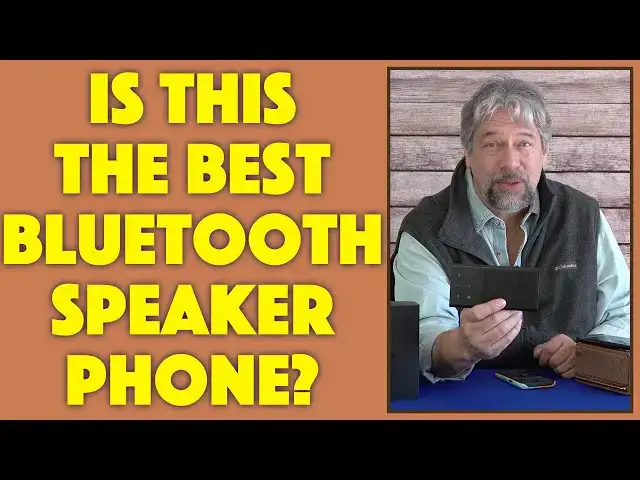
Fed up with people being unable to hear you on Zoom calls, Skype, even FaceTime? Then you'll love the slim, powerful Audeze "FILTER" Bluetooth Conference Speakerphone. It's a beautiful design but what's really impressive is the AI-powered environmental noise-canceling tech, as demonstrated by tech expert Dave Taylor. Watch, listen, you'll understand why this is one of the best - and smallest - portable speakerphone solutions on the market.
Check it out at: https://www.Audeze.com/
Visit Dave's Q&A Web site at: https://www.AskDaveTaylor.com/
#audeze #filter #speakerphone #bluetooth #conference #zoom #skype #facetime #askdavetaylor
Show More Show Less View Video Transcript
0:00
This is a really cool Bluetooth speakerphone
0:02
Let's check it out. Dave Taylor here, and I'm checking out this
0:13
This tiny little device is the Audie's filter Bluetooth conference speakerphone, and it's a pretty incredible piece of technology
0:21
First off, you can see it's really small, and it folds, so you just put it on your table like this
0:27
What really differentiates it, though, is that, It has an extraordinary AI-powered level of environmental noise cancellation and all of its adjustable with controls on the front of the device and in an app that pairs with the device itself
0:42
So it has a beam-forming dual microphone array. So when you have it like this, you can have its pickup be anywhere from 360 degrees with everyone in the room all the way down to 105 degrees, 90 degrees, or even 70 degrees
1:00
Degrees, so it's going to just focus on the person that's right in front of it and ignore all the other
1:06
environmental noise. Now, I'm going to demonstrate that, so we'll be able to hear how well it does with that
1:11
and you can turn that filter sort of capability on or off and have it at different settings
1:17
So if someone says, well, it's a little aggressive, you're cutting out a little bit, you can just push it down a little bit
1:23
Or if someone says, you're in a really loud environment, can you like get everyone to be quieter
1:28
you can just up it a little bit or increase it. So the speaker itself looks really tiny
1:34
but it's actually a plainer magnetic speaker that's optimized for speech clarity
1:39
And what optimized for speech clarity means is that there's not a lot of base
1:43
and there's not a lot of highs. It's really mid-range. That's where our voices tend to be
1:49
So that's what this tends to maximize. So it can be really loud nonetheless
1:54
up to 118 decibels. So let's go ahead and I'm going to turn it on
1:58
There's a power button at the bottom. Power on. And it has voice prompts for everything, and they're all very nice and clear
2:06
They obviously hired a voice actor to do all of the recordings. And it automatically pairs
2:12
I have an iPhone 14 Pro for our tests here. And the first thing I'm going to do is I'm just going to go ahead and just play some music
2:19
so you can hear what it sounds like. So I'm not sure how well that reads
2:28
produces with my mic and YouTube encoding, but what I will say is that there's not a lot of bass
2:36
This is not really a music speaker, although it's functional, but it sounds like an AM radio
2:41
Remember in the old days when you'd switch from AM to FM and suddenly there was so much more
2:46
dynamic space? Well, this is the AM side of that, but it's designed to be that because this is for voice
2:52
So it does a really nice job with that. And in terms of getting loud, it gets pretty darn loud
2:58
So that was test number one. Now, for test number two, what I'm gonna do
3:02
is I'm gonna actually record my voice and then fiddle with some settings
3:07
But before I do that, I wanna give us some background noise too
3:10
So when you see me touch this what gonna happen is I have a recording of a loud bar So here what that sounds like And we can make it even louder
3:26
So here I have no noise cancellation, so it sounds like I'm in the middle of a bar
3:31
and you're like, well, where are all those other people? So handy to have that for our test
3:38
And what I'm going to do is I'm going to put it behind. So closer to you, but ostensibly behind
3:43
this and then I'm going to go into my phone let's get this recording started and I'm
3:49
going to go into the voice recorder and let's see here we go and so what's happening
3:58
now is you're hearing my voice as recorded by the Audies filter speakerphone
4:08
and apologize you can't see it it's right here but here Here's the thing is that I have no sound around me
4:15
It's a quiet environment. So if I stop talking, it's very quiet
4:21
So now let's get that crowd noise going. So now you can hear what it's doing with the crowd noise, but the obvious question is, well
4:30
hang on a second. Let me pause that. What's happening in terms of that ENC
4:36
And you can adjust it from the device. So I'm going to start it with low
4:42
So I'm going to start with it off, actually. And then I'll just step through those modes as I'm talking
4:53
So there's our background noise. And now it's low, it's medium, and the noise suppression is high
5:05
But here's the thing is I'm still doing that big 360 degree beam form
5:11
So what I want to do is I'm going to switch into the app while we're still reporting
5:17
So this should work. Let's get over here and launch the app and reconnect to the device
5:23
It's really hard to stay focused with this much crowd noise, but this is, I think, a pretty
5:28
realistic environment. Maybe just a little softer for my own mental clarity
5:36
But let's get this thing connected. It won't connect because I'm recording and using the voice
5:41
So, all right, so I'm going to stop my voice recording and then let me just show you how the app works
5:49
So you've heard my voice. And now I'm back to just having it be me on mic
5:56
And so now at this point I think we can say goodbye to the crowd
6:00
It's a little stressful being in a really loud environment and trying to talk to someone
6:04
But that's realistic. So now, let's see if we can get back here and actually connect to the device
6:11
hopefully. There we go. So now you can see on the device that I have the noise suppression
6:20
set to high, which is what we expected. And beam forming, I can adjust that beam forming. In fact
6:26
apparently their specs are wrong You can beam form from 30 degrees 90 180 or 360 which sort of zero degrees is directly in front of it So it how wide it should be listening for audio And where that might be helpful is you are in a noisy environment
6:45
Maybe you're working from home and your kids are screaming and the dogs barking and the laundry
6:49
the washing machine is thumping along. And it's you and one other person
6:53
So maybe you put that at like 60 degrees, I'm sorry, at 90 degrees
6:57
And you just make sure you're both in sort of that cone of voice. and then it will mute and try to do its best to suppress all the sound around it
7:06
So in addition, you can also do some boosting of the speaker itself
7:11
If you want it to get louder because you want to hear the other person even better
7:16
you obviously have the ability to do that, and you can tweak its sensitivity of microphone, you know, sort of pickup
7:23
And finally, you can also adjust things like voice prompt levels and auto shutdown
7:29
and there's a firmware update, you know, there's lots of stuff you can do
7:33
So let me stop the recording and if it's not obvious, I'm pretty darn impressed with this device
7:41
It's really slick. Now, let me show you on the front, all of the buttons are on the left hand side
7:48
and they are from the top, beam forming, noise reduction, volume up, volume down, mute or unmute
7:58
and answer call, hang up call. So all of the key functions you want are right here on the device
8:05
And then on the bottom is a power button that's recess. So you're not going to accidentally turn it on
8:10
And then if you double push this, it also gets you into Bluetooth pairing. Something I had to figure out for myself
8:16
It does come with a bunch of other cool stuff that I want to talk about
8:19
So in the box, it also includes a nice manual that's printed incredibly small
8:26
So you probably want to go on to their web. website to check it out. And it comes with USBC to USBC charging cable. And they did a nice job
8:36
They included a USBC to USBA adapter. So that's the rectangle. So if your computer that you want to
8:43
charge it or plug it into isn't actually USBC. You have the adapter. They have a little tiny. It's
8:50
essentially like a little mouse pad. And I guess the idea is that you put it underneath that
8:54
so that it doesn't mar any surfaces, but A, it's super light, and B, it is designed to be on a conference table
9:02
so I really can't imagine you're going to have any issues, but still, it's cool to include that
9:07
Now, the bigger and greater thing it includes is it includes this very nice carrying pouch
9:12
So you can just fold it up and just slide it in here, and you're ready to go
9:18
So really, there's so much to like with this. It's such a well-designed system
9:22
And in terms of the unit itself, it runs Bluetooth 5.0, so it's a nice modern version of Bluetooth, which is obviously good
9:31
And let's see, I'm just going to put this here. And so let's see, here we are
9:37
So it runs Bluetooth 5.0, and it has a 1,050 millanamp hour battery that gives you 15 hours of use on a charge
9:46
When you need to recharge it, then you can't see. There no USBC connection Where is it It is here So they did a nice job of sort of hiding that connection which is smart because when you keep it like this it keeps that port clean I going to go ahead
10:01
and turn this off. So there we go. And you've already seen the Audie's Hub app gives you
10:10
access to a lot of additional functionality. It's pretty important, though not critical
10:15
because the most important settings are redundantly covered by buttons on the device itself
10:21
The app is for Android or iPhone, and then they have a different app for Windows or Mac
10:27
So whatever it is, you're connecting it with, this will work fine. And think about the fact that this is completely compatible with any voice-based system you use
10:36
So you can use this with your PC on a Zoom call
10:40
You could be on Microsoft Teams or Microsoft Meet, whatever it is
10:44
I think Google Meet Microsoft Teams, Blue Jeans, Skype, any of those
10:49
You can be on FaceTime on your iPhone and then use this for the audio
10:53
and then use the phone's camera for the video side of it
10:57
So really, really powerful and flexible. It is made out of aluminum
11:01
It has an excellent feel to it. It's a really nice piece of hardware
11:05
It is a half an inch by three inches by six inches
11:09
It is light. It includes that thousand miller amp hour battery and all the hardware
11:14
and everything, but it's really pretty easy to slip this into your purse or pocket
11:19
And whenever you need it, just pull it out. It'll automatically pair. It'll turn on all that noise reduction, and you'll be good to go
11:26
So, so much to like here. I'm really impressed. I've looked at a lot of Bluetooth speaker phones over the last year, and this is my favorite of them
11:35
Partially, because of the functionality, it just does a really great job. But partially, the design is really cool and really striking, and it's really clear why
11:44
Audies has won a number of awards for this particular device and that you see it showing up in
11:50
like Best Tech of 2022 and things like that. So this is a real keeper. Now, we need to talk about the
11:56
price. It is a fairly premium product. But before we get to the price, I'm going to ask you if
12:01
you could subscribe to this channel. I really appreciate it. So a click or a tap on subscribe
12:07
a click or a tap on that bell icon for notifications. We're connected. And if you found this to be
12:12
helpful and interesting and useful, I definitely appreciate a like or a thumbs up too
12:18
Cool. This is the Audiz filter Bluetooth conference speakerphone, and it's $249 at audiz.com
12:28
That is a pretty premium price, but I will tell you it does a really good job
12:33
I don't even need to tell you. You've heard for yourself what kind of work it does and how well it filters out all that
12:39
background noise. If you need to sound professional and you need to sound like you're in a quiet environment when you're not
12:45
this is a solid option. That's all I got. So I'll hope to catch you in my next video