Up next in 10



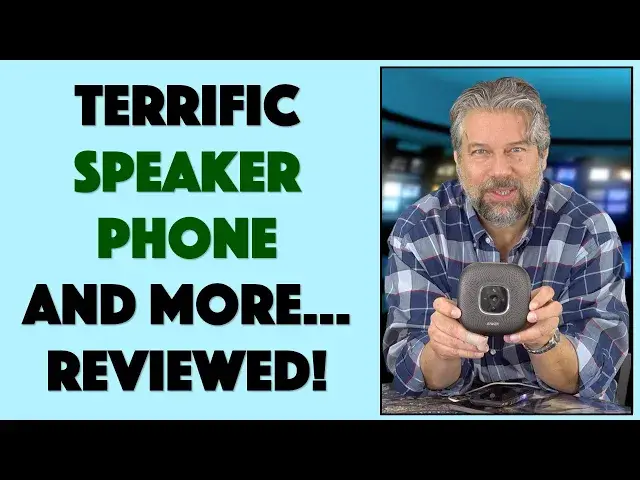
Spending more time on video chat and conference calls? Tired of people being unable to understand you when you're talking? Both problems are neatly solved with the Anker PowerConf Bluetooth Speakerphone. Tech expert Dave Taylor of https://www.AskDaveTaylor.com/ checked it out and found it an excellent solution for better audio, whether you're hooked up via bluetooth to the Anker PowerConf or whether you plug it into your computer via USB for a cool external microphone setup.
Check it out on Amazon: https://amzn.to/2QA256N
Show More Show Less View Video Transcript
0:00
More than just a Bluetooth speakerphone, this works with computers too
0:03
Let's check this out. Dave Taylor here, and we're all doing a lot more video conferencing and phone chats than we usually are
0:19
So it's a perfect time for me to get this. This is the Anchor PowerConv Bluetooth speakerphone
0:25
And it works great as a speakerphone for your telephone. it's running Bluetooth 5. I'll tell you all about the specs. But here's what's really cool. It
0:35
turns out it also works really well as a microphone in general. So you can plug this into your Mac or
0:41
PC, no drivers needed, and use it as a microphone for that too. So if you're teaching a class
0:48
if you're part of a web chat, if you're on a Zoom, whatever it is, you plug this into your
0:53
computer and you're going to sound way better. And not only that, it has all sorts of technology
0:58
and smarts to make sure you can walk around. You don't have to be super close
1:02
and it's still going to sound really good. Lots to like about this
1:06
Now, let me tell you, it has six microphones around the edges
1:10
in a 360-degree array and all of those microphones work together to figure out where the sounds coming from
1:18
and focus on that sound. Once it has that, it uses real-time echo cancellation
1:24
D-reverb, and it can even drop background noise by 20 decibels. So if you have kids running around or something, it's going to sound a little
1:33
bit more like you're actually in a workplace. That might be a good thing. It also does something
1:38
really interesting called auto voice balance with the idea being that if you're a little further away
1:43
it will actually amplify it a little more, and then if you're sitting really close, it'll
1:47
amplify it a little less. So you get a little bit of a balance. And I really like having something
1:52
like this where it's just like sitting on your table and you can talk. And obviously, if you have
1:57
multiple people if you have the kids around and you're all talking to grandma
2:01
this is such a solid option it so much better than just like having your phone sitting on the table Really really improves it So with the computer you actually plug in via USB or you can plug in via
2:15
USBC. So in the box, let's just like just maybe start there. In the box, it comes with a
2:22
terrific travel case. This is like just a nice, tough little travel case. And it comes with a
2:28
charger which is USBC to USBA. But if you have a USBC computer, turns out that you can just use USBC to USBC as I have here
2:41
plug it in. And here's a close-up of the ports on the back. And I just plug it into USBC. And now you can see it's
2:49
changed color and it's ready to be the microphone for my computer. Now that's pretty easy. On a Mac, I'm going to want to go and change
2:58
inputs in system preferences on a PC it probably will just happen automatically or
3:03
it'll have a little pop-up and say do you want to use this as your microphone either way pretty easy pretty straightforward now if you have software that
3:11
shows you waveforms it's gonna look really small but don't freak out about that
3:16
it still tends to send a pretty good quality audio signal when I unplug it
3:20
it'll go back it should go back to just be in Bluetooth right let's see what
3:24
happens here well it's showing red it might showing me that it's confused so I'll turn it off and yes it has nice audio
3:33
feedback for things and I'll turn it on again and so you're thinking there's no
3:40
wires to this what's the deal there so turns out that it also has I'm gonna I'm
3:45
on my iPhone so I'm gonna pair it with my iPhone on Bluetooth and it's already
3:50
paired it's already connected which means it's totally ready to go so it
3:54
actually has a 6,700 mill-amp hour battery so it has a really hefty battery. You can talk on this thing for 24 hours straight, which means that
4:04
those couple hours of chatting with grandpa or talking to your boss about what your plans are right
4:09
now all of that you never going to run out of battery Not only that it has such a big battery that you can use this to charge other devices So if you really are running low on your phone charge you can actually plug your phone into this
4:23
and it'll be charging, and I'm pretty sure you can do that while you're on a conference call
4:28
So I can't really demonstrate a conference call, but what I can do is I can demonstrate by using a voice recording software program on my phone
4:37
I'm going to actually use that to record what I'm saying, and then I'm going to switch audio from the microphone I have with my video setup
4:46
and we'll just listen to the audio right off of that. Here we are, I've switched, and now we are actually using the anchor speakerphone audio
4:57
and hopefully it's in sync, so I'm not out of sync or anything weird looking
5:03
but this is all audio directly off of here. And of course, if I turn it, it will actually, you can't see it super easily, but there's a blue light that shows which of the six microphones is picking up my audio
5:17
So now I'm going to stop. And we'll switch back to the microphone on my camera, which we've now done
5:24
So you can hear the difference. This might sound a little better, but for a speaker phone, that's pretty sweet
5:30
So, you know, it's a nice, easy way for me to demonstrate it
5:34
Let's see. What else can I tell you about it? So there are controls on the front for answer call or hang up for play or pause
5:42
You can use this. It's just a speaker, right? Volume up, volume down
5:45
There's a mute button right in the middle. So you can push that. The light goes red
5:50
And now your boss doesn't hear. If you bother me while I'm on this call, I will not let you have dinner
5:58
Oh, boss, everything's going great here at home. We're having a fine time
6:02
I know that's how it works because I have kids too. So, not much else I can tell you
6:07
Like I said, it has the three ports on one side, on the front. There are two buttons, one for power, one for Bluetooth
6:14
There's indicator lights. There a rubberized base on it Really it a fantastically well device This is a perfect device if you on your phone if you on your computer and you just want a nice sounding audio
6:28
system that actually gives you a lot of flexibility. And something like this is really kind of
6:34
ideal for what we're all dealing with right now with so much more video conferences, so many
6:40
more speaker phones, so many more voice conferences and things like that. This is just like you'd have
6:46
in some fancy corporate office, but priced in an incredibly affordable way
6:52
So with that in mind, let's talk about the price. But before we get to the price, let me ask if you can subscribe to my channel
6:59
I get access to a lot of gear, and trust me, it's all still showing up, and I'm still
7:04
reviewing it all. I'm really honest. If there are any issues, any problems, I just call them out
7:10
So please click that subscribe button. Much appreciated. Oh, and listen. Apparently I have some music playing on my phone so that music is also playing on that speaker
7:23
Let's turn that off. Don't have license for that. So, okay, this, I have really no negatives at all
7:31
This is a fantastic device. I really encourage you. If you're on the phone a lot, your phone speaker phone is like a C minus quality
7:39
This will take you up to the A level and it'll make people really appreciate that you're putting in the effort
7:45
So, with that in mind, this is the più power conf Bluetooth speakerphone
7:50
12899 at amazon.com highly recommend it I am not getting rid of this one I'm gonna hold onto it and keep it
8:00
because this is just what I need right now too so I encourage you to check it out
8:04
and with that I hope to catch you in my next video
#Consumer Electronics
#Audio Equipment
#Mobile & Wireless Accessories
#Gadgets & Portable Electronics