Up next in 10



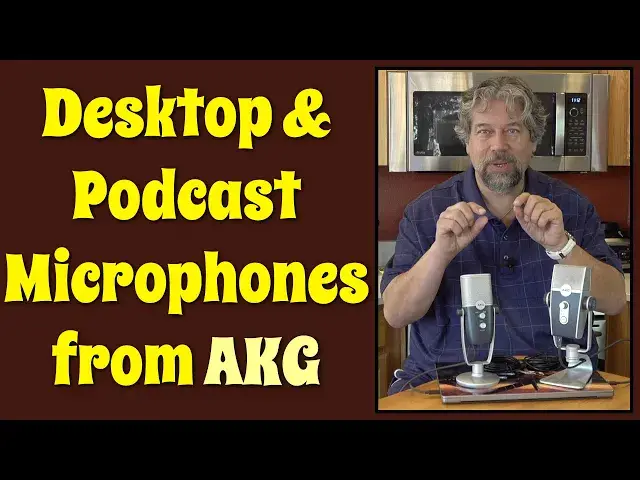
You don't have to be an aspiring musician to appreciate the benefits of a new microphone, but if you're a podcaster, livestreamer, singer or musician, you will be most interested in the newest microphones from AKG. Tech expert Dave Taylor checks out - and demos - both the AKG ARA USB Microphone and the AKG LYRA Ultra-HD USB Mic.
Check them out at: https://www.AKG.com/
Check out Dave's Q&A Web site at: https://www.AskDaveTaylor.com/
#akg #akgara #akglyra #microphone #hdmic #podcast #askdavetaylor
Show More Show Less View Video Transcript
0:00
Ready to up your audio game? Let's check these out
0:03
Dave Taylor here and I'm checking out new microphones from AKG
0:14
This is the AKG Aura, which is the little brother to this, which is the AKG Lyra
0:22
This is a USB condenser microphone with two different sound patterns, and this is an Ultra HD USB microphone with four different sound patterns
0:32
Let's start with this one. I'll give you the specs, then I'll give you the specs on this one
0:36
and then I'll do a demo so you can hear how they sound differently
0:40
and then I'll tell you about the price. So, as I said, we're going to start with this. This is the Aura
0:46
and it's 24-bit, 96 kilohertz at 20,000 to 20,000 hertz audio pickup
0:52
and it's 120 decibel sound pressure level at 0.5 total harmonic distortion
0:57
You got those numbers. Turns out they're not dissimilar to these, but we'll get to that
1:02
And like I said, it has two pickup patterns. It's front cardioid only, and this is the front
1:08
or you can turn it to front and back, and that's what this control is
1:13
And so you can see there's front and back control, there's headphone volume
1:18
and you can push the headphone button or the volume button, and you mute the microphone
1:23
And then on the bottom, there's a jack for the microphone, and then there's USB-C
1:29
So pretty straightforward, and it comes with this really nice weighted stand
1:34
It's non-slip. It all feels very professional. I really love the vintage design
1:40
It feels kind of 50s, but it has a very 21st century sound quality
1:45
So 16-ohm headphone output has, like I said, volume control for your headphones
1:50
if you want to use them as a monitor. It's a really smart thing to do to make sure it's picking up what you think it's picking up
1:57
Both of these are plug-and-play with Mac, Windows, iOS, and Android. You will need to provide your own cable because the only cable they come with is USB-C to USB-A
2:11
and that's why I actually am providing my own cables. I have USB-C to USB-C in both cases. They're my own cables. You can pick up yours
2:20
They're pretty inexpensive to pick up those little cables, and I really like the shorter length
2:25
It makes it a little bit tighter. This one, dimensions-wise, is 182 millimeters by 114 millimeters by 221 millimeters
2:35
and it's about 7 kilograms, which sounds like it's really heavy. It's not
2:41
They're both really light. This one's probably double the weight, but there's a lot more electronics in here
2:46
So that's the Aura. Now let's switch to the Lyra. The Lyra has a lot of the same features, but it's more. It's bigger. It's better
2:56
So 24-bit at 192 kilohertz with 129 decibels sound pressure level at, again, 0.5 total harmonic distortion
3:07
This one has more controls. This is the front, and it's a little confusing the way they designed it
3:12
because the four different pickup modes you switch on the back, and on the back there's also a microphone gain, which you'll undoubtedly want to fiddle with
3:23
And then on the front, you have the headphone volume, because on the bottom, again
3:28
you have a headphone jack, and you have that USB-C, which I'm utilizing
3:33
And so on the front, you see the indicators for which mode you're in
3:38
Even though this doesn't control them, that's actually controlled on the back
3:43
I have a feeling that they had a design where those two were switched, these two controls
3:48
and people liked being able to control and see what mode they were in
3:53
but they more wanted to adjust the headphone volume. So there's a little bit of having to wrap your head around that, but once you do, it's really easy to work with
4:02
Like I said, there's four capture modes. So there's front only, which is cardioid
4:07
front and back, and there's tight stereo and wide stereo. As you can see, it's taller, wider, bigger
4:15
This is like the Hulk when he's green, and this is the Hulk when he's just Bruce Banner, right
4:21
This is 247 millimeters by 107 millimeters by 152 millimeters. Now, what I want to do is I have them both hooked up to my new Apple MacBook Pro with the M1 chip
4:33
Crazy fast computer. Absolutely love it. I have them both hooked up, and I'm going to switch things around, and then I'm going to keep talking
4:41
but I'm going to switch which microphone you're hearing. So give me a second. Let me get it all set up, and I'll be right back
4:48
All right, I got it all set up, and I'm running Audacity. So this makes it easy because Audacity has different inputs
4:54
You can see here I have MacBook Pro microphone, but I can switch to the Aura or the Lyra
5:01
I'm not sure why the Lyra doesn't have the name Lyra, but it doesn't really matter
5:05
It's easy to figure out what's what. So what I'm going to do is I'm going to actually record myself with this
5:12
and then I'll splice it into the actual video so you'll be able to hear the differences
5:17
So first off, I'm now using the microphone built into the MacBook Pro
5:23
and that's just a reference point. And remember, this is a 2021 MacBook Pro, so it has a really pretty impressive built-in microphone
5:32
But now let's switch to the Aura. And now I'm using the Aura microphone, and it's not super far away from me
5:41
but you can hear the sound is good. If I don't like the gain level, I'm kind of out of luck because there's no user-adjustable gain
5:50
but this is something I could fix in edit afterwards anyway, or as they say in the biz, I could fix it in post
5:56
Now let's switch to the Lyra. The third one I'm going to try is the Lyra, which comes up here as the AKG C44, but that's okay
6:09
And now you're hearing me through the Lyra microphone. Remember, this one is the Ultra HD, so I should sound the best of all possible audio out of this
6:19
And again, I love the design. It's really fun. Let's go ahead and change. So I'm going to do tight stereo by switching
6:28
So this is now tight stereo, and you could decide whether it sounds different to you or not
6:34
These are the kind of things I think you would experiment with when you were in the studio
6:38
or working on your podcast or whatever. Now, let me jump back on camera
6:43
That worked out pretty smoothly, and the differences can be a little subtle when it's just a human voice
6:49
but if you were trying to record yourself playing an instrument or a conversation between multiple people
6:55
some of these differences would be more highlighted. Either way, though, between the design and the audio capabilities and the simplicity of use
7:03
for the most part, these are both really great options. Now, we do need to talk about price, but before we get there, I'm going to ask and invite you to subscribe to my channel
7:14
Really, really helps me get more leverage to get more cool gear and to give you straightforward, honest, and candid reviews
7:23
I don't pull any punches. If something's not good, I will absolutely tell you that
7:27
So subscribe, and then we'll be in touch. Leave me a comment. Give me some feedback, whatever. All of that, much, much appreciated
7:34
Okay, this, the little one, is the AKG Aura USB Condenser Mic, and it is $99 at akg.com and is a pretty darn good deal
7:47
Remember, if you have a USB-C computer, then the cable that comes in the box might not be what you need
7:53
and you might need to get something else. You could just order that at the same time, probably, and there's tons of options on Amazon, etc
8:01
Then this is the AKG Lyra Ultra HD USB Microphone, and it's a little bit more spendy at $155 at akg.com
8:13
Now, what I would say is if you're a podcaster, if you want to record voice, if you do interviews, this will be a great option for you
8:22
It's a little smaller. It's more portable. There's less controls to stress out or worry about
8:28
But if you're doing music, if you're a singer, if you, you know, really want to capture multiple conversations
8:35
and you really want to get the best possible audio quality, then the Lyra is a solid option for you
8:42
Again, I love the retro design. It's a little weird to have the different record modes on the front, on the LED
8:51
but the control for it on the back, but if you can wrap your head around that, and I know you can
8:57
then you're going to find this to be a really nice mic with a lot more power and capabilities than this one
9:02
So, those are your choices, and I'm going back to recording my own podcast
9:07
even though, well, actually, I guess I haven't recorded my podcast in a really long time
9:12
Anyway, I'm going to go back to testing out these microphones. That might be a safer bet
9:16
Anyway, I will hope to catch you in my next video. You can find me on Twitter at TheBetta
9:32
And you can find me on Instagram at TheBetta. And I'll see you next time
#Music Equipment & Technology
#Audio Equipment