Up next in 10


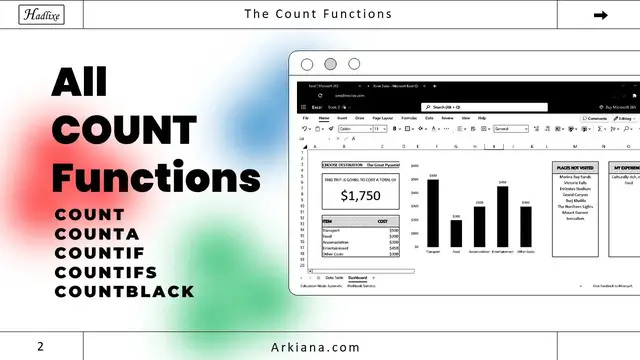
Understanding all the count functions in Excel. COUNT, COUNTA, COUNTIF, COUNTIFS, COUNTBLANK.
My Weekly Newsletter - https://arkim.substack.com
My blog - https://arkiana.com
My Website - https://hadlixe.com
Let's connect on Twitter - https://twitter.com/arkim_phiri
FREE SPREADSHEET TEMPLATES
Here are free spreadsheet templates - https://payhip.com/hadlixe
Show More Show Less View Video Transcript
0:00
If you have difficulties in understanding the count functions in Excel or Google Sheets
0:04
this video is for you. So I have this data which has the month, the customer, the product and also
0:11
the amount. Now we want to see how we can use all of these count functions on this data. So the
0:16
first one is the count function which is used on numeric values. So when you look at this table
0:22
the count function can only work for this one. So for example, if we say equals count
0:28
then we just select any of this data here. It's just going to say zero because these are not
0:34
numerical values. However, if we select all these values of the range all the way to the end and
0:40
cross the function, it's going to count all these numeric values. So that's how the count function
0:45
works. The count a function is going to count all the values that are not empty, whether they are
0:51
numerical values or just text values like that. So we can use count a to count any of these that
0:58
in here. So we're going to say equals count A and the range I'll just pick this one for customers
1:04
all the way to the end, close and we have the total number of entries in this column
1:09
The countif function will only count if one condition has been made. So here we can say countif
1:16
so we want to count the number of printers in this column so I'll just select the entire column here
1:21
put a comma then here I enter the name which is printer like so enter and we can see that in In this entire column there are 11 printers if we change this one to say laptops there are only seven so count if only counts if one condition
1:37
has been made the count is the same as the count if but with many conditions so here we can count
1:43
the number of printers that we are sold in january so here we can say count is so criteria range
1:50
number one we're going to pick the entire month column then want month to be let's say January
1:55
then we can put a comma and pick another criteria range so we'll pick this one and we want the
2:01
product to be printer once you do that you press enter so it's going to count the number of printers
2:06
that are in January so in this case it says three and sure thing when we look at this one we have
2:13
one there two and three so that's how count is worked the last one count blank is just going to
2:20
count the number of blank entries in your data. So in this case, we're going to say equals count
2:25
blank. Then the range, we want to count this range. Enter. And you can see we have one blank here. So
2:31
when we scroll down, you can see this is blank. If we delete this one, for example, it's going to
2:37
count two like that. And if we delete another one, it's still going to count like that. So that's how
2:43
all the count functions work. If you're interested in learning more about Excel, I'll link a tutorial
2:49
here for beginners thank you so much for watching and i'll see you in the next one
#Consulting
#Software