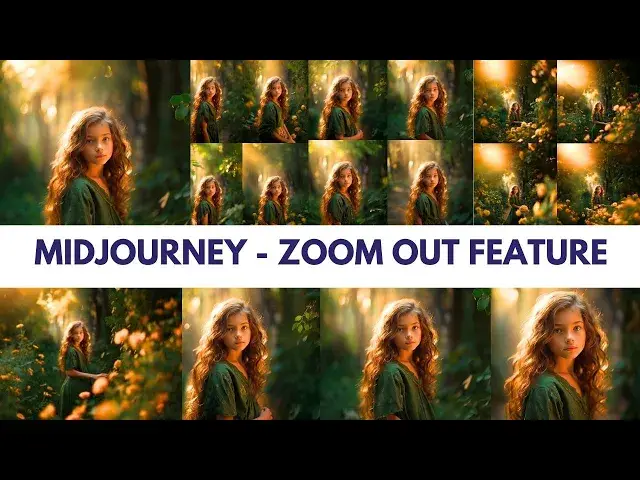

How to use Zoom Out Feature in Midjourney #aiart #midjourneytutorial #midjourneyversion5
May 15, 2024

Today, we're delving into the world of Midjourney's Zoom Out feature—an incredible tool for enhancing your AI art with Midjourney v5 AI technology.
Midjourney's "Zoom Out" feature extends your artwork's canvas without altering its essence, giving your creativity more room to shine and express itself through AI artistry.
Say goodbye to cropping hassles with Midjourney's "Make Square" feature, which maintains perfect aspect ratios, guided by emojis for picture-perfect results.
With the 🔎 "Custom Zoom" button, you have complete control over the zoom-out process, allowing you to customize values from 1 to 2—unlocking a touch of magic at your fingertips.
Utilize the --zoom 1 parameter in "Custom Zoom" to reshape aspect ratios without compromising quality, sparking new dimensions of artistic innovation.
Hold on tight! The 🔎 "Custom Zoom" feature transforms prompts, breathing fresh life into your creations and evolving your art in exciting and unexpected ways.
Midjourney's Zoom Out feature is your artistic journey, expanding horizons with endless creative possibilities—extending canvases, reshaping images, and transforming prompts. Dive into Midjourney's Zoom Out feature now to elevate your AI art to new heights! Don't forget to like, share, and subscribe for more AI art adventures. Keep creating and innovating with Midjourney v5
#aiart #midjourney #midjourneyversion5 #midjourneyai #midjourneyv5 #midjourneyart #midjourneyv4
Show More Show Less #Visual Art & Design
#Photographic & Digital Arts
#Clip Art & Animated GIFs
#Animated Films
#Other