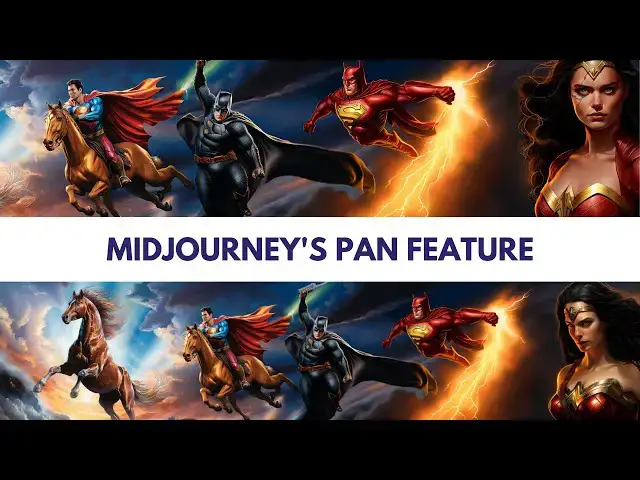

How to make panning video and paoramic image in Midjourneyv5 #aiart #midjourneyversion5
May 15, 2024

Join us on a journey through Midjourney's enchanting world of AI art and creativity. Learn to craft captivating panoramic images and dynamic videos step-by-step. Let's dive into the realm of Midjourney v5!
Begin with your inspired concept, like animals soaring like superheroes. Select a resonant image as your foundation, like a horse in flight. Activate remix mode with '/settings' for the pan feature, brought to life by Midjourney's cutting-edge AI technology. Guide your narrative with arrow buttons, witnessing your image's transformation. Text and visuals merge seamlessly, creating a dynamic story.
Iteration enhances your masterpiece with every pan, all made possible with Midjourney's AI art tools. Choose a pinnacle image to draw your audience in and watch Midjourney's AI in action. Visit ChatGPT with your image for a guiding script, making the creative process even more accessible. Bring your script to life with text-to-speech narration.
Assemble your masterpiece using editing software, and elevate it with fitting music for emotional impact. Add pan and zoom effects for a dynamic touch that Midjourney empowers you to achieve.
Midjourney v5 is your key to unlocking the potential of AI artistry and creating stunning visuals. Join the Midjourney community today and embark on your creative journey like never before.
Following are the chapters of his video
00:00 Introduction
00:31 Conceptualizing Your Vision
0:58 Choosing Your Foundation
01:25 Activating the Pan Feature
01:41 Start Panning
02:30 Weaving Text and Image
03:01 The Art of Iteration
03:39 Selecting the Apex
Show More Show Less #Movies
#Visual Art & Design
#Photographic & Digital Arts
#Crafts
#Clip Art & Animated GIFs
#Animated Films