0:00
uh hello guys welcome to this video so
0:02
in this video I will show you another
0:04
very popular AI coding assistant similar
0:06
to GitHub co-pilot and it does offer its
0:09
own editor similar to vs code and uh
0:13
this is the name of the editor is curser
0:17
cursor ai.com so official website is
0:20
ker.com and if you visit this they have
0:24
three pricing models first of all in the
0:26
free model you will get a two we Pro
0:30
trial right here which includes all the
0:32
features 2,000 completions but their Pro
0:36
Plan start from $20 per month it's a
0:39
very popular AI coding assistant
0:41
specifically for programmers and
0:43
developers and they do offer their
0:45
download for desktop software similar
0:49
it's 106 megab so simply download this
0:53
and uh it's a code editor where this AI
0:57
will function which provides all the
1:00
features such as AI code completion
1:02
debug your code analyze your
1:06
code and it will save you a lot of
1:09
time but uh it's a paid solution but
1:14
they do offer a two we paid trial where
1:17
you can try out for all the features if
1:19
you still like it you can upgrade to
1:23
plan so I'm just showing you how to
1:26
install this so just wait for the
1:42
complete so now it is installed here
1:44
guys so open the setup file so it's very
1:55
except the folder already exist would
1:58
you like to install to folder anyway and
2:09
yes so it is just installing it so just
2:12
wait for the installation to finish
2:43
so now it is installed here so it will
2:46
automatically launch this curser AI
3:00
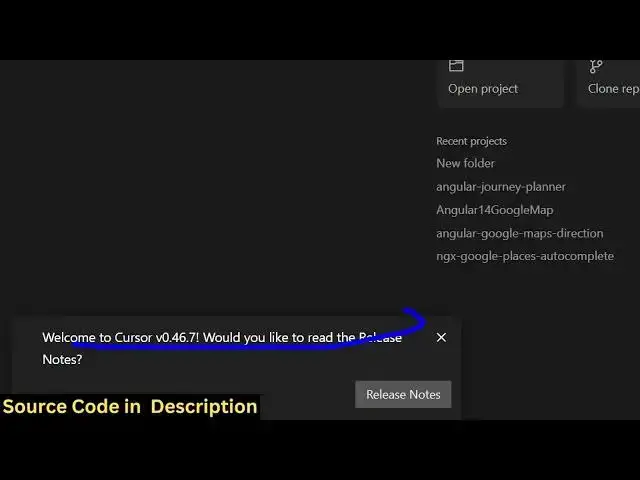
so now it will open right here if you
3:02
see so you can open a project or also
3:06
clone the repo or connected by
3:09
SSH so you can see welcome to
3:15
cursor so we can create a project or
3:21
project so I will say open new text file
3:26
so control K is the shortcut control k
3:29
and here you will basically ask a
3:31
question I will say build a
3:36
simple calculator and
3:42
HTML so by default it's using this uh
3:57
model you can even open a project here
4:00
let's suppose if you have a project rade
4:10
like so it will open like this and
4:19
uh you can create a new file here
4:47
control K is the shortcut here say build
5:36
can just provide some
6:05
so this is actually the code based noing
6:11
here can see thank you for trying cursor
6:21
Pro so you can actually use this guys
6:26
simply but you need to upgrade to paid
6:28
plan because they will force you to pay
6:32
so thank you very much for watching this
6:35
video also check out my website as well
6:37
free mediat tools.com uh which contains
6:41
thousands of tools regarding audio video