0:00
uh hello guys welcome to this video so
0:02
in this video I will show you how to
0:03
integrate the Sublime Text 34 themes
0:07
inside your vs code Sublime Text is very
0:10
popular editor similar to vs code but
0:12
it's not that popular but still at times
0:15
if you want to uh integrate the
0:17
functionality inside vs code so you can
0:20
see it's not a free editor it's a paid
0:23
editor that's why there is a buy option
0:26
available right here so you need to
0:28
purchase the license here which is $99
0:34
uh very much for developers so there is
0:37
uh some extensions which are developed
0:39
for vs code so just go to the extensions
0:41
tab just write Sublime Text right here
0:44
and uh just write Sublime Text theme as
0:48
soon as you write this you will see
0:50
quite a number of themes which pop in
0:52
this is actually the sublime material
0:55
theme which is quite popular around 1
0:57
million downloads and uh it actually if
1:01
you integrate this click the install
1:03
button just activate this theme and
1:05
there are three two versions this is
1:07
actually the Dark theme and it looks
1:10
something like this you'll see it adds
1:12
the nice little black background color
1:14
alongside with the nice little
1:20
uh then we also have the light theme
1:25
which actually adds the white background
1:28
color but I found the dark one to be
1:31
more good and then we also have more
1:36
there I think yeah this one Sublime Text
1:40
for theme this is also an third party
1:42
extension developed by this person so
1:45
just type Sublime Text theme and all
1:47
these extensions will come so I'm just
1:49
showing you one by one which one suits
1:52
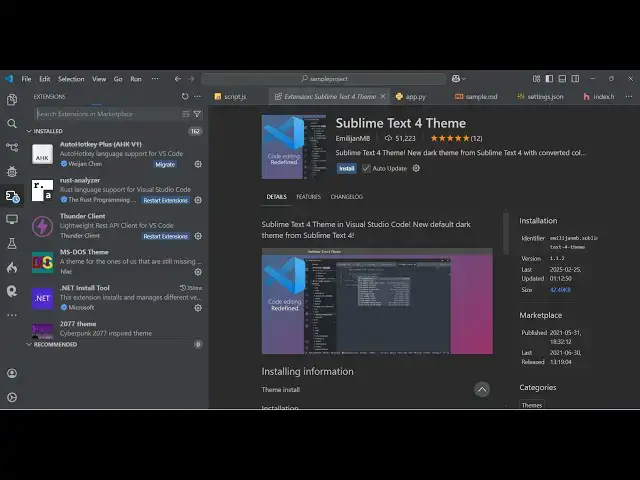
you the best so just activate this
1:55
Sublime Text four theme so this is
1:57
actually the same theme that you see
1:59
inside Sublime Text as well so once you
2:02
install the Sublime Text you see the
2:04
nice same com color combination that you
2:07
are seeing and uh there are more
2:11
extensions there which
2:15
is this is Sublime Text vs code
2:21
theme yeah so I think this one is
2:25
uh is very popular theme Sublime vs code
2:28
theme so just install this let me show
2:31
you this theme so this encapsulate the
2:35
same theme that is used Sublime vs code
2:37
theme so now if you see it is actually
2:40
having the same interface same UI which
2:43
is used in Sublime Text so this
2:45
extension does the great job so you can
2:48
see it is quite looking like Sublime
2:51
Text so you can make your vs code AS
2:53
Sublime Text by using this extension
2:55
which is Sublime vs code them it's
3:00
installs so it looking like Sublime Text
3:02
right here and then in the sidebar
3:04
you'll see the it actually converts your
3:06
sidebar into white color white
3:09
background color so it's a quite a nice
3:14
extension guys so just install these
3:17
three these extensions that I showed you
3:20
and thank you very much for watching
3:21
this video and also check out my website
3:24
as well free mediat tools.com uh which
3:27
contains thousands of tools regarding
3:29
audio video and image