Up next in 10

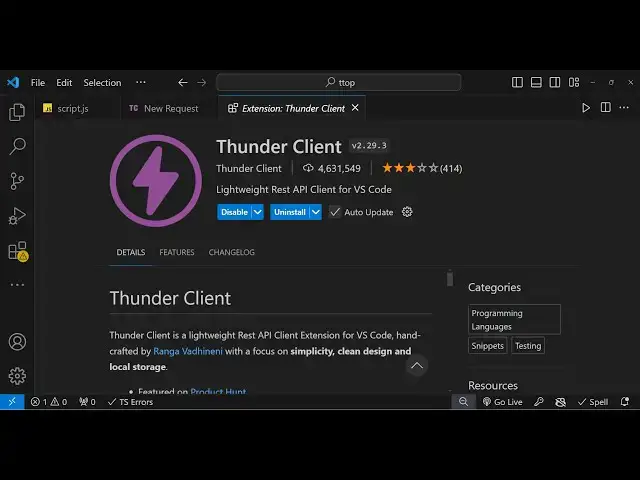
VS Code Postman Alternative to Test REST APIs Easily Using Thunder Client Extension Full Tutorial
Jan 9, 2025

Hi Join the official discord server to resolve doubts here:
https://discord.gg/cRnjhk6nzW
Visit my Online Free Media Tool Website
https://freemediatools.com/
Buy Premium Scripts and Apps Here:
https://procodestore.com/
Show More Show Less View Video Transcript
0:00
uh hello guys welcome to this video so
0:02
in this video I will show you a postman
0:04
alternative inside vs code in order to
0:06
test out rest API very easily the name
0:09
of the extension is thunder client so if
0:12
you just go to extensions just type this
0:14
thunder
0:16
client so this will come lightweight
0:18
rest API client for vs code it's very
0:21
popular extension it's very easy to use
0:24
so let me just show you the amount of
0:26
downloads it has 4.6 million downloads
0:29
the r rating is also very good so simply
0:32
click on the install button so once you
0:34
install this plugin it will be Global
0:38
globally installed inside your vs code
0:41
and now to
0:42
get now to use this so there will be
0:45
this additional view settings and you
0:48
will see this option Thunder client or
0:50
you can simply hit this shortcut key
0:53
which is control shift R so you can even
0:56
say control shift R to actually make a
0:58
new new request
1:00
so you will see
1:01
this you will see this button or you can
1:05
simply writ control shift p and here you
1:08
can just write thunder client so in any
1:11
way you can use this so new request you
1:14
will open this window or new request
1:16
like this so in any way you will see
1:20
this interface by which you can make
1:22
these request get request post request
1:24
put delete bad head everything that you
1:26
see in inside Postman the interface is
1:29
really simple guys very simple and uh
1:32
you can use it for totally free it
1:34
doesn't cost any money so in the left
1:37
hand side you will actually enter the
1:40
URL that you want to
1:42
send and on the right hand side you will
1:44
see the response so if I send this
1:46
request you will see this status code
1:49
which is 200 the request is successful
1:52
the size of the request time taken which
1:55
is 873 millisecond you will see the
1:57
response which has come it's a Jon
2:00
response it has various properties so in
2:03
this way you can test out your rest apis
2:05
that you make during development very
2:07
easily without leaving vs code using
2:09
this tender client extension so let's
2:11
suppose if I make a Json placeholder
2:15
typo code post this is a fake rest API
2:18
for developers so we are simply testing
2:20
out a simple re you will see that so it
2:22
will return me these uh different kinds
2:24
of post having user ID title body you
2:28
will see that so we have just make a
2:30
simple Json placeholder API get
2:34
request so status is
2:37
200 so if I only want the first request
2:39
I will simply pass it a cery parameter
2:43
one it will only return the result for
2:46
user ID 1 so now if I want to make a
2:48
post request I will simply select a drop
2:51
down from post change it get to post and
2:54
here inside the body we do need to
2:56
provide the title so we simply write
2:59
this Json which is we need to give it
3:01
the title sample post and then we also
3:06
need to give the body as
3:10
well this is the body of the post so now
3:14
you can s simply send this so URL will
3:18
be simply SL
3:19
poost and now you will see 2011 this
3:23
post has been created with the fake rest
3:25
API so 83 time so now it will return you
3:30
the newly created post which is a title
3:32
that we provided body and it will
3:35
actually insert this ID automatically
3:37
this fake rest API which is 101 so ID is
3:40
unique so in similar way guys if you
3:43
want to update the you will make this
3:47
put request this will update the
3:49
existing content so here we do need to
3:52
provide the ID that you want to update
3:55
so right here we are providing the ID
3:58
one
4:01
so you will see status 200
4:06
okay so if you want to change you will
4:09
see we have successfully
4:11
updated
4:13
this so if I change this to so now the
4:17
post will be successfully updated you'll
4:19
see that status 200 so this time we have
4:23
updated the existing post which was
4:25
having this ID one you can change the ID
4:28
here let's suppose two
4:30
so here the ID will change here too so
4:32
we have successfully updated it so
4:34
similarly we can make the delete request
4:37
so if you want to delete this second
4:39
post so here we don't need this Json
4:42
response in the body you can simply send
4:46
so status comes out 200 that post is
4:48
deleted you will see this empty object
4:51
which is returned in the response right
4:53
here so we can basically perform all the
4:55
four rest operations which is create
4:58
read update and delete so so in this way
5:00
you can test out it's a great
5:02
alternative Postman alternative in order
5:05
to use it inside vs code so it's totally
5:08
free you should definitely install it I
5:10
personally use it a lot Thunder CL this
5:13
is extension so thank you very much for
5:15
watching this video If you like this
5:17
video then please hit that like button
5:18
subscribe the channel and I will be
5:20
seeing you in the next one
#Programming
#Software