0:00
uh hello guys welcome to this video so
0:02
in this video I will show you one
0:03
extension in vs code which lets you use
0:06
the atom IDE which is also a very famous
0:10
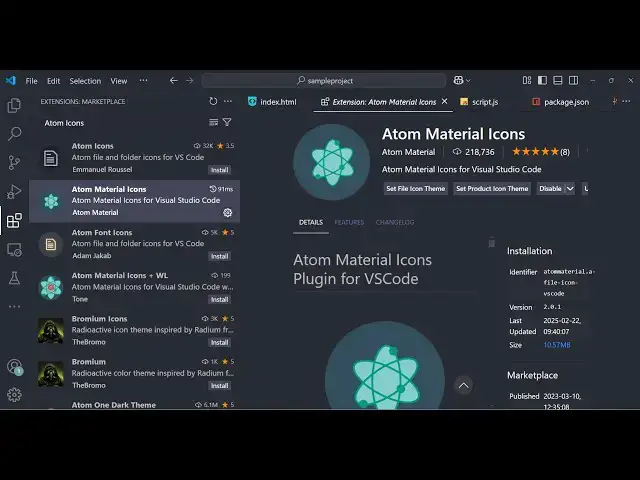
IDE for coding so there is an extension
0:13
atom material icons so if you want this
0:16
to actually use the atom material icons
0:18
and vs code you can actually install
0:21
this extension which is developed by
0:24
material just click the install button
0:34
installs so you can actually set the
0:37
file icon theme to atom material icons
0:43
to material icon theme so this is
0:46
material icon and this is the atom one
0:49
so let me change to atom material icons
0:51
so I activated the theme so now you can
0:55
see the icons are appearing like this
0:58
this is Javascript this is J one this is
1:00
package I think this one looks great
1:03
because it actually signifies the icons
1:06
here this is the windows e exe file here
1:08
executable file so it has a Windows icon
1:13
so similarly which icons are used in
1:15
atom IDE so you can easily use this
1:19
extension I just activate this extension
1:22
and use these icons which is available
1:25
right here so these icons if you see
1:28
atom just search on Google atom is a
1:31
very popular ID and if you want to use
1:35
the icons right here in vs code you can
1:37
install this extension and activate this
1:39
so it's very simple process just go to
1:42
the extensions tab just search for this
1:45
icon uh atom material icons this
1:48
extension will pop in so simply install
1:55
icons so in this easy way you can do
2:00
thank you very much for watching this
2:01
video and also check out my website as
2:04
well free mediat tools.com uh which
2:07
contains thousands of tools regarding
2:09
audio video and image and I will be
2:11
seeing you in the next video