Up next in 10

This a0.dev AI Coding Builder & Agent is INSANE to Build & Deploy Mobile & Web Apps From Prompt
Apr 9, 2026

Watch My Visual Studio Code IDE Setup Video For Fonts,Themes & Extensions
https://youtu.be/Bon8Pm1gbX8
Hi Join the official discord server to resolve doubts here:
https://discord.gg/cRnjhk6nzW
Visit my Online Free Media Tool Website
https://freemediatools.com/
Buy Premium Scripts and Apps Here:
https://procodestore.com/
Show More Show Less View Video Transcript
0:01
Uh, hello guys, in this
0:03
uh, live stream, I will show you yet
0:05
another AI coding builder and agent
0:07
which allows you to build out
0:10
full stack coding applications directly
0:12
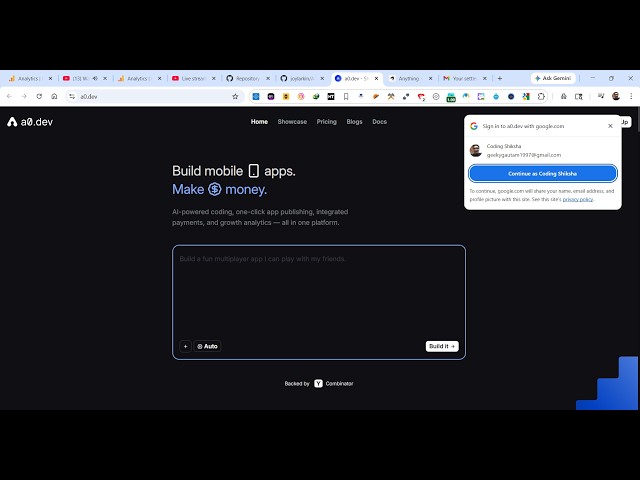
from your prompt. So, if you go to
0:14
Google, simply type for this AI platform
0:16
a0.dev.
0:19
So, the very first result which comes
0:22
So, it's specifically for mobile
0:24
applications. So, if you're a mobile
0:25
developer, you can directly publish
0:27
quality professional-looking mobile
0:29
application and publish directly to App
0:32
Store.
0:33
So, once you go to the platform,
0:36
it's completely free to try. Uh, I have
0:39
basically created many mobile
0:41
applications from this platform. So,
0:44
right inside the chat prompt, you will
0:45
specifically tell what sort of mobile
0:47
application you want to generate.
0:49
So, I've already signed up, as you see,
0:52
using a free account.
0:56
So, right here I want to build out a
0:58
image-to-PDF
1:01
app.
1:02
So, I will specifically tell what sort
1:04
of application I want. Click on build
1:06
it.
1:08
So, as you will see, it it will actually
1:11
build out your application with live
1:13
preview. It will also start a direct
1:16
mobile
1:17
server where you will actually see the
1:20
actual app built.
1:22
Here you will see all the code.
1:25
This is actually their full stack coding
1:27
editor.
1:29
So,
1:30
the pro plan start with $20 per month.
1:33
It gives you around 100 credits per
1:35
month. And you will be able to build out
1:38
unlimited apps, custom domain. You can
1:40
even connect and export your code as
1:42
well.
1:43
It also has a $200 plan as well, which
1:46
gives you
1:48
1,250 credits per month.
1:52
So, you can just see here,
1:54
it's actually building out.
1:57
You can test it in your own device as
1:59
well by scanning this QR code and
2:02
directly installing that application.
2:04
You also get the publish button as well
2:06
right here.
2:07
You can publish it to Play Store as well
2:09
directly.
2:11
You can connect your
2:12
App Store, Apple, or Android, or A Store
2:16
and directly publish the mobile
2:19
applications which are created using
2:21
this platform. So, I found this platform
2:23
to be very
2:26
So, I think I reached my daily limit.
2:29
So, what I will do, I will log out from
2:31
this account
2:32
to actually show you.
2:34
Yeah. So, let me sign up with a
2:36
different Google account. So, you can
2:38
actually get started for completely
2:40
free. Just actually select your Google
2:42
account. Click on sign up.
2:44
And, just create some sample apps. If
2:47
you then like the platform, then you can
2:49
subscribe to their paid plan. So, you
2:51
just answer some of these questions is
2:54
first time building a mobile
2:55
application.
2:57
So, click on continue, redirect you to
2:59
the dashboard. So, on my phone
3:03
or on my computer. So, just select these
3:05
options.
3:10
>> [snorts]
3:10
>> So, after you will
3:13
select all these questions, you will be
3:15
redirected
3:16
to the dashboard area.
3:19
Just setting your account here.
3:21
So,
3:23
get 50% off on your first plan.
3:32
Click the cross button.
3:37
So, I think, uh,
3:40
if you click the get pro,
3:51
So, you can actually complete the
3:53
payment here.
3:54
So, this is a free plan that here,
3:57
image-to-PDF app.
3:59
So,
4:02
from here you can also switch different
4:04
AI models which are there. So, all the
4:05
AI models are present, OpenAI, Claude,
4:09
Gemini. Each and every model will be
4:11
present. So, from here you can select a
4:14
model.
4:16
This is your code editor, data
4:18
analytics, payment settings.
4:20
So, it's an all-in-one AI mobile
4:22
application builder, a0.dev.
4:25
Definitely visit this and
4:28
unfortunately, they have turned disabled
4:30
the free
4:32
account here. So, now if you are using
4:35
this platform, you do need to upgrade
4:37
first of all. Just upgrade with the $20
4:39
plan
4:40
and get 100 credits. So, just click that
4:43
and enter your credit card information
4:46
and directly purchase the subscription
4:48
and
4:50
you can pay using PayLink or Amazon Pay
4:52
or credit card as is also accepted.
4:56
So, personally, I tried this platform
4:58
before when they were released
5:00
early on.
5:02
But now, from here you do need to
5:04
purchase a subscription to actually
5:06
access all the features.
5:08
So,
5:09
you get 50% off on the first month of
5:12
the max plan. So,
5:15
definitely check this out.