live_tv
Livestream Starting Soon
00
Hours
:
00
Minutes
:
00
Seconds
Up next in 10

Node.js FFMPEG Video Editor Project to Trim & Merge Videos Using Timestamps and Automate it in CMD
Jan 9, 2025

Buy the full source code of the application here:
https://procodestore.com/index.php/product/node-js-ffmpeg-video-editor-project-to-trim-merge-videos-using-timestamps-and-automate-it/
Hi Join the official discord server to resolve doubts here:
https://discord.gg/cRnjhk6nzW
Visit my Online Free Media Tool Website
https://freemediatools.com/
Buy Premium Scripts and Apps Here:
https://procodestore.com/
Show More Show Less View Video Transcript
0:00
uh hello guys welcome to this video so
0:03
in this video I will uh basically show
0:05
you this automation script that I
0:07
developed inside python which is
0:10
actually using the fmpg library so let's
0:14
suppose you have a video right here
0:16
inside uh this is actual
0:20
video sample. MP4 in my root directory
0:23
so here we will be trimming this video
0:26
based upon the time stamp that you
0:28
submit time stamp is nothing but the
0:30
actual time that you set right here
0:33
based upon that we will be generating
0:35
multiple videos highlights so here you
0:38
can submit in which time period you need
0:41
to create or stream or cut the video and
0:44
also the script will automatically
0:45
create those videos in a brand new
0:48
folder and also it will create one video
0:50
which will actually be the concatenation
0:53
of those cut videos so this will create
0:57
two things at one time so it's a fully
1:00
automation script written in Python so
1:02
it is actually using uh sorry in nodejs
1:05
sorry sorry sorry in nodejs not python I
1:08
was just misspelling that we are
1:10
actually using this index.js program and
1:12
we have this input file sample. MP4 and
1:15
this timestamp do this file basically
1:19
here you need to create this files and
1:22
just provide the name of the video file
1:25
so I have just provide sample. MP4 and
1:28
then you need to provide the time period
1:31
so if you see this is 26 minutes long
1:35
video 26 minute long video it is there
1:38
now I need to basically we can trim any
1:41
portion from any location so you just
1:43
need to put the location so let's
1:45
suppose I want to trim from the this
1:48
time period 4th minute and then you need
1:53
to put dot and nine zeros 1 2 3 4 5 6 7
1:57
8 9 and then space and then you need to
2:02
put the second time period from which
2:05
location to so I need to trim
2:09
This and like this so This signifies the
2:12
minute this signifies seconds and Dot 0
2:16
0
2:17
0 4 5 6 7 8 9 so you need to put these
2:22
nine zeros plus dot symbol every time
2:24
that you put this is the required by the
2:27
script if you don't do this you will get
2:29
error and same but you can copy this
2:32
paste it four more times you can
2:35
basically
2:36
addit let me put eight here and
2:42
uh so now it will create four videos
2:46
guys so same
2:49
12 and I will say 12
2:54
here
2:58
16 and 16 16 so what does this script is
3:02
doing guys basically it is looking for
3:04
this file
3:05
.txt and based upon this file we have
3:08
provided the time stamp which is uh it
3:11
will first of all trim the video from
3:14
this location 4th minute 5th second and
3:17
then it will go up till 4th 20 so there
3:20
will be the single video created for
3:22
this so single video will be created and
3:26
then it will come to this second line so
3:28
this will be the second video created
3:29
with these time
3:31
periods every video will be having 15
3:34
seconds long because we have put the
3:35
duration this is 5th second this is 20
3:38
seconds so 20 - 5 is 15 seconds so every
3:41
video length will be uh 15 second so you
3:45
just need to fourth video four videos
3:48
will be generated so just delete that
3:50
because this a txt file not
3:54
a so if you run the script guys now
3:57
there it will create a folder you just
3:59
need to run this file so what we can say
4:02
we can run this file node
4:05
index.js it will first of all ask the
4:07
keep all the video segments default
4:09
option is yes but you can even say no
4:11
also so I will say enter so one by one
4:14
it will create it will now do this
4:18
process to you you will see
4:21
that one by one it will actually create
4:25
so both the four videos will be
4:28
generated each each 15 second long and
4:31
you will see
4:33
that it is actually generating it and
4:36
Sample video One 15 second long Sample
4:39
video 2 3 4 and it will actually also
4:44
create this
4:46
uh the fourth video as well it will also
4:51
merge those videos together so 15 15 it
4:56
will be 1 minute long video you will see
4:59
it will also combine all these four
5:01
videos into one also and it will give
5:04
you this automatically So based upon
5:06
that whether you want this video or this
5:08
individual videos you can select you
5:11
just need to mention the location time
5:12
period so you have successfully
5:14
mentioned these time periods you can
5:15
cross verify with your own videos as
5:17
well so it has trimmed that portion and
5:21
created this video right here so this is
5:23
really useful guys in those situations
5:24
if you have a very long video if you
5:26
want to create highlights let's suppose
5:28
if you want to split your videos into
5:30
multiple videos short little videos you
5:33
can use this fmpg script and
5:36
automatically mention the timestamp and
5:38
based upon that Tim stamp this script
5:40
with will cut the video into individual
5:43
videos based upon the time stamps which
5:46
are mentioned inside the txt file and
5:48
it's a nodejs program and you should
5:51
have fmpg installed as a commandline
5:54
dependency inside your computer so if
5:57
you need the script guys the link is
5:59
given in the description of the video
6:01
both the payment links are given you can
6:03
purchase it from PayPal in United State
6:05
dollar or you can go to stripe and
6:07
purchase the source code in Indian
6:09
rupees so both the payment links are
6:11
given after you purchase it you will
6:13
actually get a zip file from Google
6:15
Drive you can extract the Z file and
6:18
basically get this script with all the
6:20
directory structure and the
6:22
documentation so if you have still out
6:24
you can contact me at my email and phone
6:27
number I will help you so basically this
6:30
is the actual script right here it will
6:32
generate these four videos and based
6:34
upon let me open the script here we are
6:36
actually using the built-in modules guys
6:38
we are using the file system module
6:40
which is a built-in module in nodejs and
6:43
also we are using the child process
6:45
module which is actually the built-in
6:47
module in nodejs and this contains this
6:50
method which is execute
6:52
synchronize which actually is allowed to
6:56
execute command lines in
6:58
nodejs so if you basically want to
7:01
execute a command so fmpg - I if you
7:05
want to programmatically execute these
7:07
commands by a nodejs we are using this
7:10
child process module this is used by
7:13
this and simply this as you can see it's
7:15
a very long script about 387 lines of
7:19
code so it's a very complicated script
7:21
that I developed and it will give you
7:25
this so first of all just go to FFM pg-g
7:29
G you should have this installed it's a
7:31
crossplatform audio processing and video
7:34
processing tool simply click download
7:36
and uh select your operate operating
7:39
system and mine is op windows so I've
7:43
already downloaded that and installed
7:46
it just type fmpg if it is successful
7:49
then you successfully installed it and
7:51
also make sure guys you need
7:54
to edit your environment variables and
7:57
just uh add the path inside fmpg path
8:02
inside I've already added this
8:05
path fmpg path right here if you see C
8:10
drive fmpg Dash pin you need to have
8:13
added this path so that fmpg can be
8:17
globally available inside your command
8:18
line so you should have installed these
8:22
fmpg before running the script and uh
8:25
this will give
8:27
you you can as many times times as you
8:30
can guys it totally you just need to
8:33
paste them and it will basically
8:35
generate individual videos based upon
8:39
that uh it's a very handy script and
8:51
uh so you can see that so you don't need
8:55
a automations basically video editor you
8:58
can do it from this nodejs script which
9:02
saves you a lot of time and it's very
9:04
efficient as well at the same time
9:07
because it doesn't consume any Ram or
9:09
anything it works in the command line
9:13
and uh it is very good for day-to-day
9:15
purpose if you want to trim videos join
9:19
videos
9:27
so so once again now in this case it
9:30
will now generate uh I think six videos
9:34
so if you select no option here that uh
9:37
video last video will not be generated
9:39
with which in consist of all the videos
9:42
so it will now just create the
9:44
individual videos from the time time
9:49
that you have
9:51
mentioned this is the first video 15c
9:55
long video this is the second video it
9:58
is just generated in it so it typically
10:01
uses
10:02
your G GPU graphical Processing Unit
10:05
guys if you have dedicated GPU it will
10:08
automatically detect and it will use
10:10
your GPU and I just made this script to
10:13
automatically detect if you have a
10:15
dedicated GPU in my case I do have a
10:18
dedicated GPU so it is using that GPU to
10:21
actually carry out the conversion
10:22
process so graphical Processing Unit
10:25
basically increasing the speed of
10:28
fmpg and it doesn't put load on CPU so
10:33
it is very tast efficient script that I
10:36
developed in nodejs which also saves you
10:39
a lot of time and processing time of
10:41
your CPU as well so it will not be a
10:44
very good it will not put a lot of
10:48
load so you will
10:52
see okay Total video segments removed
10:55
seven video
10:58
trimmer has has finished merged output
11:01
video should be 1 minute
11:04
45
11:07
Long total processing time if you see
11:10
basically total processing time is this
11:14
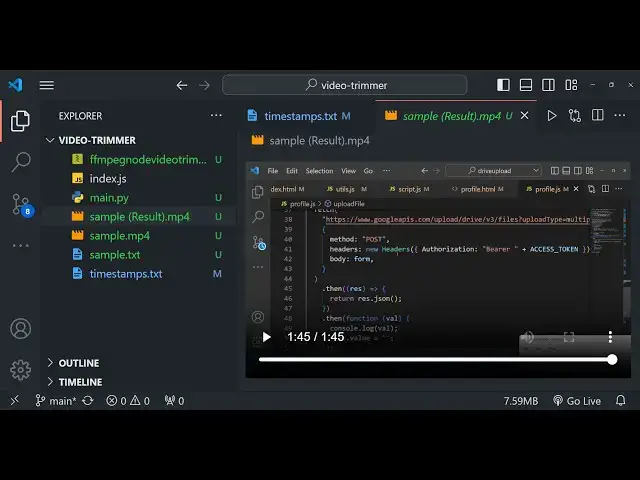
so it has created this single video and
11:16
you can see the single video is 1 minute
11:19
45 second long so basically this was the
11:22
original video so what does it created
11:26
basically it remove those individual
11:28
video and it basically concatenated the
11:32
various time stamp that you mentioned
11:33
right here and just created a single
11:35
video so one minute 45 second long video
11:39
so in this way if you want to trim
11:43
various sections of the video into a
11:45
single video then you can even do that
11:47
also from the script just mention the
11:49
time stamp and when you run this just
11:51
select the no option if you don't want
11:53
to save those if you want to save those
11:56
then click yes so it totally depends
11:59
depends upon which option that you
12:00
select and it's a very good script that
12:03
guys I'm giving you the link is given
12:05
you can directly purchase it the source
12:07
code and after that you will get the
12:10
script and
12:12
uh you can edit any file all extensions
12:16
are supported I'm just taking the
12:18
example for MP4 mov Avi any video file
12:22
extension is supported so thank you very
12:25
much guys for watching this video and
12:27
please hit that like button subscribe
12:29
the channel and I will be seeing you in
12:31
the next video