0:00
uh hello guys welcome to this video so
0:02
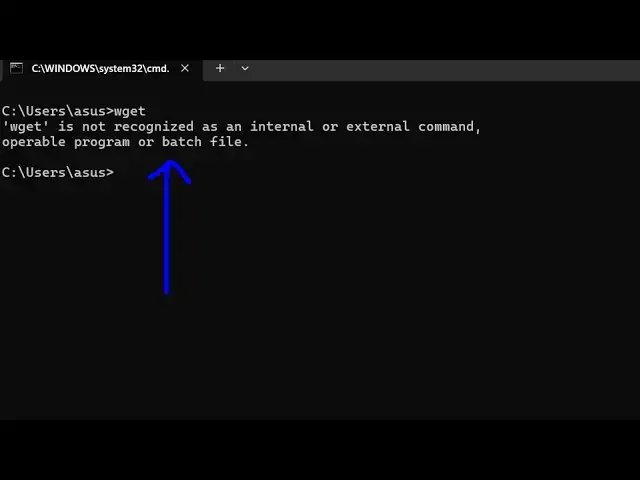
in this video I will show you if you are
0:04
getting this error message W get if you
0:07
type on command line if it is saying
0:11
recognized as an internal or external
0:13
command this means that you haven't
0:16
installed it so w is not part of Windows
0:19
it actually is a thirdparty program you
0:22
do you need to install
0:24
it so you can install it Glo just type
0:28
on Google download down Lo wget for
0:31
Windows and the very first website which
0:34
comes simply go to this website and
0:37
there will be the setup file complete
0:39
package accept sources click on the
0:43
setup and you will be redirected to this
0:48
sourceforge.net and your download will
0:51
start after 4 seconds so I've already
0:56
downloaded the setup file which comes
0:59
only 2 mgab setup file so you just need
1:02
to run this setup file allow the
1:05
permission and then click on next and
1:07
then accept the agreement and then click
1:10
on next so the default location will be
1:13
C program files x86 it will create this
1:23
next so then the installation will
1:25
finish and as soon as you do this
1:30
you can even search it from the start
1:34
menu or then you can go to your program
1:40
folder and inside this it will create
1:43
this folder which will
1:56
be uh let me see which for fer it
2:05
forgot yeah gnu 32 win32 gnu win32 just
2:11
folder you'll see this folder will be
2:14
there and inside this there will be this
2:16
bin directory and just this is actually
2:22
get and if you try to open command line
2:25
here and just type this command you will
2:28
see the command will be successful
2:30
so now what you need to do you need to
2:33
globally register this uh URL so simply
2:37
right click copy this whole URL and then
2:41
you need to go to your environment
2:44
variable right here and then go to the
2:47
system variable and just register it in
2:50
the path so click on edit and just put a
2:54
new entry and paste the path so as soon
2:57
as you paste this complete path of this
3:00
executable now if you restart your
3:04
terminal and then open just type the
3:07
command W get you will see the command
3:09
will be successful so in this way you
3:11
can fix that error message by First
3:13
downloading it and then registering it
3:16
inside your environment variable so
3:19
thank you very much guys for watching
3:21
this video and also check out my website
3:23
as well free mediat tools.com uh which
3:27
contains thousands of tools regarding
3:29
audio video and image and I will be
3:32
seeing you in the next video