0:00
uh hello guys welcome to this video I
0:02
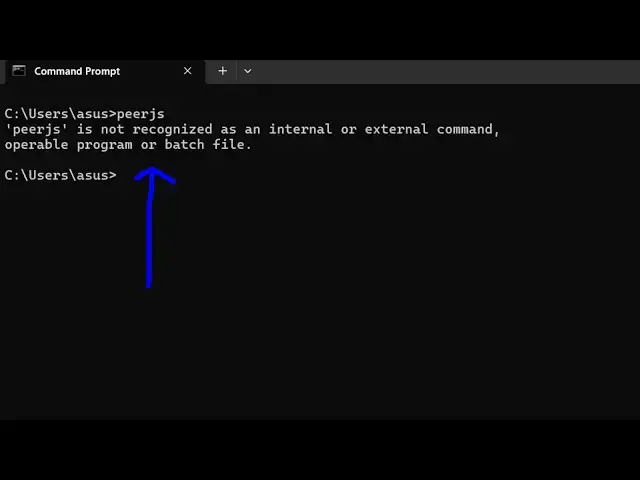
will show you if you are getting this
0:04
error message as you type uh
0:07
PJs uh you are getting this message PJs
0:10
is not recognized as an internal or
0:12
external command uh obviously you
0:15
haven't installed this Library so PJ if
0:19
you don't know it's a web RTC Library
0:23
simple peer to-peer connection with
0:25
multiple clients if you have want to
0:28
build a video and audio chatting kind of
0:30
an application so you can even access it
0:32
using the command line that they provide
0:34
you but for that you need to install
0:37
this package so to fix this error
0:39
message you simply should have nodejs
0:42
installed so I'm just using the latest
0:45
version of nodejs which is 2213.058419
1:00
by executing this command npmi and - G
1:03
for Global installing this package on
1:07
the system on the command line and then
1:09
Pier so this is actually the command you
1:11
just write this command and it will
1:13
globally install this package in the
1:16
terminal so you can see it has added 108
1:20
packages so if you type the same command
1:23
PJs and if you want to start this
1:28
9,000 you will see the command will be
1:31
successful so it has started the pier
1:35
9000 so in this easy way you can fix
1:39
this error message by simply globally
1:41
installing this uh you'll see the server
1:44
has been started on Local Host 9,000 so
1:47
this is a prgs server a server side
1:49
element to broker connection between
1:53
clients so this is actually the third
1:55
party Library so just follow this
1:59
command to install it globally inside
2:01
your terminal and just fix the Ser
2:03
message and thank you very much guys for
2:06
watching this video and also check out
2:08
my website as well free mediat tools.com
2:10
uh which contains thousands of tools
2:13
regarding audio video and image and I
2:16
will be seeing you in the next video