0:00
uh hello guys welcome to this video so
0:02
in this video I will show you a v Visual
0:04
Studio code extension you should have or
0:07
must have while coding and developing
0:09
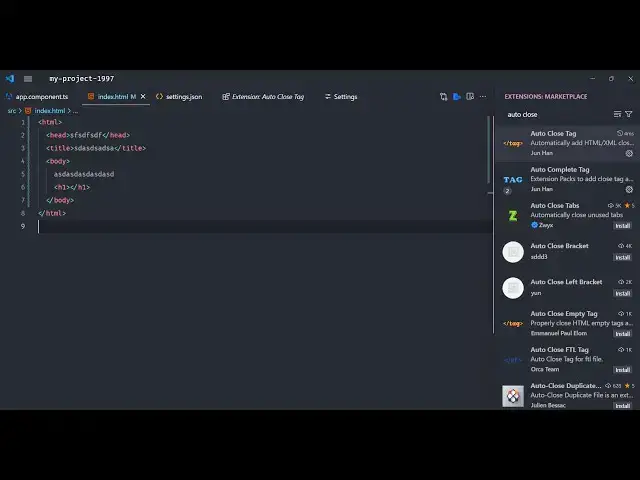
your applications so this is developed
0:12
by Janan autoc close tag so if you want
0:16
to enable this autoclose tag
0:18
functionality just search in the
0:20
extensions Auto autoc
0:23
close there will be two extensions which
0:25
will be there which is developed by the
0:27
same person Joan Han so simply go and
0:31
enable these extensions install
0:35
it so what this will do guys it will
0:37
actually enable the autocomplete and
0:40
autoc complete tags so if you are inside
0:45
file so you can see as I'm just
0:48
automatically that closing tag is there
0:51
you can see that so it basically boost
0:53
up the speed of your application
0:57
development so it takes because because
1:00
after this autoc close basically this
1:03
automatically does by itself so if you
1:06
close any if you open any tag right here
1:09
let's suppose H1 tag this automatically
1:11
closes this with this ending tag as well
1:14
so these are the two extensions you
1:16
should autoc close tag developed by the
1:19
same person simply install them and now
1:21
you can use this auto complete feature
1:24
in vs code auto complete
1:27
bracket so this was the extension so
1:30
thank you very much for watching this
1:32
video and also check out my website as
1:34
well free mediat tools.com uh which
1:37
contains thousands of tools regarding
1:39
audio video and image and I will be
1:41
seeing you in the next video