0:00
uh hello guys welcome to this video so
0:02
in this video I will show you one
0:04
extension which you must have in vs code
0:06
if you are installing it for the very
0:08
first time uh this extension will format
0:11
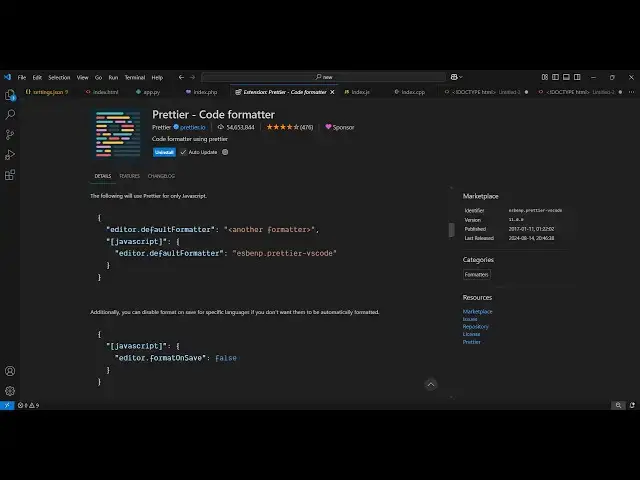
your code instantly the name of the
0:14
extension is prettier it's a very
0:16
popular extension if you go to
0:18
extensions just type here prettier p r e
0:22
d d i e r this is actually the spelling
0:25
right here and it's developed by this
0:27
company here prettier. iio it's a code
0:31
from format it's use almost 54 million
0:37
fairly uh popular extension and this is
0:40
their website and it's totally free it's
0:42
open source and so simply need to click
0:45
the install button and just click
0:48
activate this so as soon as it
0:51
activates now all your
0:55
files you just need to right click
1:00
and just select this option format
1:02
document and this will come so
1:05
automatically your files will be
1:07
formatted so let's suppose if I make
1:13
unformatted so as soon as you click
1:16
format document you'll see automatically
1:18
the files will get formatted and it
1:22
languages almost all the languages so
1:25
pretty here if you see index. HTML then
1:32
JavaScript which includes all the major
1:34
Frameworks react view so allinone
1:37
extension this is and let me just ask
1:44
AI so you can just write unformatted
1:48
code and just format this using preter
1:52
so generate some unformatted code
2:02
for prer to format so I'm just asking
2:05
chat GPT to generate some unformatted
2:07
code so that we can format that so
2:10
simply copy this so as you can see it's
2:13
unformatted code it's not appearing code
2:16
so just click format document so it will
2:21
document instantly so you will see that
2:25
so you can even say control shift p this
2:28
is a shortcut key and here you can
2:30
simply search prettier here you will
2:33
see you can even create a configuration
2:36
file as well and select that but if you
2:38
activate this it will add this you as a
2:42
default formatter so if you right click
2:45
this there is also a second option
2:49
is prettier will be the default format
2:52
but if you have some more formats which
2:55
are there you can even install that as
2:56
well so this is a very handy extension
2:59
simply install and activate this and
3:02
thank you very much for watching this
3:03
video and also check out my website free
3:05
mediat tools.com which contains
3:08
thousands of tools regarding audio video
3:10
and image and I will be seeing you in